
The workforce map: professionals per 10,000 people
See how many professionals each district or region has for its population, and which areas are underserved.
What you will learn
- Open the Workforce map tab
- Switch between districts and regions, and between good standing and all active
- Find the most underserved areas
- Open the professionals in an area
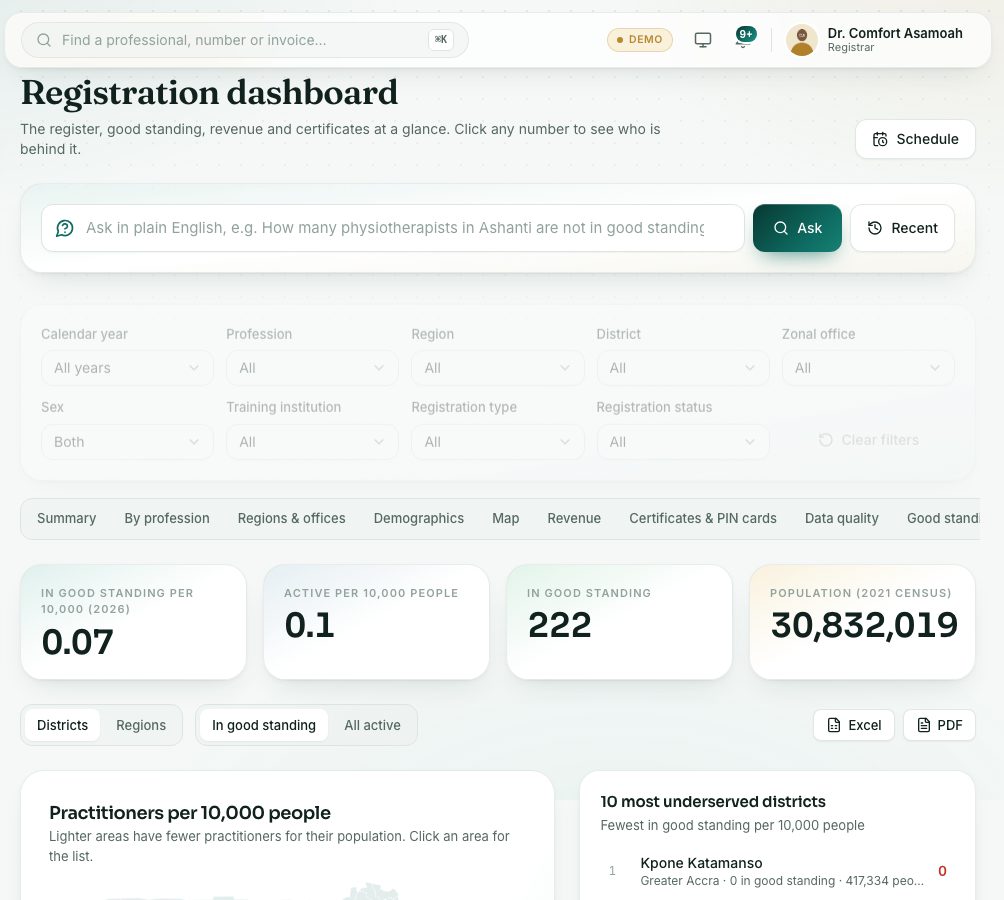
The map divides the number of professionals in each area by its population (from the census) and shows it per 10,000 people. Lighter areas have fewer professionals for their population.
demo.ahpcghana.com/staff/registration-dashboard?tab=workforce
Step by step
- Open the Registration dashboard and press the Workforce map tab.
- Read the figures at the top: In good standing per 10,000, Active per 10,000 people, In good standing and Population (2021 census).
- Choose Districts or Regions, and In good standing or All active.
- Point at an area on the map to see its population and figures. Click it for the list of professionals there.
- Read 10 most underserved districts (or regions): the fewest in good standing per 10,000 people.
- The table below has every area. Use Find a district to look one up, and Excel to download.
What you will see
- Not on the map lists professionals whose district couldn’t be placed, so you can correct their profile.
- Use the Profession filter at the top to see one profession’s map.
Check yourself
Pick an answer for each question, then press Check my answers. Nothing is saved or sent.