
Candidates, exam fees and admission
See who applied, whether they have paid, and admit, withdraw or download an admission slip.
What you will learn
- Read and filter the candidate list
- Know how the exam fee and admission work
- Admit a candidate without payment, with a reason
- Withdraw a candidate
- Download the list and admission slips
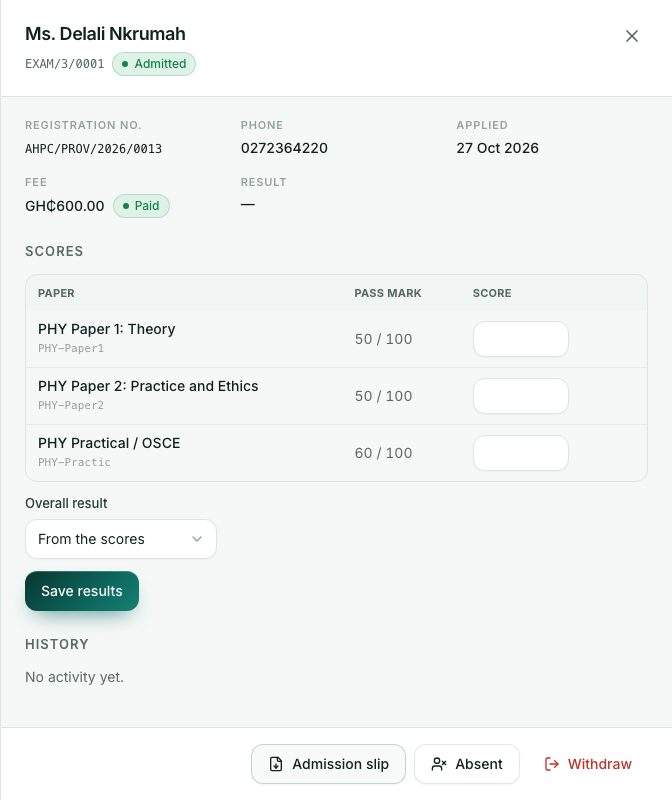
When a professional applies, the portal raises the exam fee invoice in GH₵. As soon as they pay, they are admitted automatically: they get an exam number (for example EXAM/12/0034) and can download their admission slip.
demo.ahpcghana.com/staff/exams?status=open
Step by step
- Open the session. The Candidates list is in the middle.
- Filter it with All statuses, Any result, Paid or not and Any attempt, or search by name, exam number or registration number.
- Click a candidate to open their details.
- For an admitted candidate, press Admission slip to download it.
- To admit someone who hasn’t paid (for example on a Council decision), press Admit:
- Type Why the fee is waived. Admitting waives the fee and cancels the invoice.
- Press Admit.
- To release a seat, press Withdraw and add a note. A paid fee is not refunded automatically.
- To download the whole list, press Excel or PDF above it. Downloads carry your name as a light watermark and the Excel file is read-only.
Who can apply
- Graduates: people whose profile has a completed qualification with the year they finished. Anyone else who tries to apply is asked to add their completed qualification under My profile → Qualifications first.
- Foreign-trained applicants only once the Interview Panel has approved them for the exam. If the Panel approved them for provisional or temporary registration instead, they must be registered first.
- Only while the session is open, between its dates, and while there are seats.
- Only for a session of their own profession (or one for all professions).
- Not someone who has already passed the licensure exam.
Exam fee invoices
The Accounts unit sees the invoices under Accounts → Examinations → Main examination, Supplementary 1 and Supplementary 2.
What you will see
- Candidate statuses: Awaiting payment, Admitted, Sat, Absent and Withdrawn.
- The admission slip has a QR code that only the Council can make. It is scanned at the door on exam day, so a home-made or altered slip is caught.
- The Attempt column: 1 for a first sitting, or a gold 2 or 3 for a resit.
- The Fee column: Paid or Unpaid.
Check yourself
Pick an answer for each question, then press Check my answers. Nothing is saved or sent.