
Programmes and Facilities: the two lists
Read the counters, see where each application is, and filter the list of programme or facility applications.
What you will learn
- Open Programmes or Facilities
- Read the counters and the two summary boxes
- Use the tabs to find applications at one step
- Filter by year and zonal office
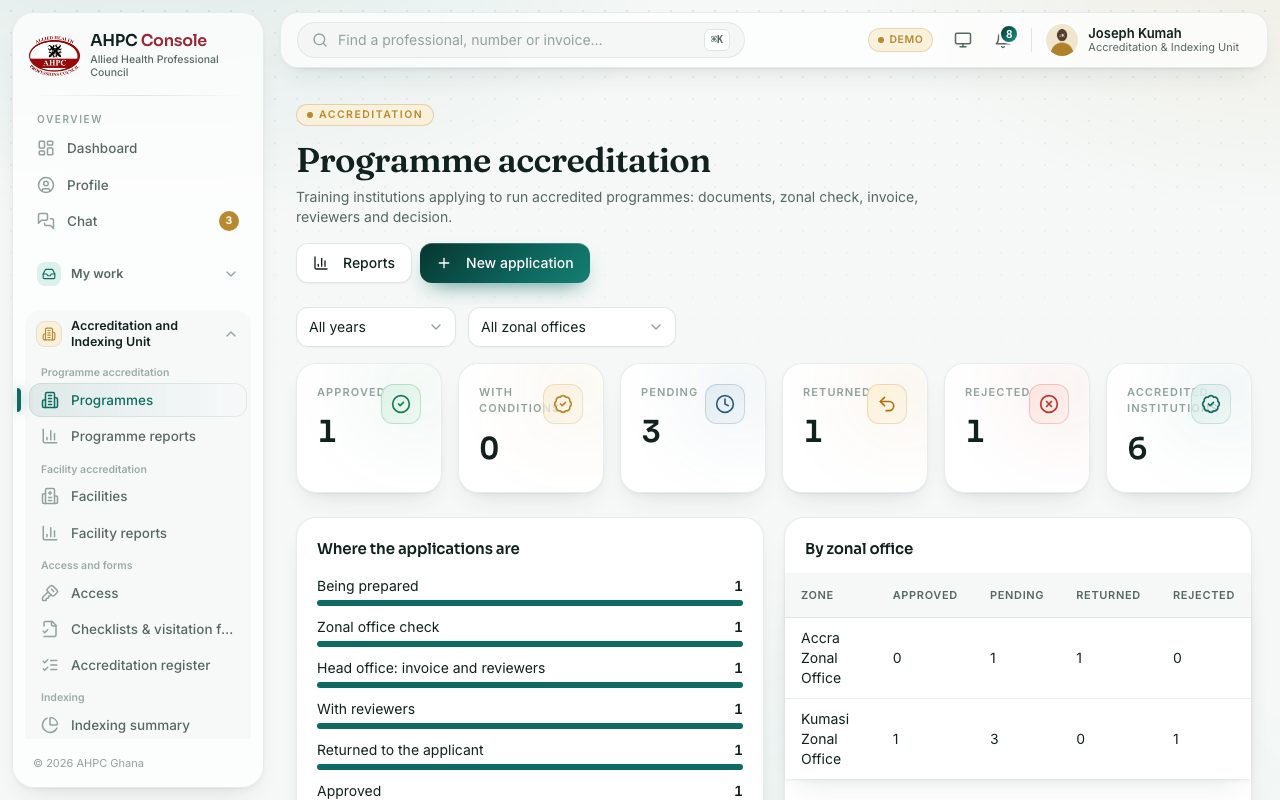
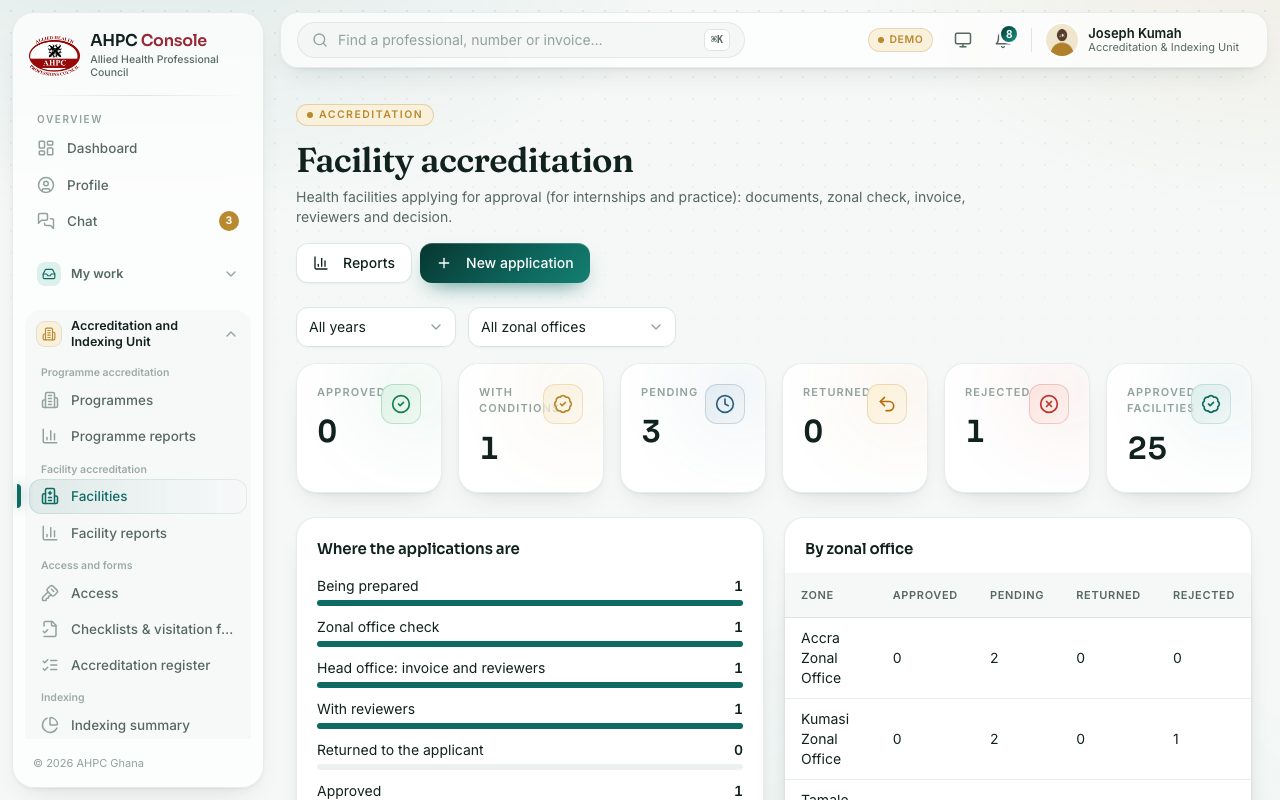
Programmes (page title Programme accreditation) lists training institutions applying to run accredited programmes. Facilities (page title Facility accreditation) lists health facilities applying for approval for internships and practice. The two pages work the same way.
demo.ahpcghana.com/staff/accreditation/programmes
demo.ahpcghana.com/staff/accreditation/facilities
Step by step
- Open Accreditation and Indexing Unit → Programme accreditation → Programmes. For hospitals and clinics, open Facility accreditation → Facilities.
- Use All years to see only applications made in one year, and All zonal offices to see one zone.
- Read the six counters. Press one to jump to that list:
- Approved, With conditions, Pending, Returned and Rejected.
- Accredited institutions (or Approved facilities): how many are accredited today. It also says how many expire in the next 90 days, and opens the register.
- Where the applications are shows how many are at each step. Press a line to list them.
- By zonal office shows each zone’s approved, pending, returned and rejected applications.
- Use the tabs above the list:
- All open: everything not yet decided.
- Zonal check: waiting for the zonal office to check the documents.
- Invoice & reviewers: waiting for head office to send the invoice and choose reviewers.
- With reviewers: the reviewers are scoring and visiting.
- Returned: sent back to the applicant to fix something.
- Being prepared: the applicant is still uploading documents.
- Approved, Rejected and All.
- Search by number, name or contact. Press a row to open the application.
What you will see
- The Fee column shows the amount in GH₵ and whether it is paid, or Not invoiced.
- The Stage column shows where each application is, for example Zonal office check or With reviewers.
- Expiring in the next 90 days lists the places whose accreditation runs out soon.
Check yourself
Pick an answer for each question, then press Check my answers. Nothing is saved or sent.