
The Live Tender Notice and the public Tenders page
Live Tender Notice shows every tender open for bids right now, like the notice board on the website. Choose which ones the public sees on the Tenders page.
What you will learn
- Open the Live Tender Notice
- Put a tender on the website or take it off
- Know exactly what the public sees on the Tenders page, and when
Step by step
- In the left menu, open Procurement → Live Tender Notice.
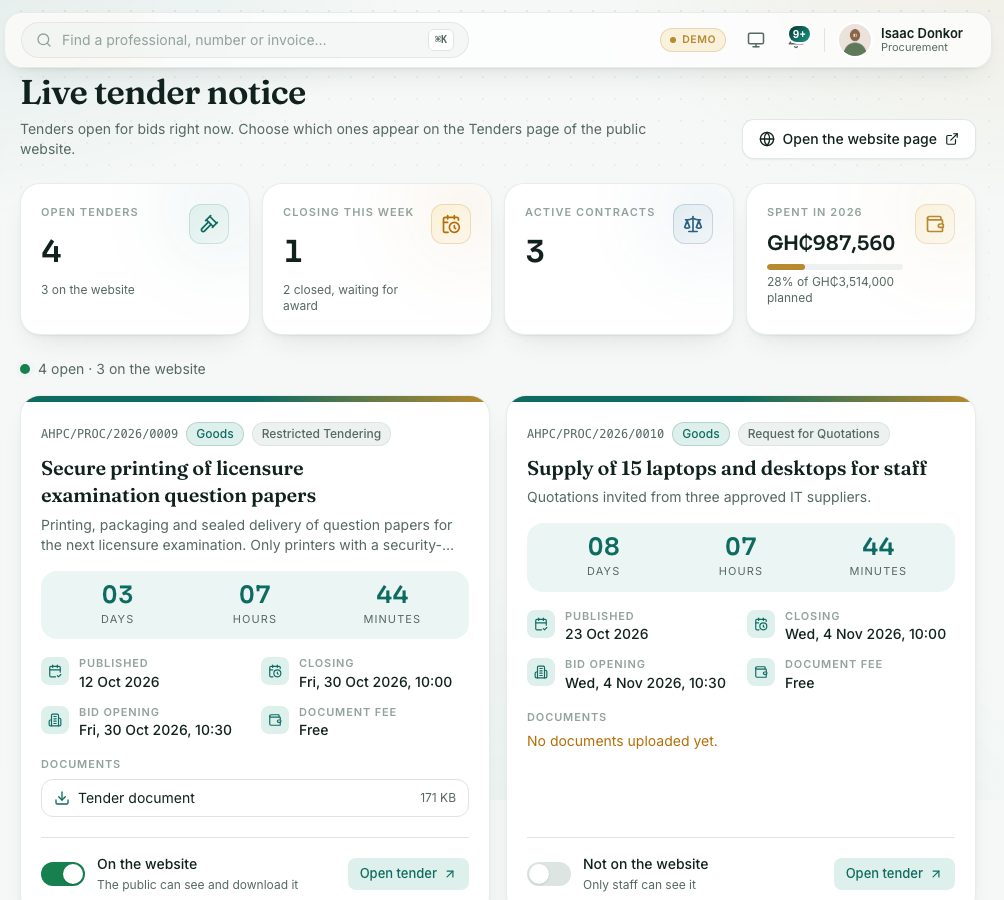
- Each card shows the reference, category, method, title, a days, hours and minutes countdown, the Published, Closing and Bid opening dates, the Document fee and the documents.
- Use the switch at the bottom of a card: On the website means the public can see and download it; Not on the website means only staff can see it.
- Press Open tender to go to the tender itself.
- Press Open the website page to see the public Tenders page in a new tab.
What the public sees
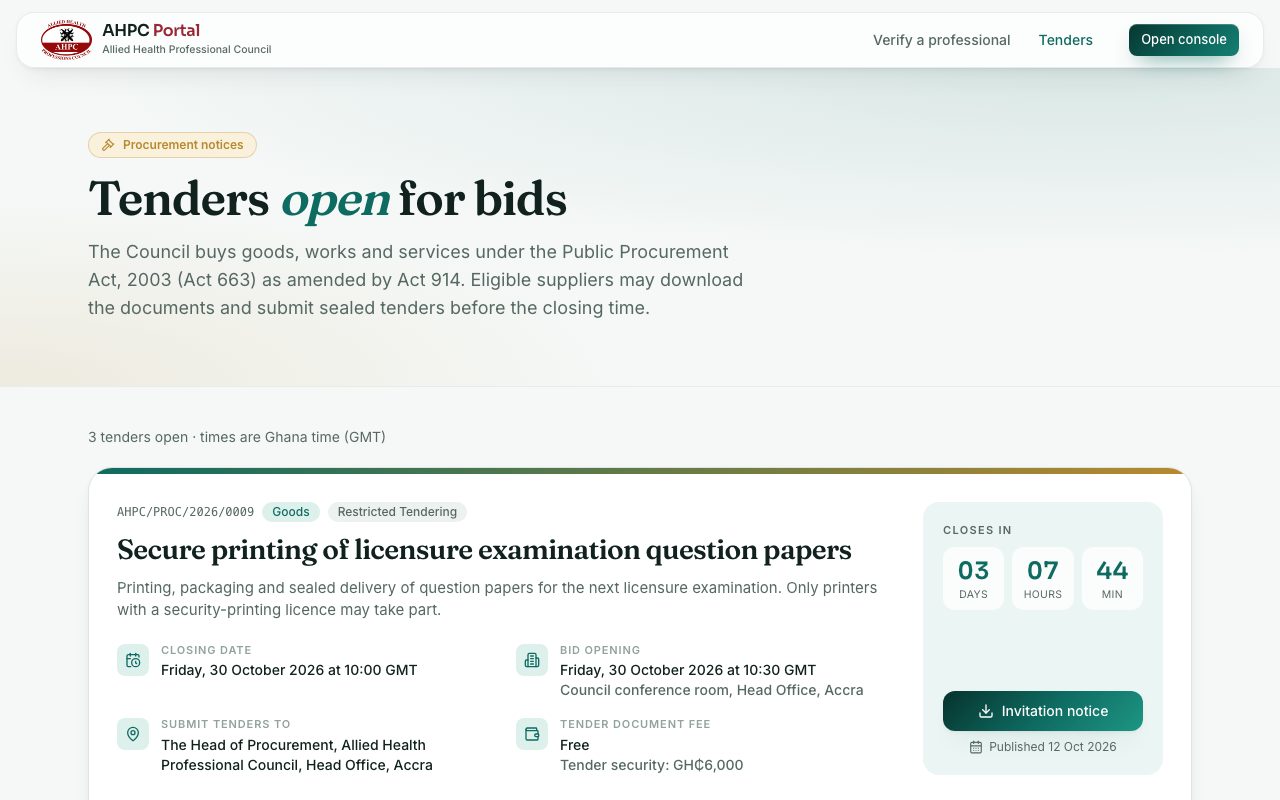
A tender appears on the public Tenders page (portal.ahpcghana.com/tenders) only while all of these are true: it is published, its closing time has not passed, and it is set to show on the website. It disappears by itself at the closing time, or when it is cancelled.
For each tender the public sees the Closing date, Bid opening, Submit tenders to and Tender document fee, the eligibility and enquiries, the documents you marked for download, the clarifications and addenda you marked public, and the published notices (for example the Invitation notice) to download. Bids, evaluation and staff-only documents are never shown.
Check yourself
Pick an answer for each question, then press Check my answers. Nothing is saved or sent.