
Sign in, reset your password and sign out
Sign in with your email and password, get a reset code if you forget your password, and keep your account safe.
What you will learn
- Sign in to the portal
- Reset a forgotten password with a 6-digit code
- Know what happens after five wrong passwords
- Change your password and sign out
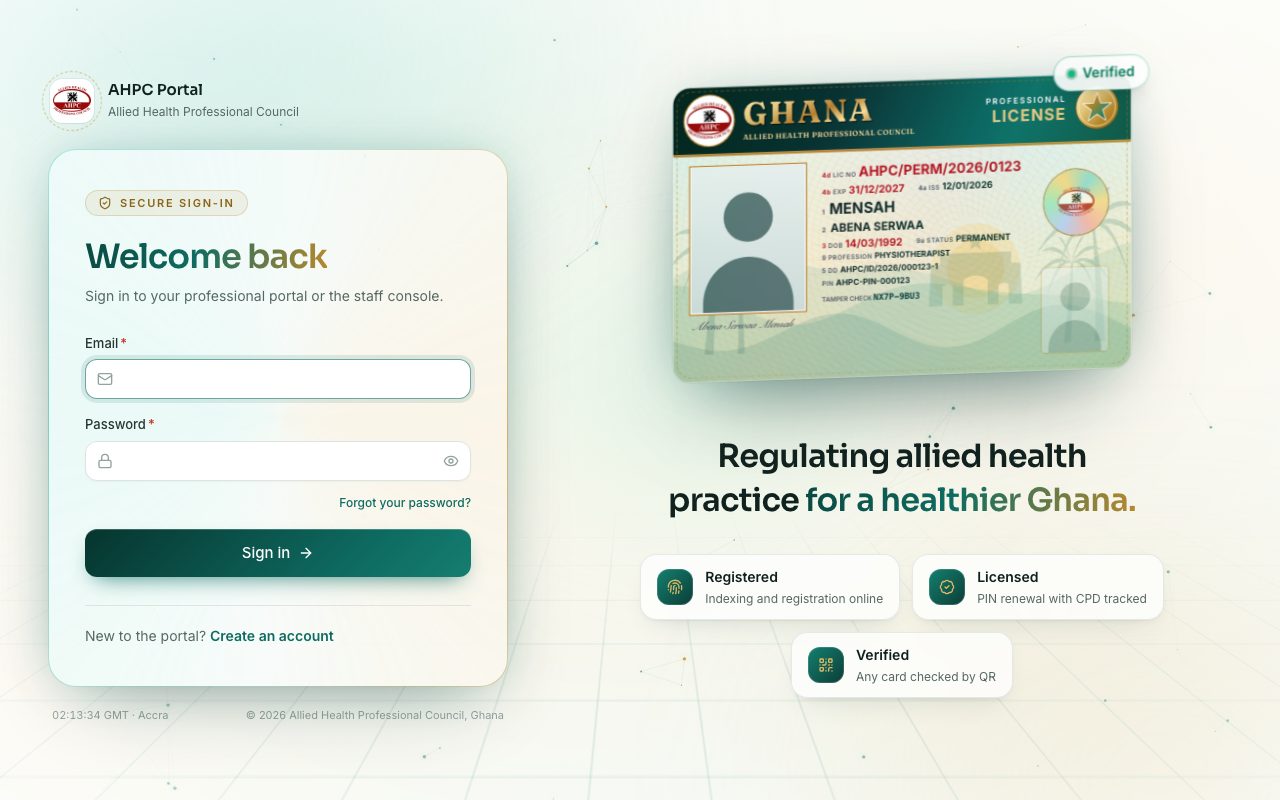
demo.ahpcghana.com/login
Step by step
- Go to portal.ahpcghana.com/login.
- Type your Email and Password. Press the eye icon to see what you typed. A warning shows if Caps Lock is on.
- Press Sign in. The portal opens your dashboard.
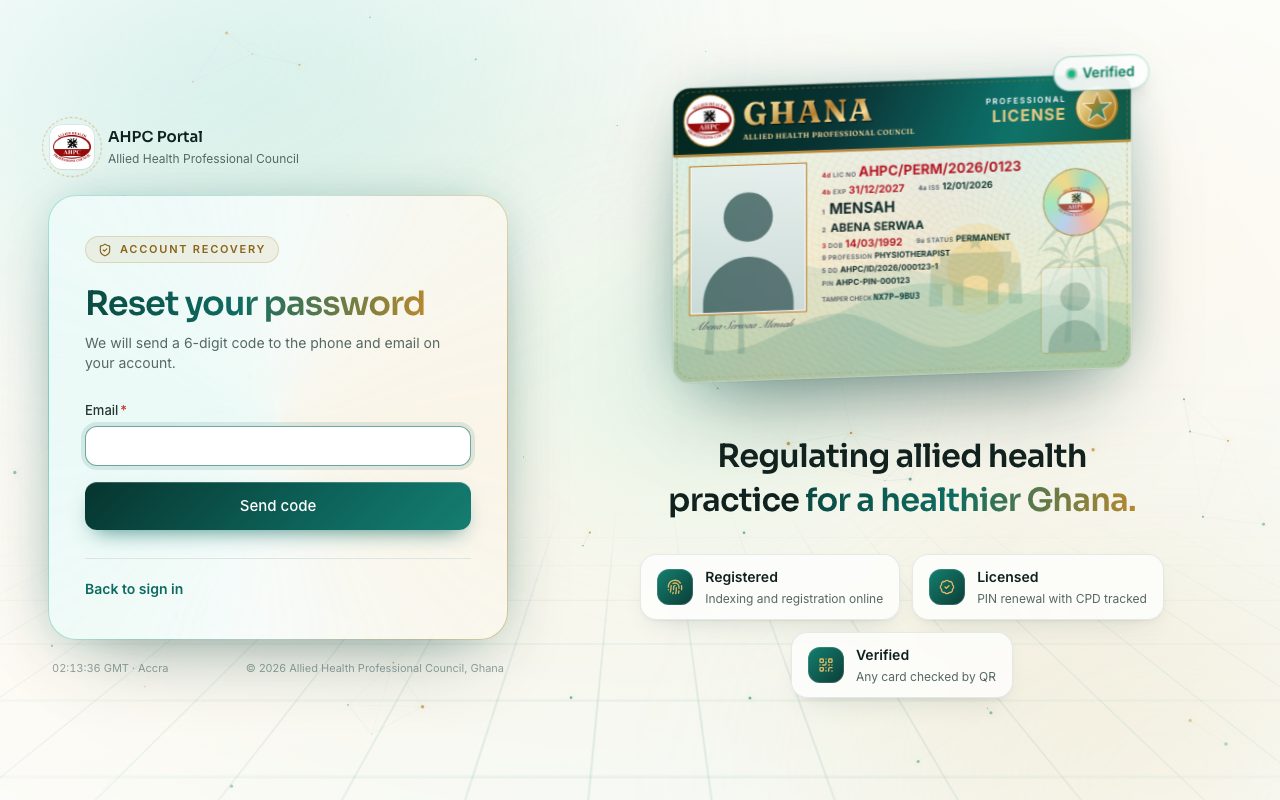
- Forgot your password?
- Press Forgot your password? under the password box (or go to portal.ahpcghana.com/forgot).
- Type your Email and press Send code. A 6-digit code goes to the phone and email on your account.
- Type the code in 6-digit code, choose a New password (at least 10 characters) and press Change password.
- No code? Press Didn't get it? Send again. The code works for 15 minutes.
- Then sign in with your new password.
- To change your password while signed in:
- Press your name at the top right of any page.
- Choose Change password, type your Current password and a New password, then press Change password.
- To sign out, press your name at the top right and choose Sign out.
demo.ahpcghana.com/forgot
Five wrong passwords lock the sign-in
If you type a wrong password five times in a row, the portal stops you signing in for 15 minutes. The message says Too many wrong passwords. Try again in … minute(s).
Wait, then try again. Or reset your password with Forgot your password?: a successful reset unlocks the account at once.
What you will see
- Wrong email or password: one of the two is wrong. Check the email first.
- After a password change, you stay signed in here and any other device you used is signed out.
- The bell at the top right shows your notifications, such as an approved application or a new invoice.
Check yourself
Pick an answer for each question, then press Check my answers. Nothing is saved or sent.