
Foreign-trained applications
People trained outside Ghana apply here first. Check their documents, schedule the interview and record the Interview Panel’s decision.
What you will learn
- Find paid applications waiting for you
- Check the documents
- Schedule or change the interview
- Record the Interview Panel’s decision, or mark the application not approved
An application reaches this queue once the applicant has paid the foreign-trained application fee. The steps are always the same: documents first, then the interview, then the panel’s decision. The decision says which registration the person may apply for next.
demo.ahpcghana.com/staff/foreign-trained
Step by step
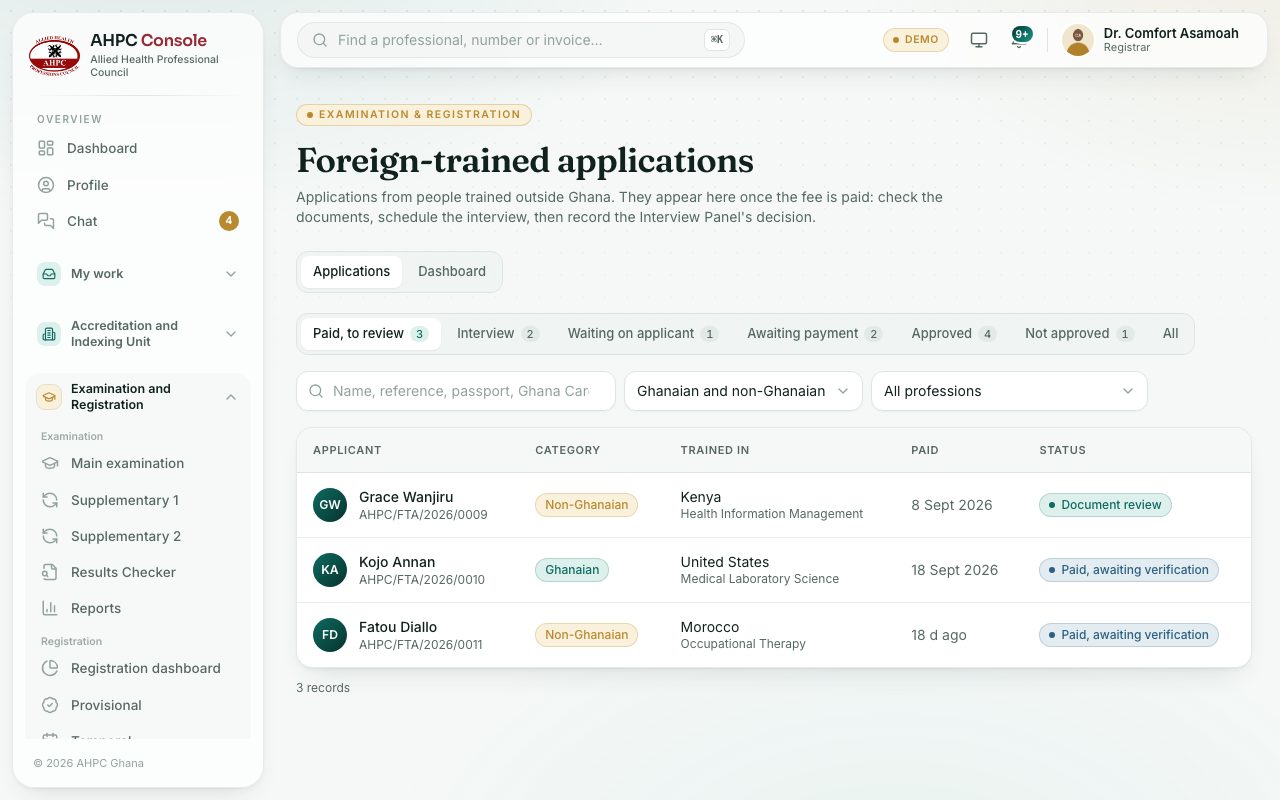
- In the left menu, open Examination and Registration and choose Foreign-trained applications.
- The tabs are Paid, to review, Interview, Waiting on applicant, Awaiting payment, Approved, Not approved and All. Use Ghanaian and non-Ghanaian and All professions to narrow the list.
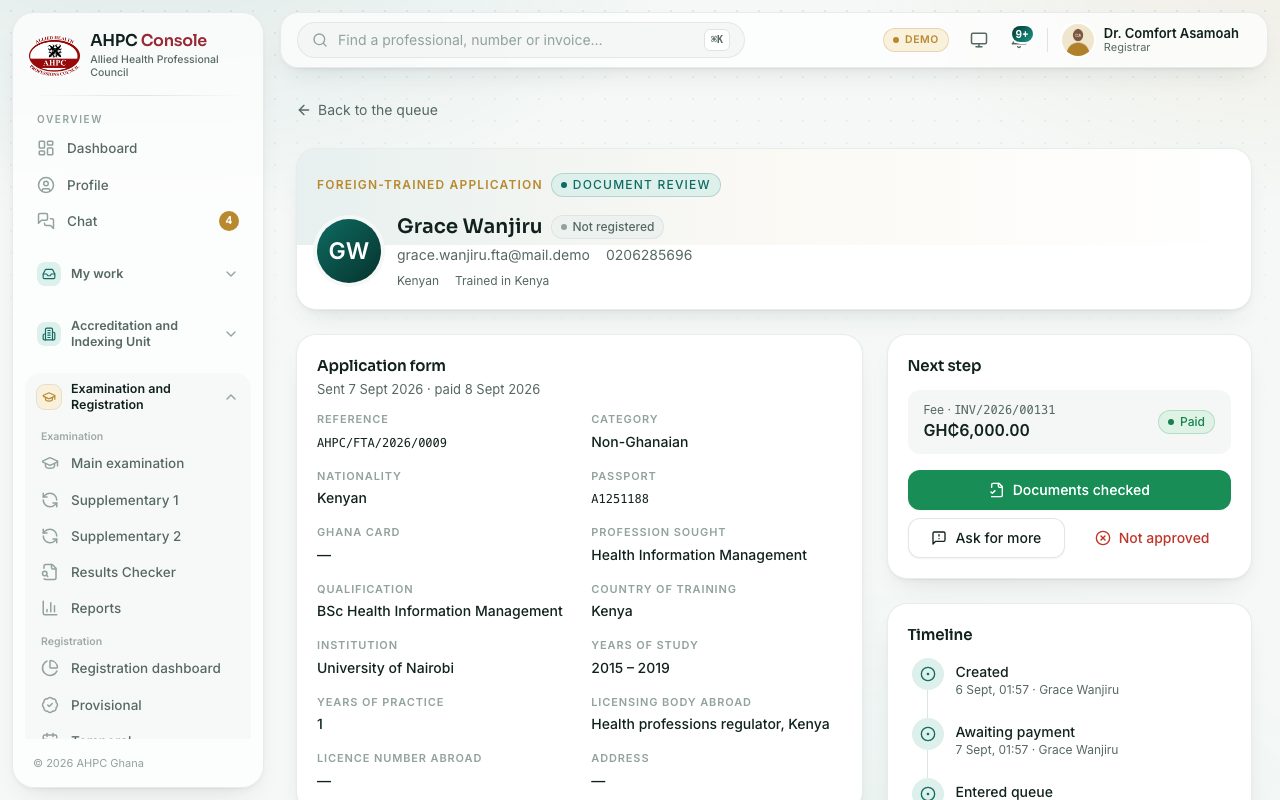
- Click an application. Read the Application form: passport, country of training, institution, years of practice and the licence abroad.
- In Next step, press Start document review.
- Open each document and press Verify or Reject. When all are fine, press Documents checked (it stays grey while required documents are missing).
- Press Schedule interview. Fill in Date and time, Venue and an optional Message to the applicant (optional), then press Schedule and notify. The applicant is told by SMS, email and in the portal.
- After the interview, press Record the panel’s decision. Choose the route, add Panel members (optional) and a note, and press Approve and index.
- To refuse instead, press Not approved and give the Reason.
demo.ahpcghana.com/staff/foreign-trained
The panel’s routes
- Permanent registration: permanent registration straight away, with no provisional registration and no licensure exam.
- Licensure examination, then permanent: the person must pass the licensure exam, then apply for permanent registration.
- Temporary registration.
- Provisional registration (usual path): provisional registration, then the exam, then permanent registration.
Approving gives the applicant an index number and opens only the route you chose.
What you will see
- The statuses: Awaiting payment, Paid, awaiting verification, Document review, Interview scheduled, Approved and Not approved.
- A green box Documents checked with the date and who checked them.
- When the person later applies for registration, the registration application shows the panel’s decision.
Check yourself
Pick an answer for each question, then press Check my answers. Nothing is saved or sent.