
Run the IT helpdesk
Pick up staff IT tickets, assign them, work them within their response time and keep the IT equipment list.
What you will learn
- See all tickets and what is overdue
- Assign a ticket and set its priority
- Start work and mark it resolved
- Keep the equipment list up to date
Any staff member can report a problem from My work → IT help. Each ticket has a response time set by its priority: Urgent 4 hours, High 8 hours, Normal 24 hours, Low 72 hours. The person who raised it confirms the fix.
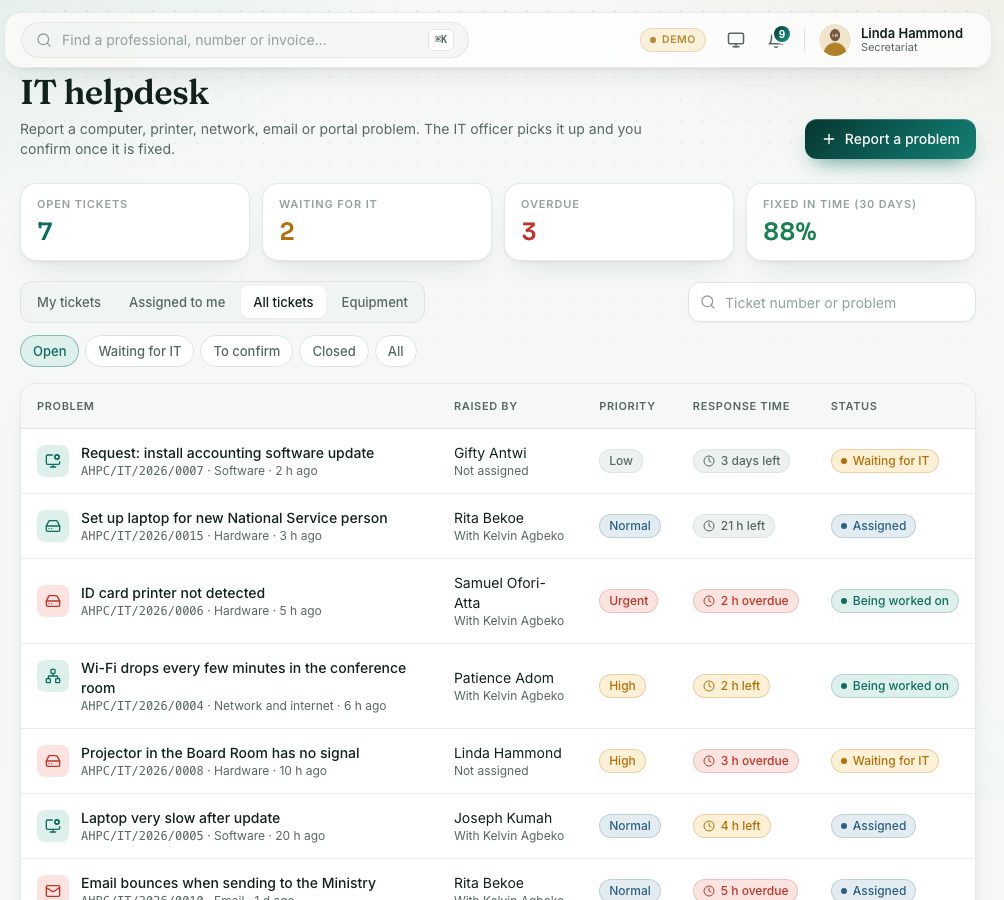
demo.ahpcghana.com/staff/secretariat/it
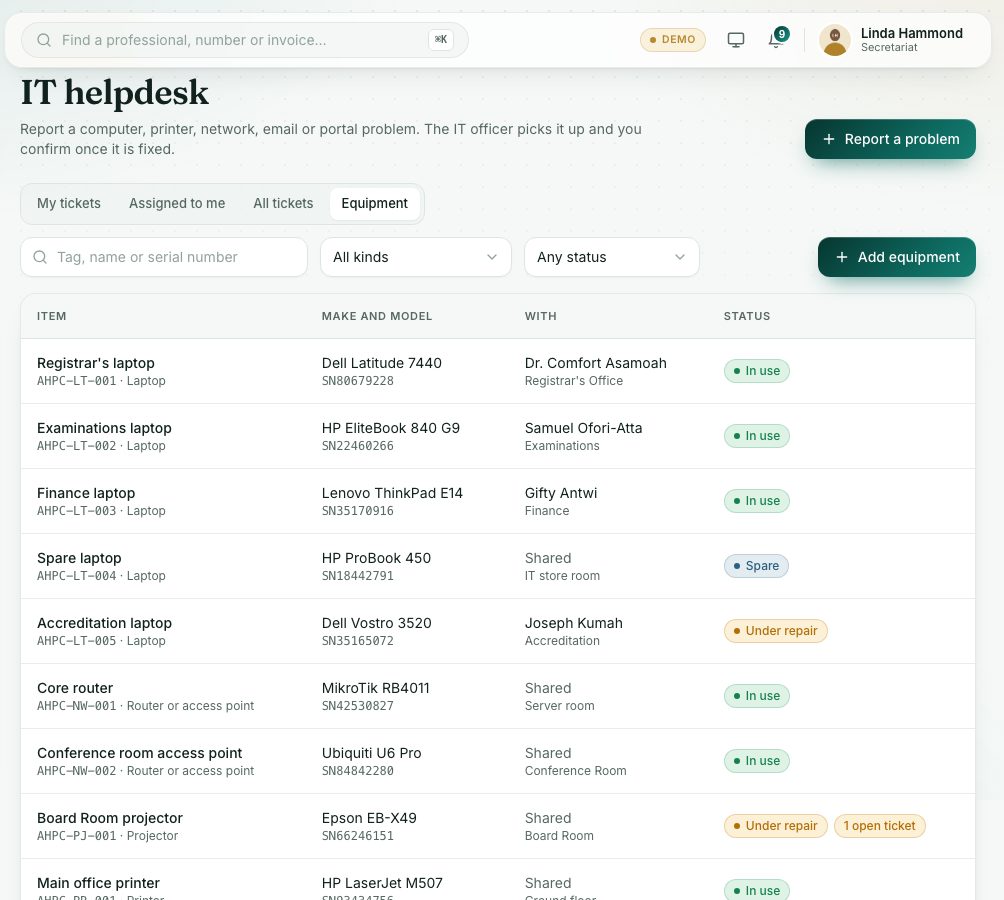
demo.ahpcghana.com/staff/secretariat/it?tab=equipment
Step by step
- In the left menu, open Secretariat and press IT. The page is called IT helpdesk and opens on All tickets.
- The cards at the top show Open tickets, Waiting for IT, Overdue and Fixed in time (30 days). Press a card to filter.
- Use the chips Open, Waiting for IT, To confirm, Closed and All, or search by ticket number or problem.
- Press a ticket to open it.
- Choose the IT officer and press Assign. Change the Priority if needed: the response time changes with it.
- The IT officer presses Start work when they begin. The status becomes Being worked on.
- Add updates or questions in the activity box. The person who raised it sees them.
- When it is fixed, press Mark resolved. The person is asked to confirm with Yes, it is fixed, or Still not working to reopen it.
- Tickets assigned to you are on the Assigned to me tab.
- Equipment: on the Equipment tab, press Add equipment.
- Fill in Tag (for example AHPC-LT-006), Name, Kind, Status, Make and model, Serial number, With (staff member), Location, Bought on and Notes.
- Press Save. Staff can then pick the device when they report a problem.
What you will see
- Ticket statuses: Waiting for IT, Assigned, Being worked on, Resolved, Closed.
- … left or … overdue in the Response time column. Fixed in time or Fixed late once resolved.
- Equipment statuses: In use, Spare, Under repair, Retired.
Check yourself
Pick an answer for each question, then press Check my answers. Nothing is saved or sent.