
Keep the list of facilities up to date
See every health facility the Council knows, where it is, and add, correct or turn off a facility.
What you will learn
- Open the list of facilities and search it
- Add a facility with its region and district
- Edit a facility
- Turn off a facility that is no longer used
Facilities are hospitals, laboratories and clinics where professionals work and interns train. The list is used everywhere: on profiles, placements, inspections and accreditation. Keeping the region and district right means the location reports are right too.
demo.ahpcghana.com/staff/setup/facilities
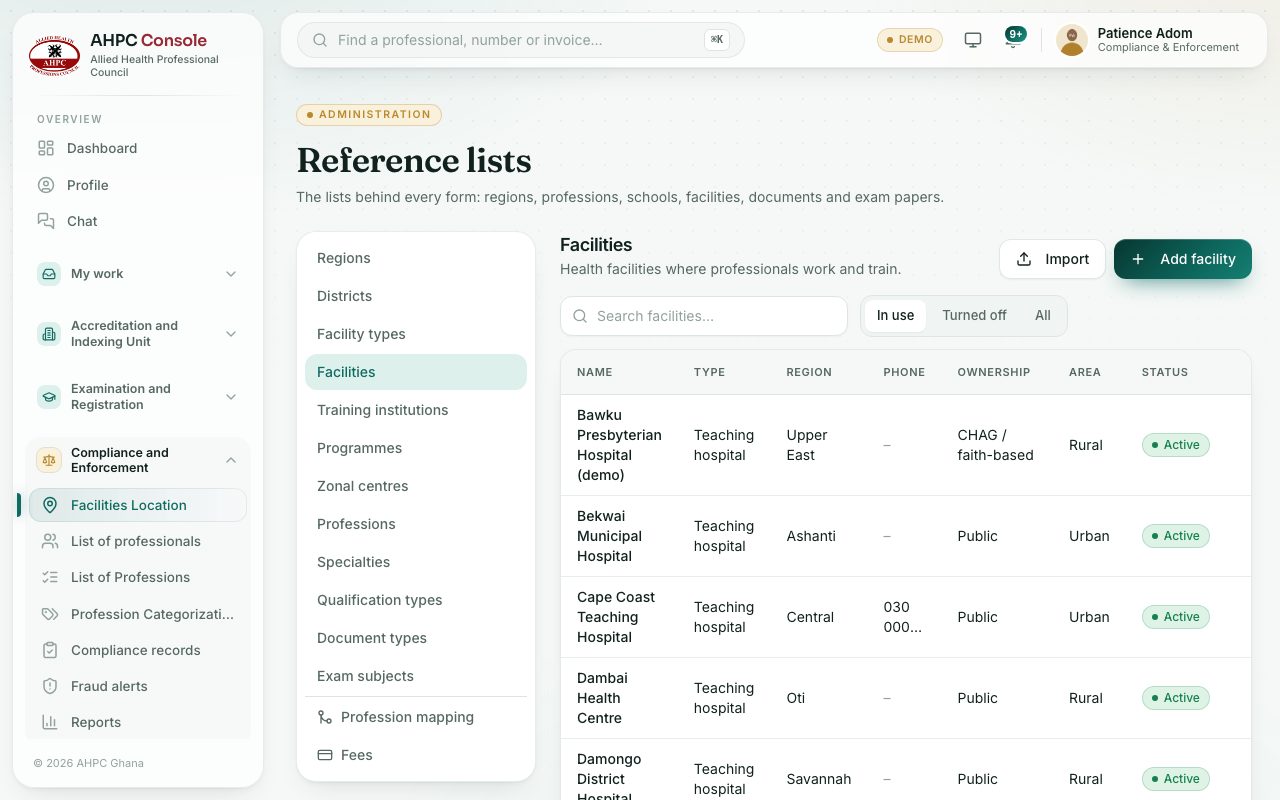
demo.ahpcghana.com/staff/setup/facilities
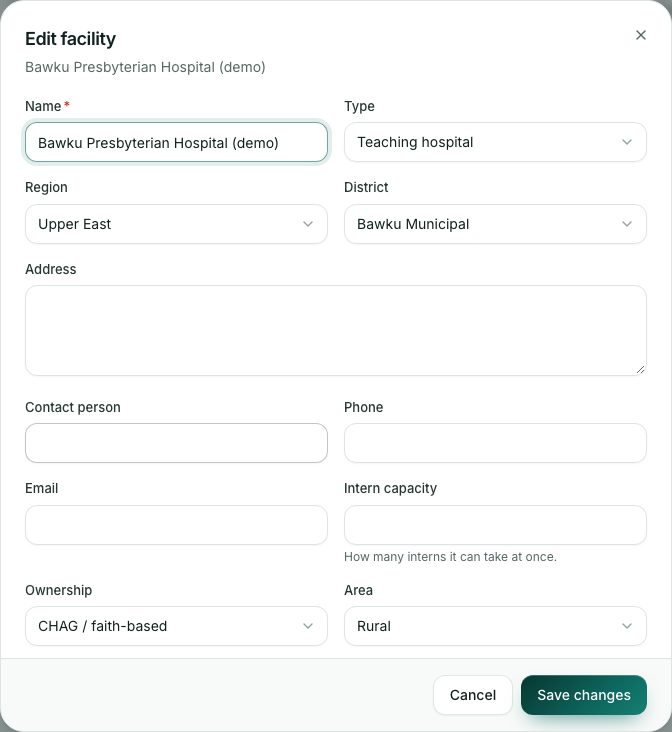
Step by step
- Open Compliance and Enforcement → Facilities Location. The page opens on Facilities inside Reference lists.
- Type in Search facilities… to find one. Use In use, Turned off or All to choose which to show.
- To add a facility, press Add facility and fill in:
- Name (required), Type, Region and District. The district list follows the region you pick.
- Address, Contact person, Phone and Email.
- Intern capacity: how many interns it can take at once.
- Ownership: Public, Private, CHAG / faith-based or Quasi-government. Area: Urban or Rural.
- Press Add.
- To change a facility, press its row, edit the details and press Save changes.
- To add many at once, press Import, download the blank template, fill it in and drop the Excel or CSV file in.
What you will see
- Remove deletes a facility that nothing uses yet. If records already use it, it is turned off instead: past records keep it, but it no longer shows in pick lists.
- A turned-off facility shows under Turned off. Press Turn on to bring it back.
Check yourself
Pick an answer for each question, then press Check my answers. Nothing is saved or sent.