
Public relations: releases, media and events
Draft press releases and public notices for approval, log media enquiries and keep a record of the Council's events and outreach.
What you will learn
- Draft a press release or public notice and send it for approval
- Publish or withdraw an approved release
- Log a media enquiry and record the response
- Add an event and record how it went
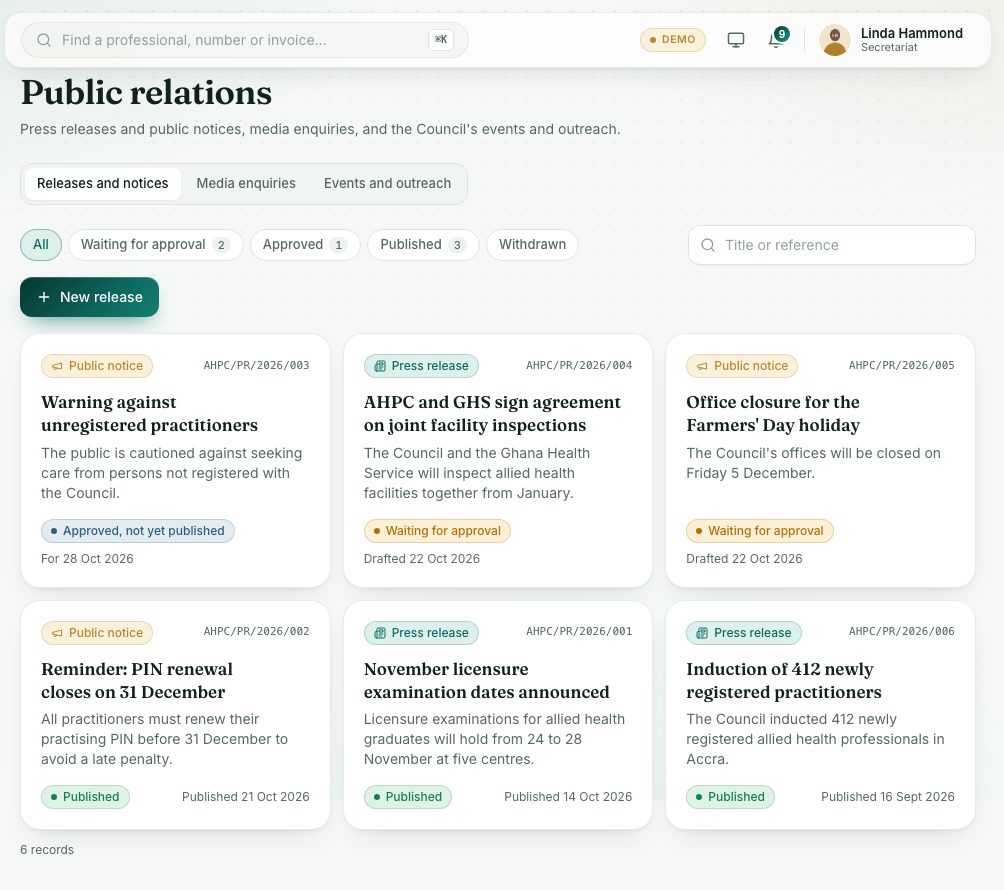
The page has three tabs: Releases and notices, Media enquiries and Events and outreach. Every release is approved before it is published.
demo.ahpcghana.com/staff/secretariat/public-relations
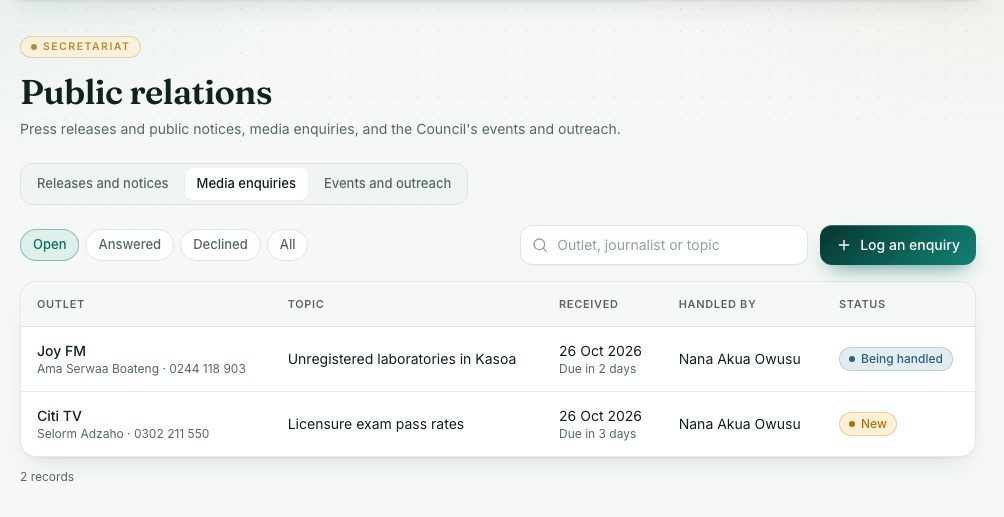
demo.ahpcghana.com/staff/secretariat/public-relations?tab=media
Step by step
- In the left menu, open Secretariat and press Public Relations.
- Releases: on Releases and notices, press New release.
- Choose the Kind: Press release or Public notice. Fill in the Headline, Publish on date, Summary (one or two sentences for the media) and Full text.
- Press Save. It is saved and sent for approval, with the status Waiting for approval.
- The approver opens it and presses Approve. It becomes Approved, not yet published.
- Open it and press Publish on the day. It is marked Published with today's date. Share it with the media and on the Council's channels.
- To take it down, press Withdraw. To make changes before publishing, press Back to draft or Edit.
- Media: on Media enquiries, press Log an enquiry.
- Fill in the Media outlet (for example Joy FM), Journalist, Phone or email, Received, Topic, What they asked and Their deadline.
- Choose who it is Handled by and its Status. When you reply, write Our response and set the status to Answered.
- Events: on Events and outreach, press Add an event.
- Fill in Title, Kind, Date, Venue, Region, People expected and who it is Led by.
- After the event, open it and fill in People who came and How it went, and set the status to Held.
What you will see
- Release statuses: Waiting for approval, Approved, not yet published, Published, Withdrawn.
- Enquiry statuses: New, Being handled, Answered, Declined.
- Event statuses: Planned, Held, Cancelled. The cards Events held this year and People reached this year add them up.
Check yourself
Pick an answer for each question, then press Check my answers. Nothing is saved or sent.