
Find your way around the dashboard
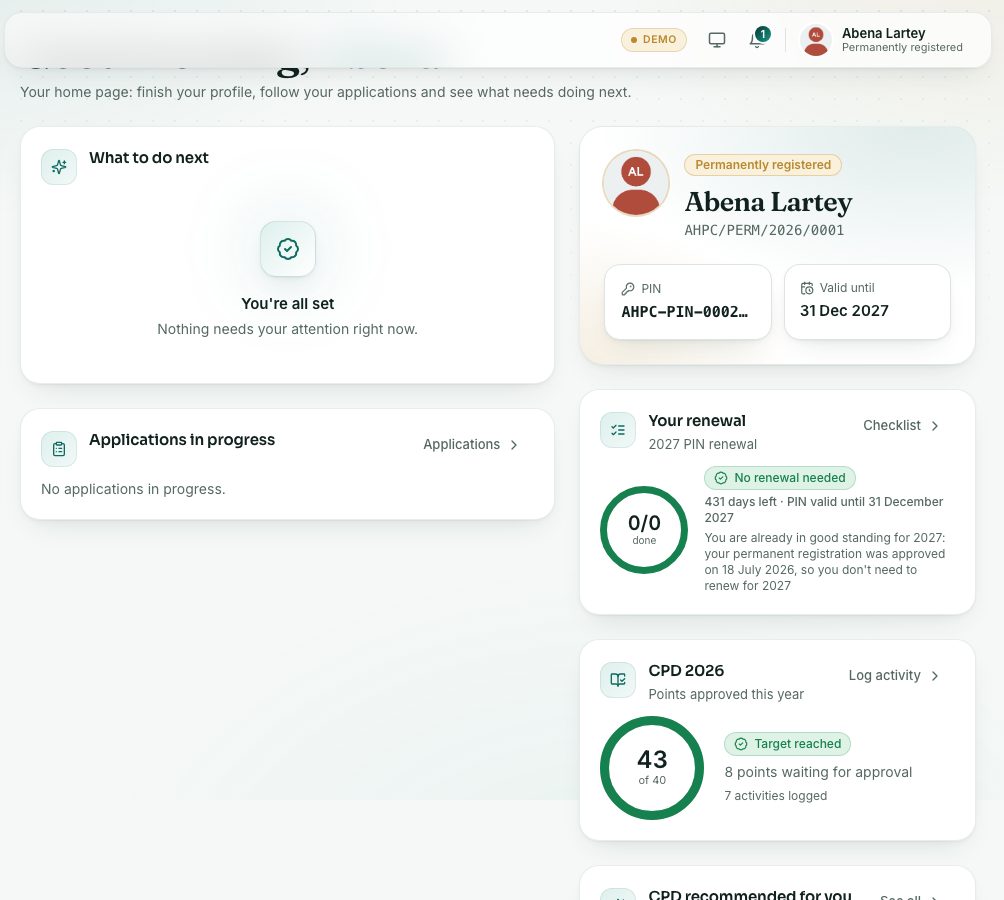
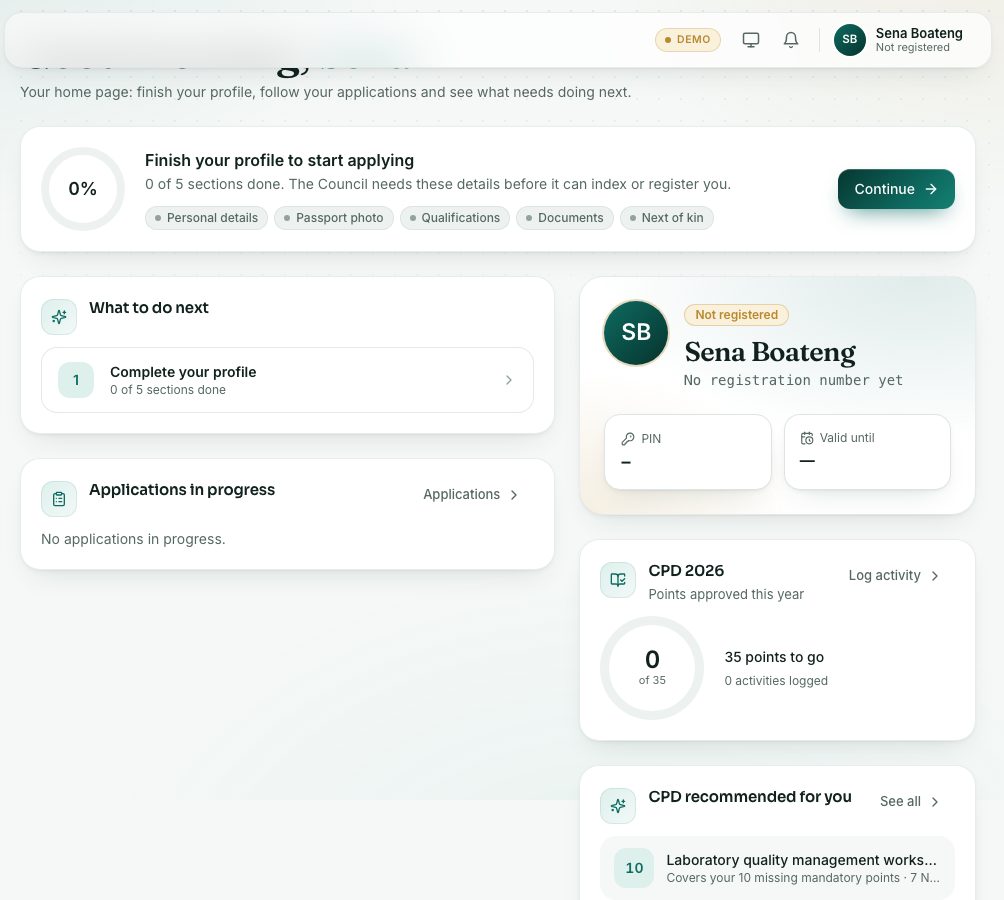
The dashboard shows what to do next, what you owe, your applications in progress, your PIN and your CPD points.
What you will learn
- Read the dashboard cards
- Use What to do next
- Find the left menu groups: Overview, Registration and Records
demo.ahpcghana.com/portal
Step by step
- After you sign in, the dashboard opens. To come back to it, press Dashboard under Overview in the left menu.
- If your profile isn’t finished, the top card says Finish your profile to start applying. Press Continue.
- Work through What to do next from the top. Press a line to go straight to the right page.
- If you owe a fee, Waiting for payment lists the invoice. Press Pay to pay it.
- Check Applications in progress. Press an application to open it.
demo.ahpcghana.com/portal
The left menu
- Overview: Dashboard, My profile, Documents.
- Registration: Applications, Foreign-trained application, Licensure exam, PIN renewal, CPD, Internship.
- Records: Invoices & payments, Certificates, ID card, Who checked me.
On a phone, press the menu button at the top left to open the menu.
What you will see
- The card with your name shows your registration status, your registration or indexing number, your PIN and Valid until.
- When your PIN expires in 60 days or less, the card shows the days left and a Renew your PIN now link. An expired PIN shows Expired.
- The CPD card shows the points approved this year against your target, with Log activity.
- When you have an exam, the Licensure exam card shows its date and status.
- Shortcuts at the bottom: Certificates, ID card and Who checked me.
- When nothing needs you, What to do next says You’re all set.
Check yourself
Pick an answer for each question, then press Check my answers. Nothing is saved or sent.