
12-month forecasts
See the likely renewals, revenue and new registrants for the next 12 months, with a low–high range, and the regions likely to be short of professionals.
What you will learn
- Open the Forecasts tab
- Read a forecast and its range
- Open the PINs running out in a month
- Find workforce gaps by region
Forecasts look at the same months in past years and the latest trend. They are a guide for planning, not a promise: the shaded band shows the likely low and high.
demo.ahpcghana.com/staff/registration-dashboard?tab=forecast
Step by step
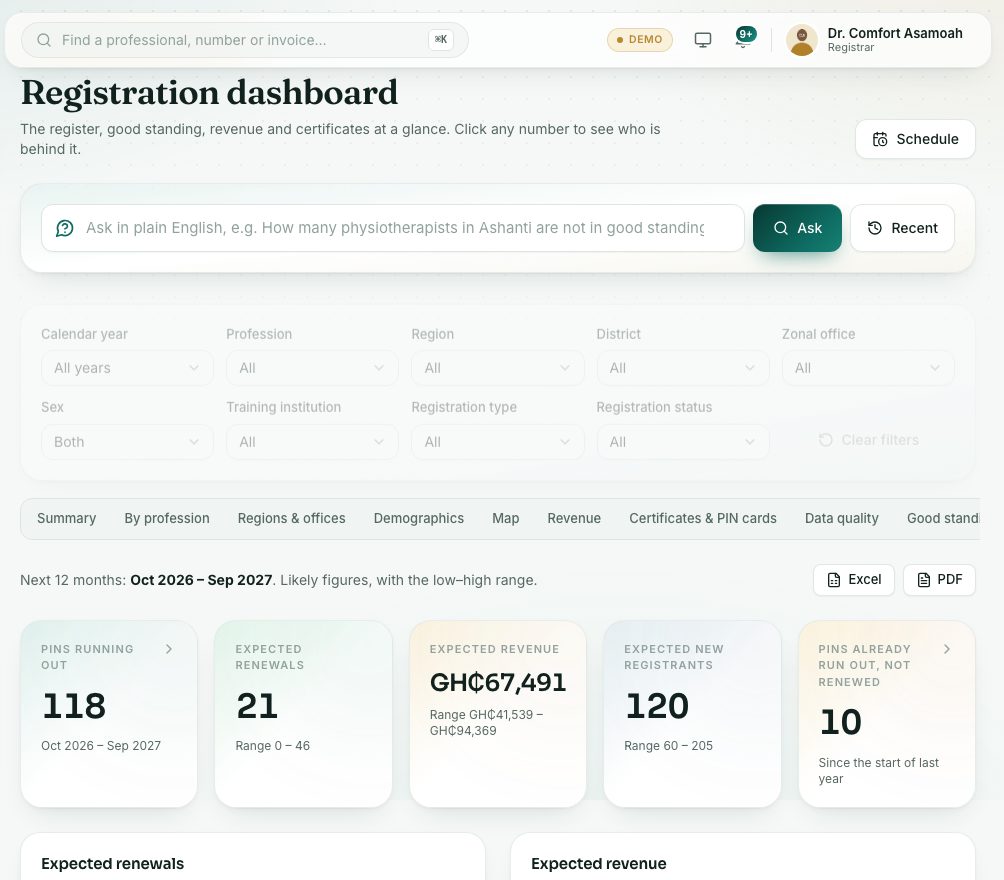
- Open the Registration dashboard and press the Forecasts tab. The line at the top gives the 12 months covered.
- Read the headline figures. Click one for the list behind it.
- Expected renewals: click a month to see the PINs running out then. Use it to plan reminders and staff time.
- Expected revenue: PIN renewals plus registration, examination and late fees, in GH₵.
- Expected new registrants: from the same month in past years, adjusted for the latest trend.
- Read How this is worked out for a plain explanation of the method.
- Scroll to Workforce gaps by region (in 12 months):
- Each bar shows whether a region is likely to be short of the need or above it.
- Type a number in Target per 10,000 people to compare with your own target, or leave it empty for a fair share.
- Click a region for the professionals there.
- Further down: Month by month, Expected revenue by type and Renewal rates by profession over the last three full years. Press Excel or PDF beside the 12-month line to download.
What you will see
- Each chart shows a solid likely line and a lighter Low–high range band. Point at a month to see both.
Check yourself
Pick an answer for each question, then press Check my answers. Nothing is saved or sent.