
Read the audit log
See every change made in the console and portal: who did it, when and what changed.
What you will learn
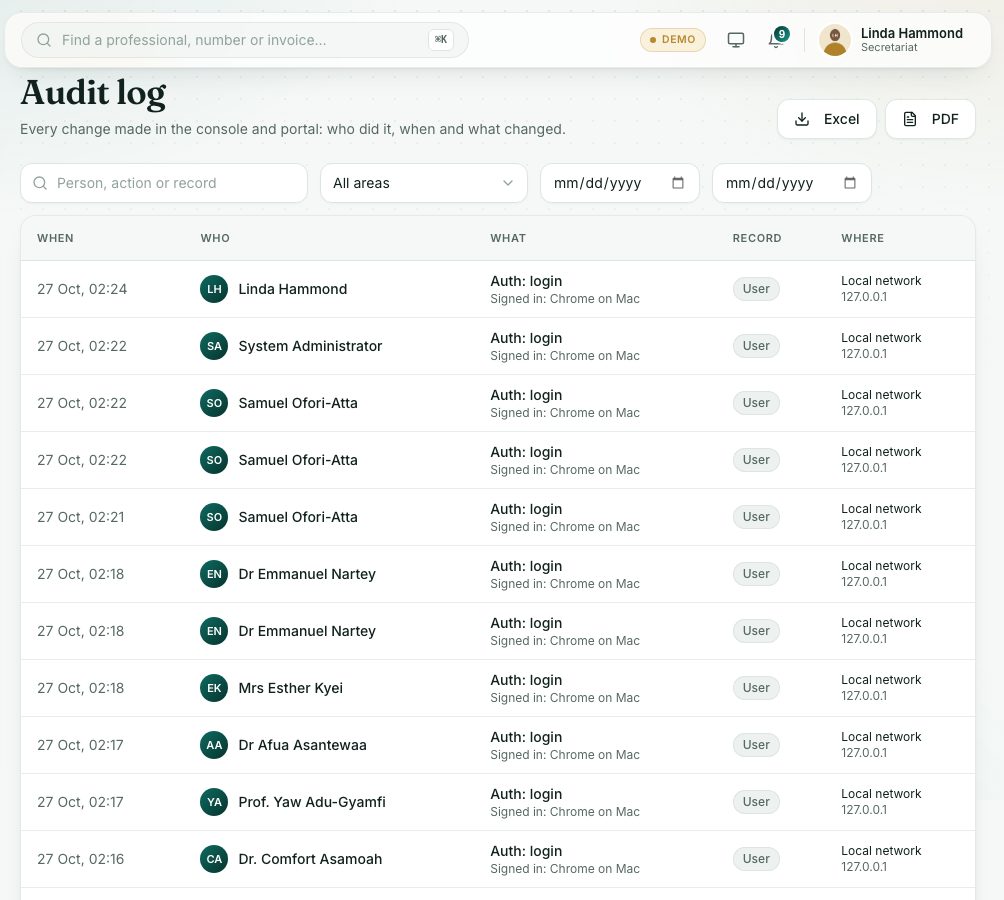
- Search and filter the audit log
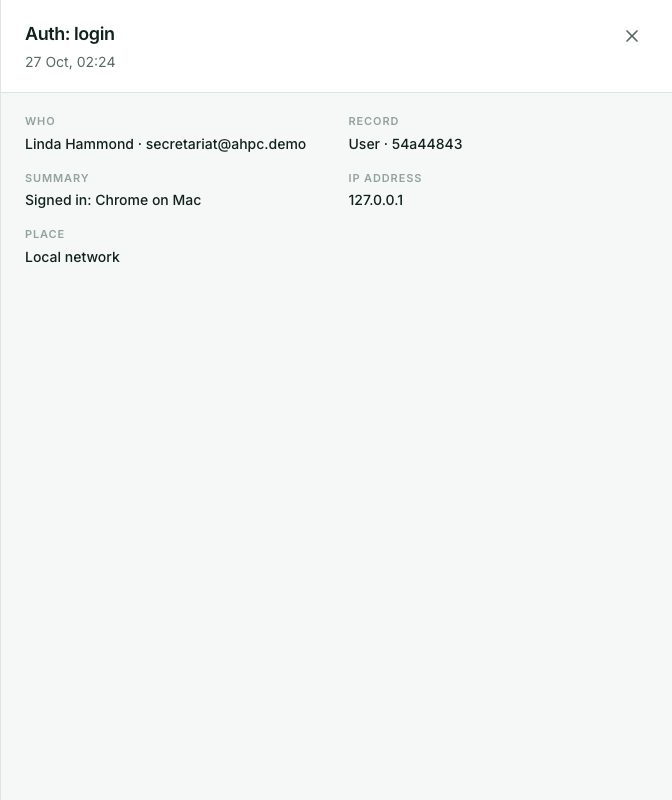
- Open an entry to see what changed
- Download the log
demo.ahpcghana.com/staff/audit
demo.ahpcghana.com/staff/audit
Step by step
- In the left menu, open Secretariat and press Audit. The page is called Audit log.
- Narrow the list.
- Type in the search box: a person, action or record.
- Choose an area in All areas, for example Sign-in and passwords, Professionals, Invoices or Certificates.
- Set the From and To dates.
- Read the columns: When, Who, What and Record.
- Press a row to open it. You see Who, Record, Summary, Network address and, where saved, a table of the Before and After values. Changed fields are highlighted.
- Press Download this page for a spreadsheet of the rows on screen, or PDF for every entry that matches the filters (up to 5,000).
What you will see
- System in the Who column: the portal did it by itself, not a person.
- Before values crossed through, After values next to them.
Check yourself
Pick an answer for each question, then press Check my answers. Nothing is saved or sent.