
Zonal office: verify indexing students
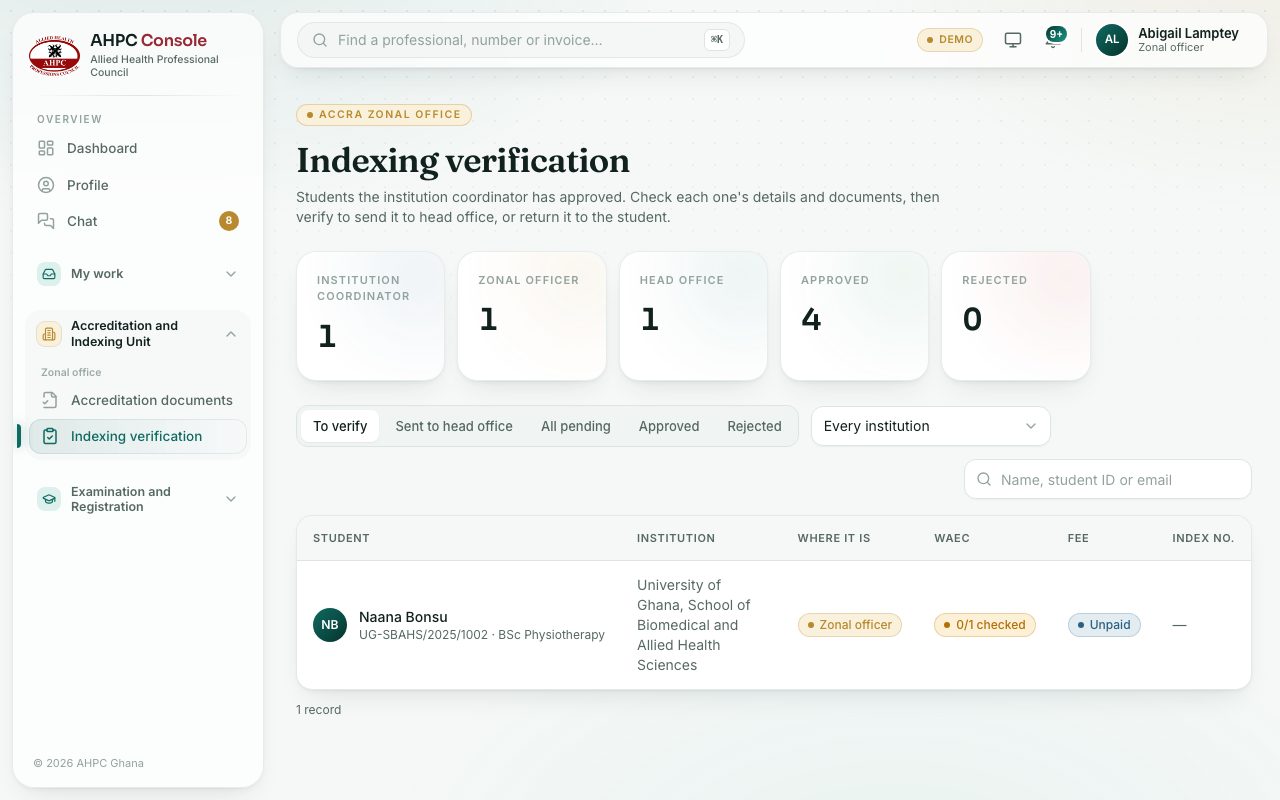
Check the students the institution coordinator has approved, then verify them for head office or return them to the student.
What you will learn
- Open the students waiting for you
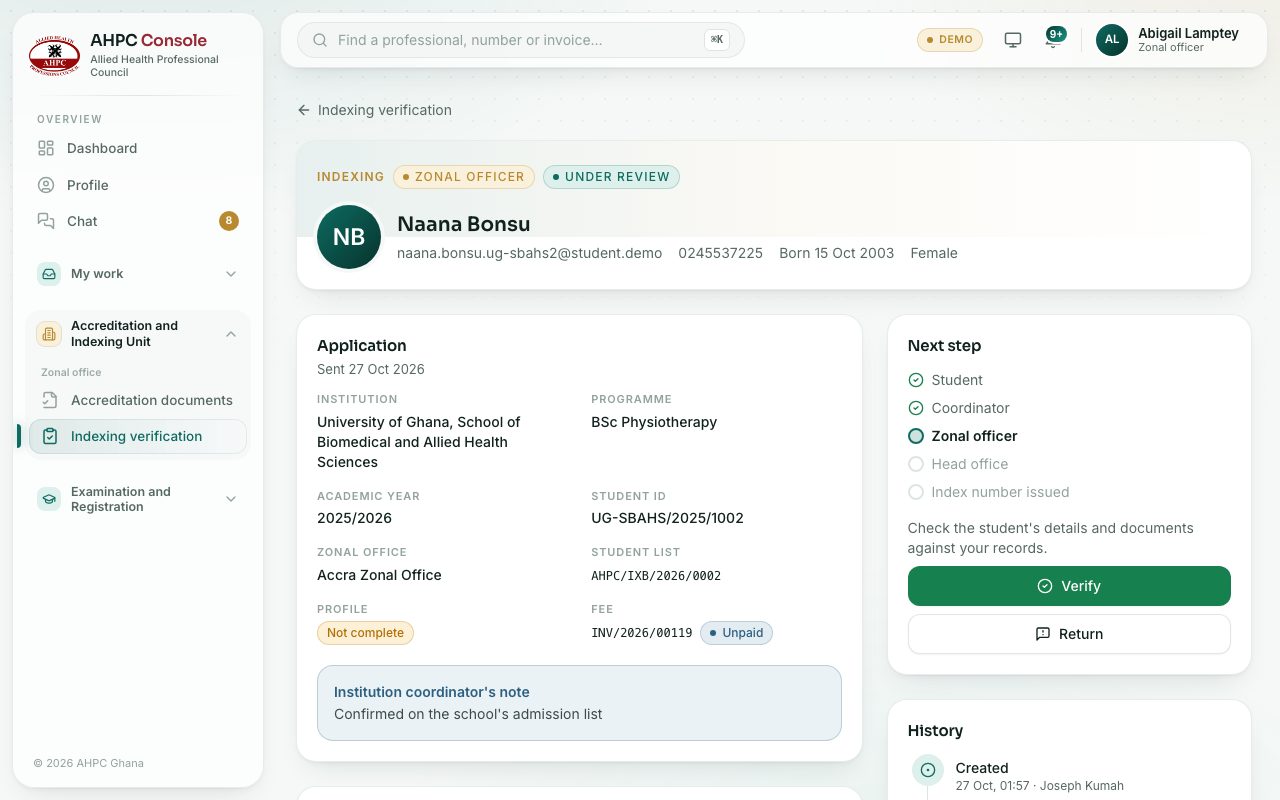
- Check a student’s details and documents
- Verify or return
demo.ahpcghana.com/staff/zonal/indexing
demo.ahpcghana.com/staff/zonal/indexing
Step by step
- Open Accreditation and Indexing Unit → Zonal office → Indexing verification. The To verify tab is shown first.
- Pick an institution or search by name, student ID or email.
- Press a student. Check the details, WAEC result slips and documents against your records.
- Press Verify, add a comment if you like, and confirm with Verify and send to head office.
- If something is wrong, press Return and say what the student must add or fix.
What you will see
- Sent to head office lists the students you have verified.
- If your account isn’t tied to one zonal office, a note says you see students from all of them.
Check yourself
Pick an answer for each question, then press Check my answers. Nothing is saved or sent.