
WAEC check and final approval
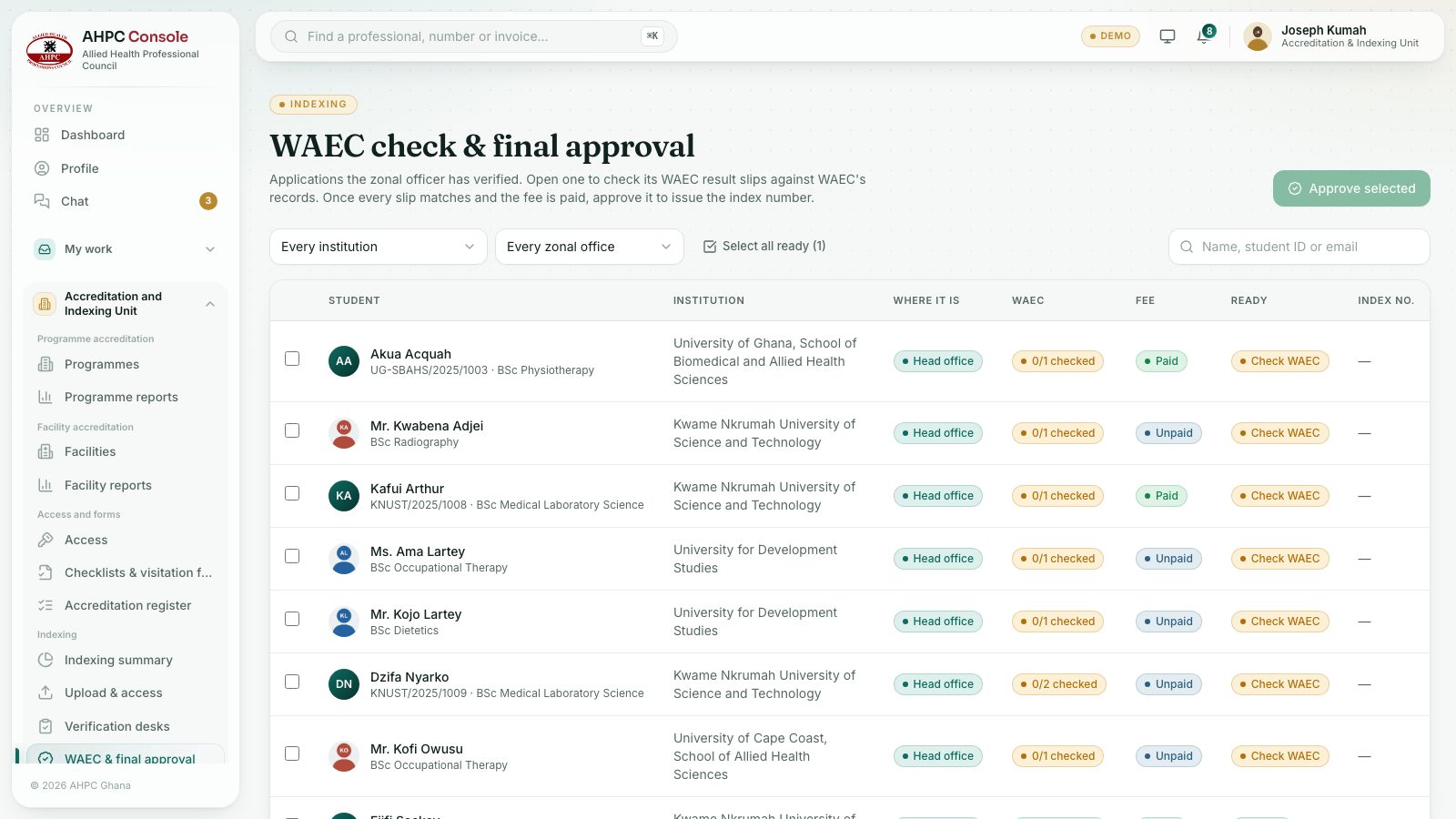
Check each WAEC result slip against WAEC’s records, then give final approval to issue the index number, one by one or several at once.
What you will learn
- Open the students waiting for final approval
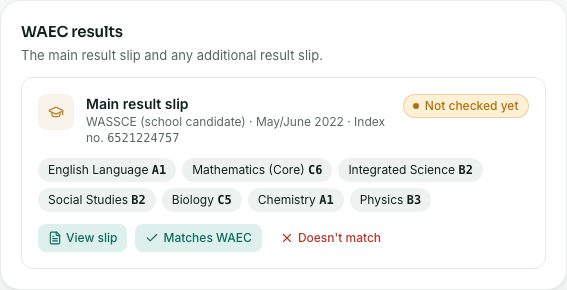
- Mark each WAEC slip as matching or not
- Approve one student or several together
- Know what blocks approval
demo.ahpcghana.com/staff/indexing/final
demo.ahpcghana.com/staff/indexing/final
demo.ahpcghana.com/staff/indexing/final
Step by step
- Open Accreditation and Indexing Unit → Indexing → WAEC & final approval. The page is called WAEC check & final approval.
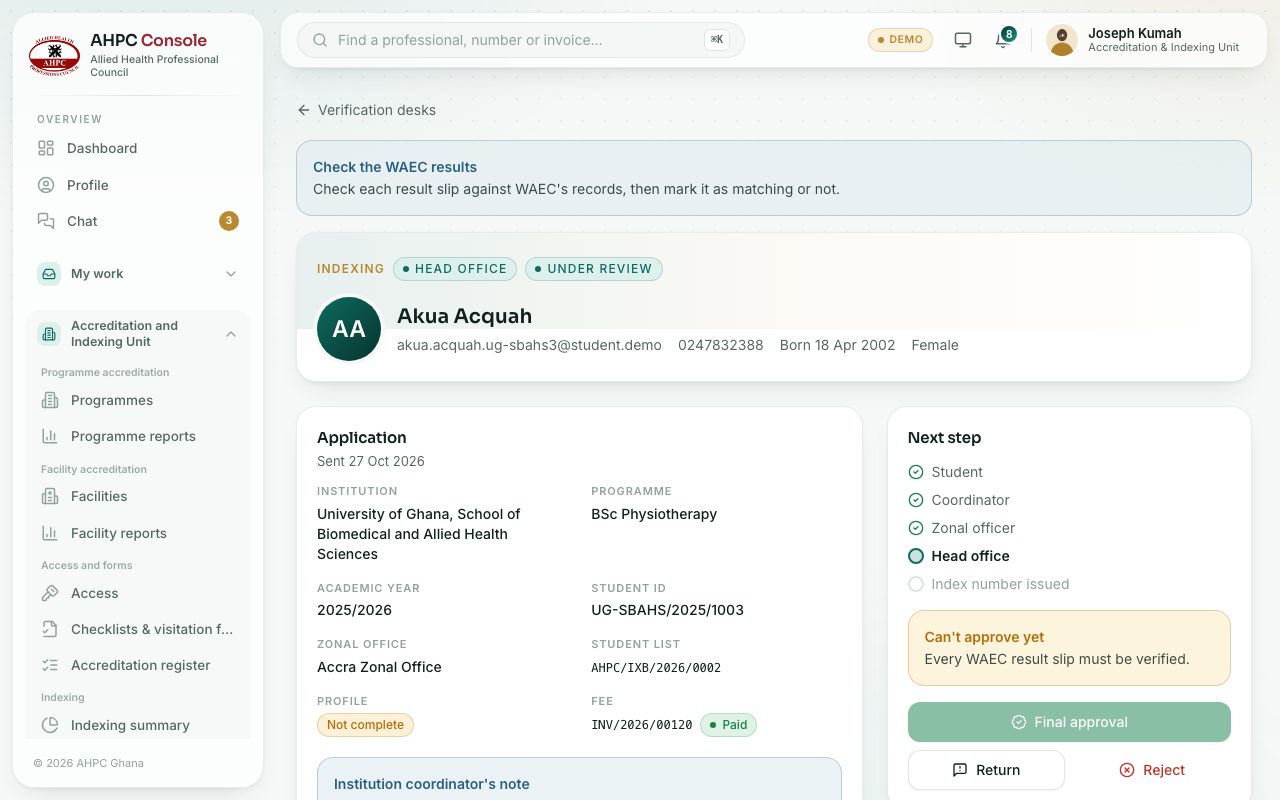
- Press a student. Under WAEC results, press View slip to open each result slip (there can be up to four).
- Check it against WAEC’s records. Press Matches WAEC, or Doesn’t match and say what didn’t match. Add the WAEC check reference if you have one.
- Check the documents too: Verify or Reject with what is wrong.
- When every slip matches and the fee is paid, press Final approval and confirm with Approve and issue index number.
- To approve several at once, go back to the list:
- Press Select all ready or tick students one by one.
- Press Approve … selected and confirm. Any not ready are left for you, with the reason.
What you will see
- Ready (green) means every slip matches and the fee is paid. Otherwise it says Check WAEC or Fee unpaid.
- Can’t approve yet on a student lists what is missing.
- On approval the student gets an index number and certificate, and is told by email and SMS.
Check yourself
Pick an answer for each question, then press Check my answers. Nothing is saved or sent.