
Follow students on the verification desks
See every student’s application at each desk, and act for the coordinator or zonal officer when needed.
What you will learn
- Open the verification desks
- Filter by institution, zonal office and year
- Act on behalf of a desk
demo.ahpcghana.com/staff/indexing/desks
Step by step
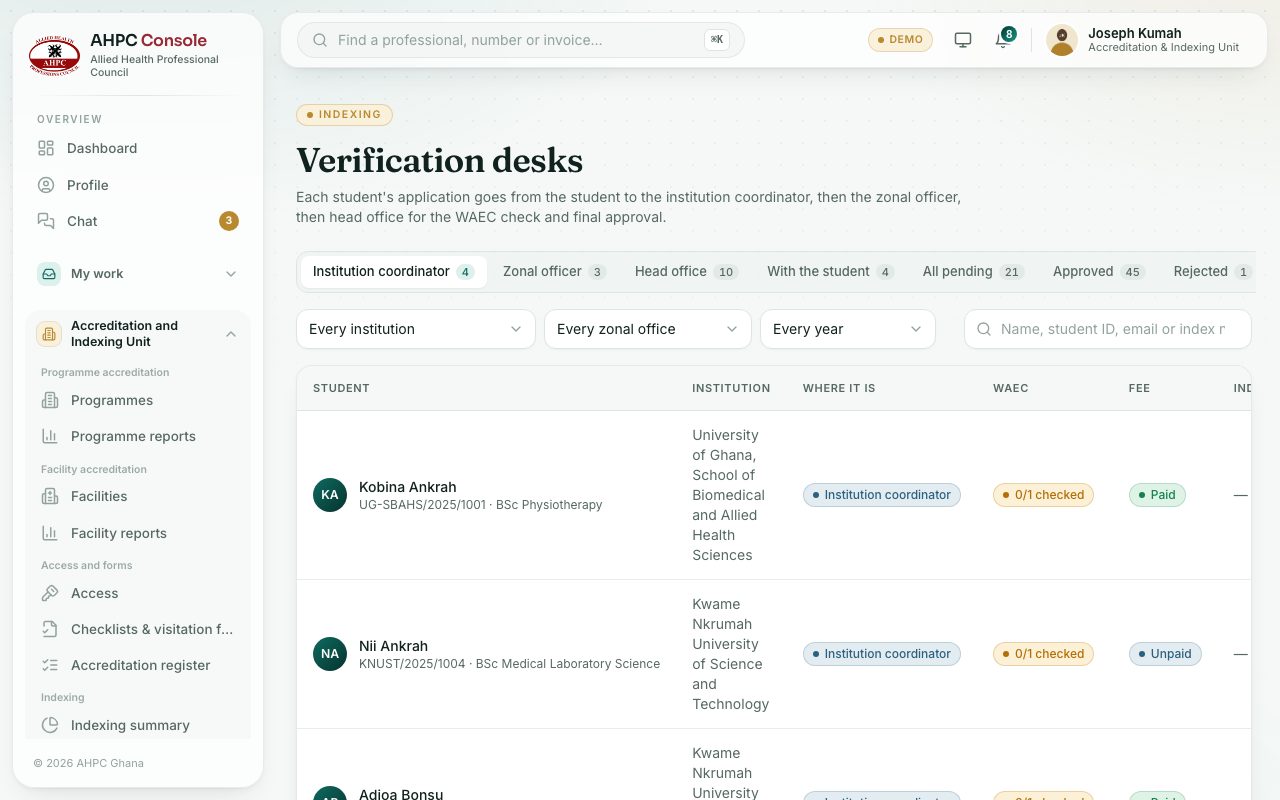
- Open Accreditation and Indexing Unit → Indexing → Verification desks.
- Press a tab: With the student, Institution coordinator, Zonal officer, Head office, Approved or Rejected.
- Narrow it with Every institution, Every zonal office and Every year, or search by name, student ID or email.
- Press a student to open the application: details, WAEC results, documents and history.
- If a desk is stuck, you can act for it in the Next step box:
- At the coordinator: Approve for the coordinator.
- At the zonal officer: Verify for the zonal office.
- Return sends it back to the student to fix something (you must say what). Reject ends it.
What you will see
- The step line shows Student → Coordinator → Zonal officer → Head office, with the current desk in bold.
- Notes from the coordinator and zonal officer show on the application.
Check yourself
Pick an answer for each question, then press Check my answers. Nothing is saved or sent.