
Confirm completed internships
See which interns have every logbook and the oath approved and have finished, and confirm them as completed.
What you will learn
- Open Completed internships
- Confirm one or several interns
- Set the completion rules
demo.ahpcghana.com/staff/internship/completion
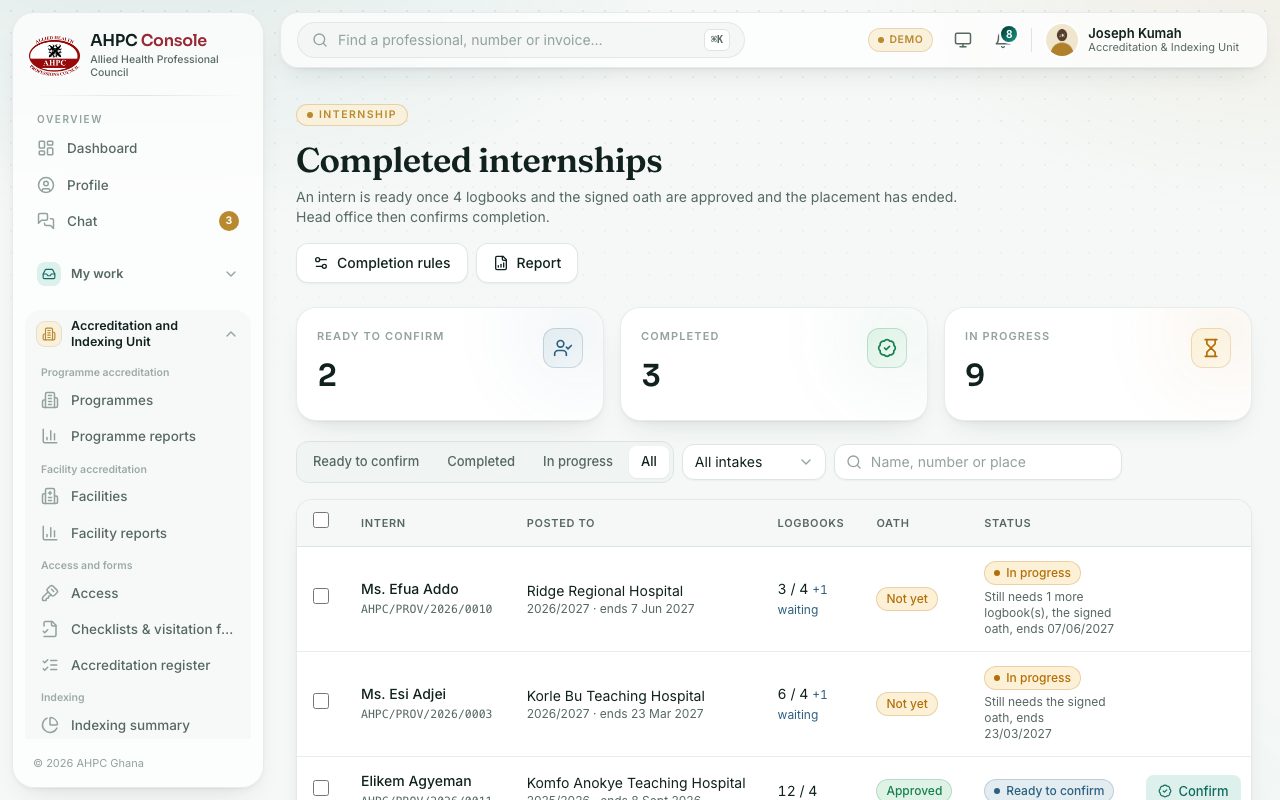
Step by step
- Open Accreditation and Indexing Unit → Internship → Completed internships.
- The Ready to confirm tab lists interns whose placement has ended and whose logbooks (and oath) are approved.
- Press Confirm on a row, or tick several and confirm them together.
- Use Completion rules to set the Logbooks needed (for example 4 quarterly logbooks) and whether The signed oath must be approved.
- Press Report for the completion list as a report.
What you will see
- Each row shows the logbooks approved against those needed, for example 12 / 4, and the oath. An intern in progress shows what is still needed, for example Still needs the signed oath.
- Interns not ready are skipped when you confirm several, unless you tick Confirm them anyway.
Check yourself
Pick an answer for each question, then press Check my answers. Nothing is saved or sent.