
Zonal office: check accreditation documents
Open each document an institution or facility in your zone uploaded, confirm it or say why not, then send the application to head office.
What you will learn
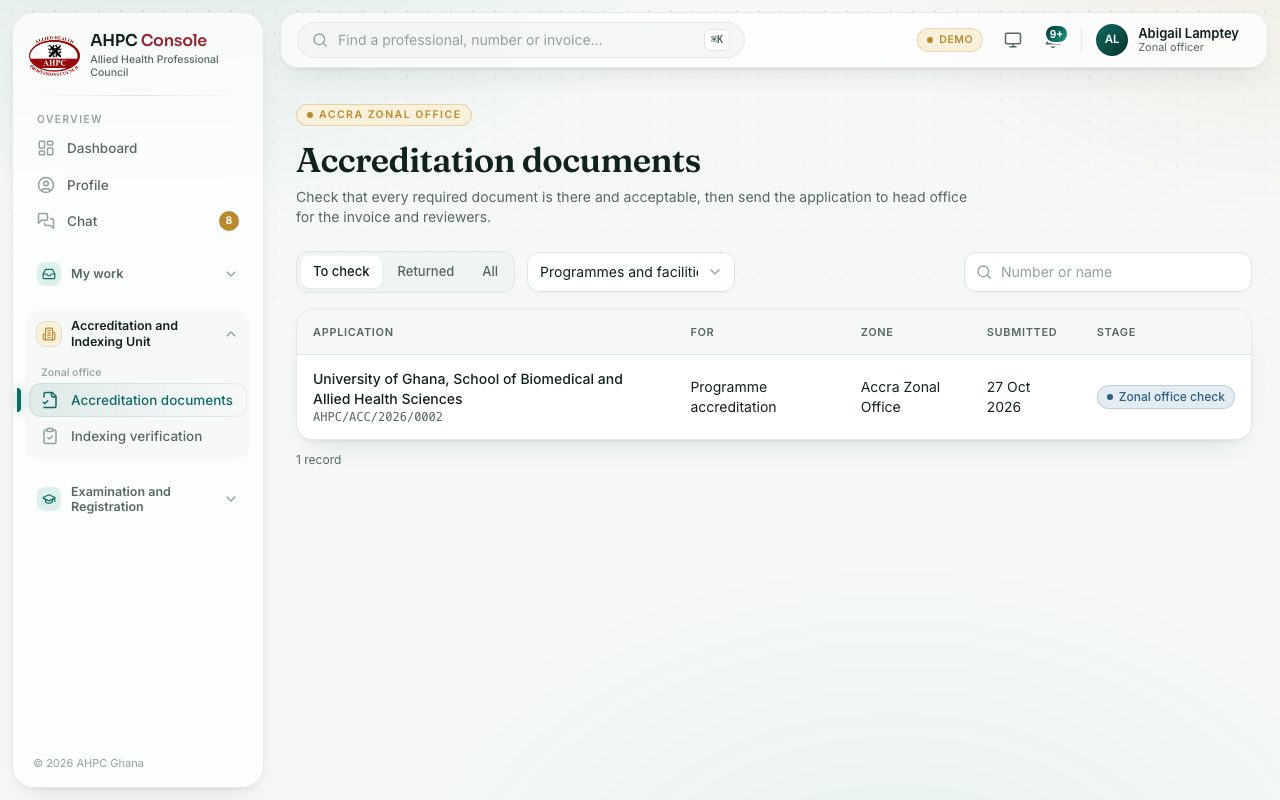
- Find applications in your zone waiting for your check
- Confirm a document or mark it not accepted
- Send the application to head office or return it
demo.ahpcghana.com/staff/zonal/accreditation
demo.ahpcghana.com/staff/zonal/accreditation
Step by step
- Open Accreditation and Indexing Unit → Zonal office → Accreditation documents. The To check tab is shown first.
- Use Programmes and facilities to show only programme or only facility applications. Search by number or name.
- Press an application.
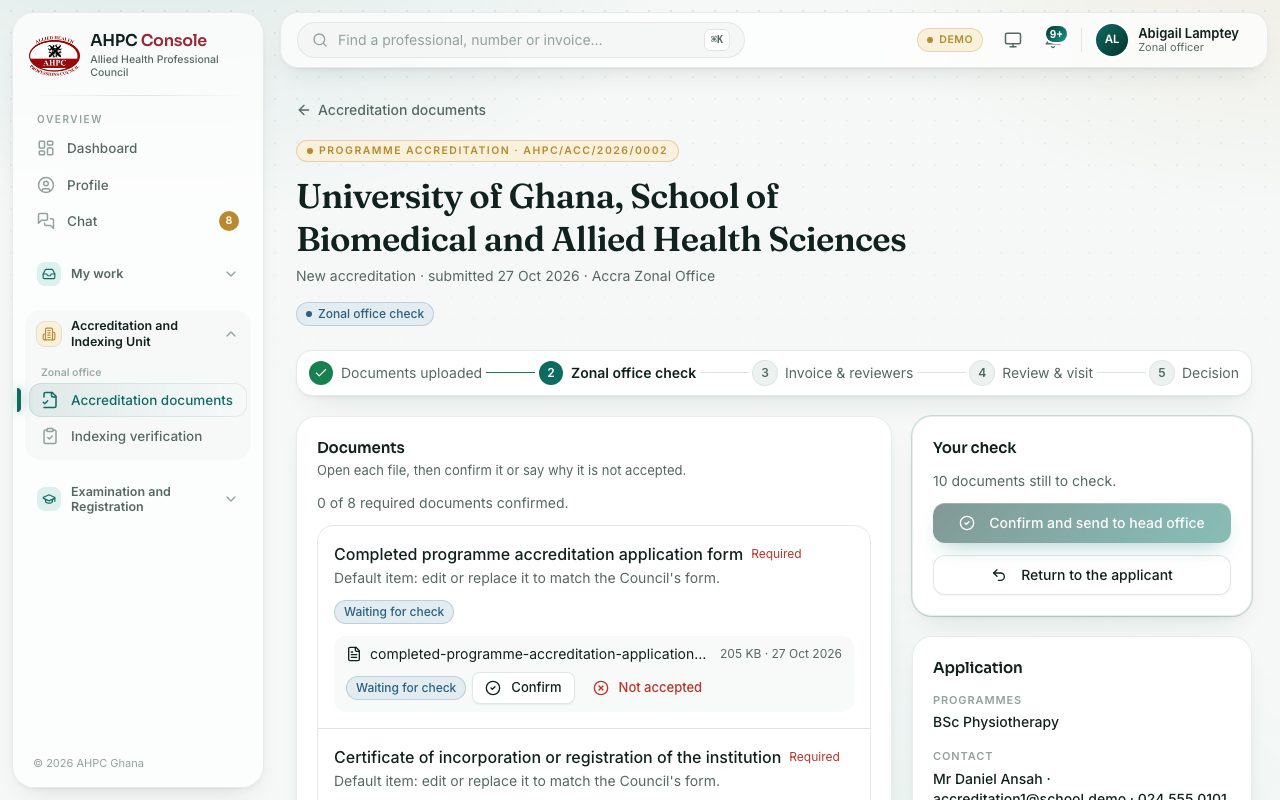
- Press each file name to open it. Press Confirm if it is right, or Not accepted and say what is wrong, for example the licence has expired.
- When every required document is confirmed, press Confirm and send to head office. Add a note for head office if you like, and confirm.
- If something is missing or not accepted, press Return to the applicant and say what they need to do.
What you will see
- Your check says how many documents are still to check, and lists any that are missing or not accepted.
- Confirm and send to head office stays grey until every document is checked and none is missing.
- Some documents show the result of the portal’s automatic check next to them. Read it, but make your own decision.
- A returned application that comes back shows Sent back in after being returned, with what was asked.
Check yourself
Pick an answer for each question, then press Check my answers. Nothing is saved or sent.