
Raise the invoice and choose the reviewers
After the zonal check, raise or waive the accreditation fee and choose the reviewers who visit, with one as lead.
What you will learn
- Find applications waiting for head office
- Raise the fee invoice or waive the fee
- Choose the reviewers and the lead reviewer
- Take a reviewer off
demo.ahpcghana.com/staff/accreditation/programmes
demo.ahpcghana.com/staff/accreditation/programmes
Step by step
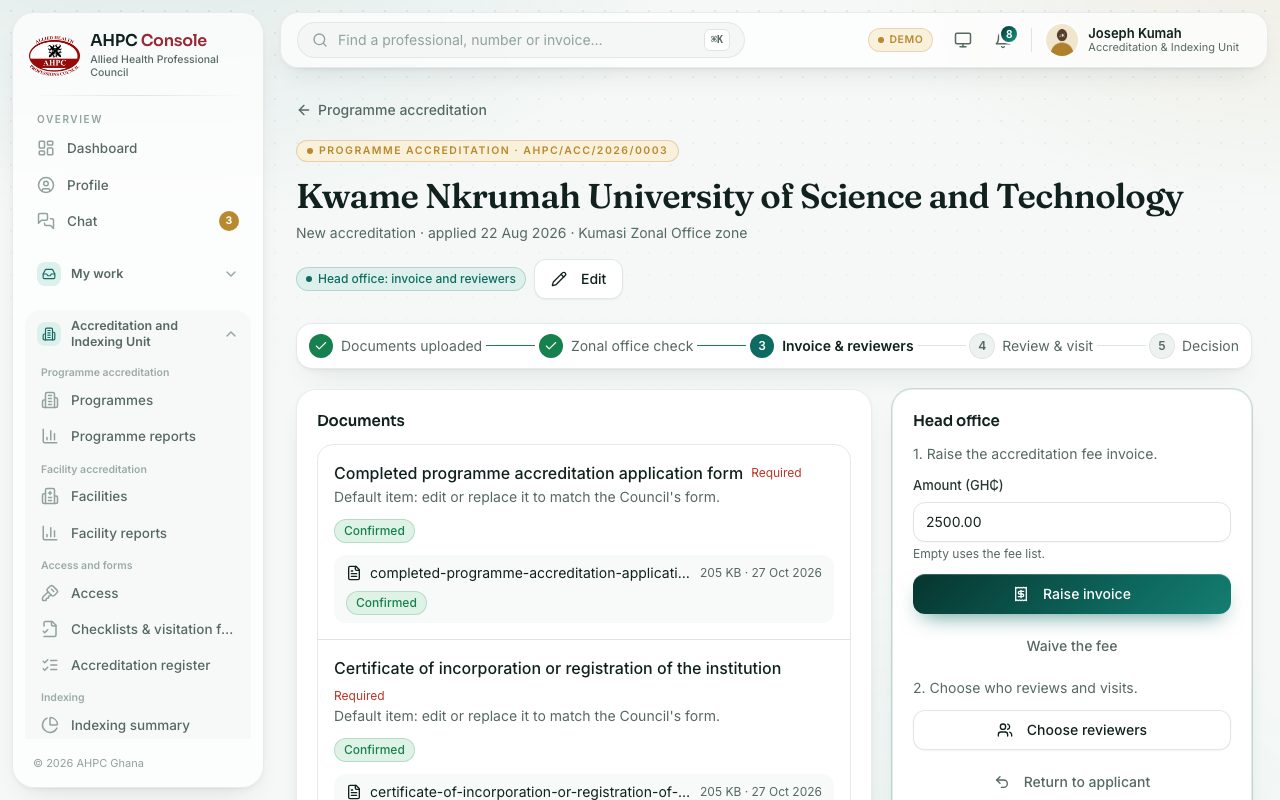
- Open Accreditation and Indexing Unit → Programme accreditation → Programmes (or Facilities) and press the Invoice & reviewers tab.
- Press an application. The Head office box is at the top right.
- 1. The fee. Do one of these:
- Type the Amount (GH₵) or leave it empty to use the fee list, then press Raise invoice. The applicant can download the invoice in their partner area.
- Or press Waive the fee and confirm. The application then pays nothing.
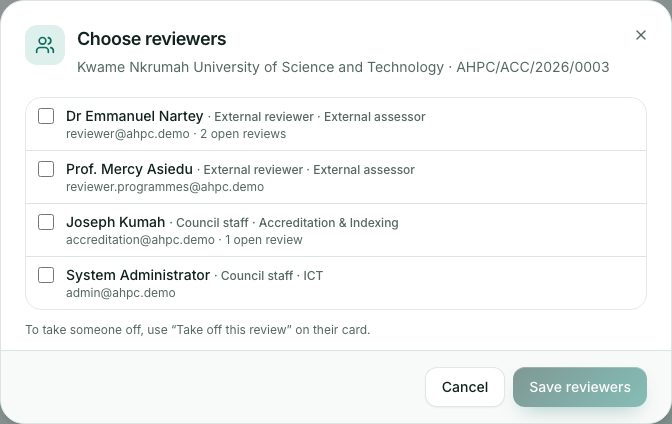
- 2. The reviewers. Press Choose reviewers.
- Tick each reviewer. Next to each name you see whether they are outside reviewers or Council staff, and how many reviews they already have open.
- Mark one as Lead. Press Save reviewers. Each reviewer is told by email and the application moves to With reviewers.
Changing the reviewers
To add someone later, press Add reviewers in the Reviewers box. To take someone off before they send their report, press Take off this review on their card and confirm. They no longer see the application.
What you will see
- After the invoice is raised the box shows Invoice raised; waiting for payment, then Fee paid once Accounts records the payment.
- The Reviewers box shows 0 of 2 reports sent and a card for each reviewer with Waiting for report or Report sent.
- If nobody can be chosen, the dialog says to give reviewer access first under Access → Reviewers.
Check yourself
Pick an answer for each question, then press Check my answers. Nothing is saved or sent.