
Pay a fee and get your receipt
Every Council fee appears as an invoice. Pay it online by mobile money or bank card and download your receipt.
What you will learn
- Find your invoices
- Pay online by mobile money or card
- Download an invoice and a receipt
You get an invoice when you send an application, register for an exam, apply for a PIN renewal or request an ID card. All amounts are in Ghana cedis (GH₵). Payments go through Hubtel’s secure checkout page.
demo.ahpcghana.com/portal/invoices
Step by step
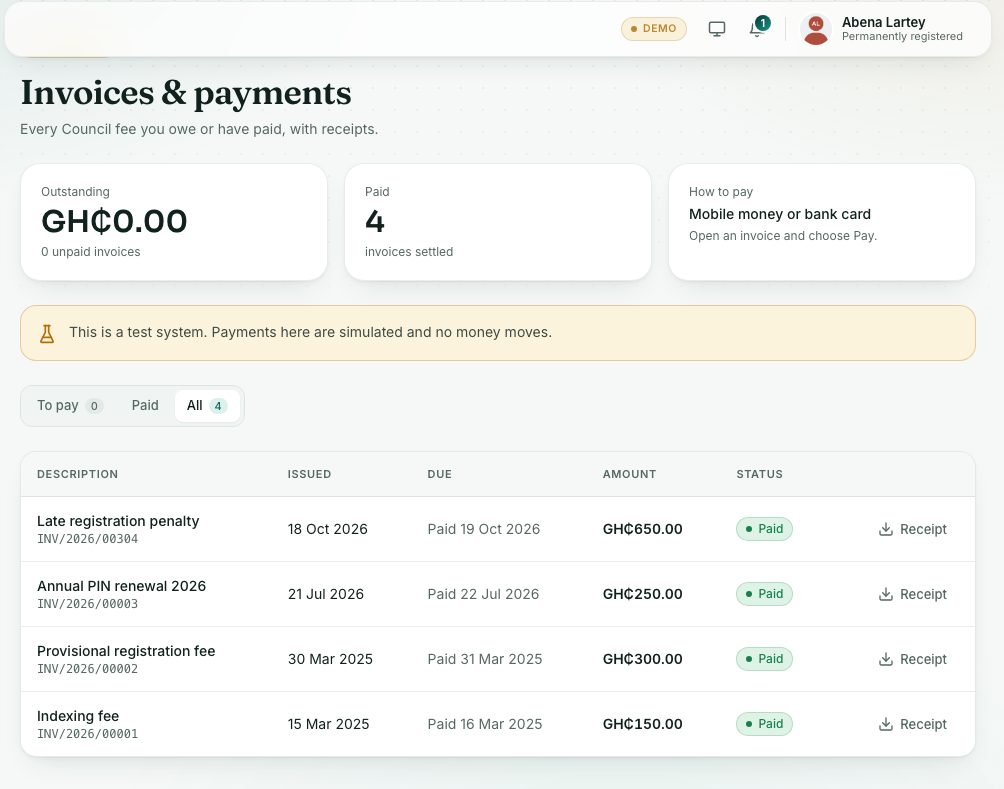
- Press Invoices & payments under Records in the left menu.
- The To pay tab lists unpaid invoices. Paid and All show the rest.
- Press an invoice to open it, or press Pay on its line.
- Press Pay GH₵ …. The secure payment page opens.
- Choose mobile money (MTN, Telecel, AirtelTigo) or bank card.
- For mobile money, approve the prompt on your phone.
- You come back to the portal. It shows Payment received, Waiting for confirmation or Payment not completed.
- Press Go to my invoices. On a paid invoice, press Receipt to download the receipt.
demo.ahpcghana.com/portal/invoices
What you will see
- Outstanding at the top: the total you owe and how many invoices are unpaid.
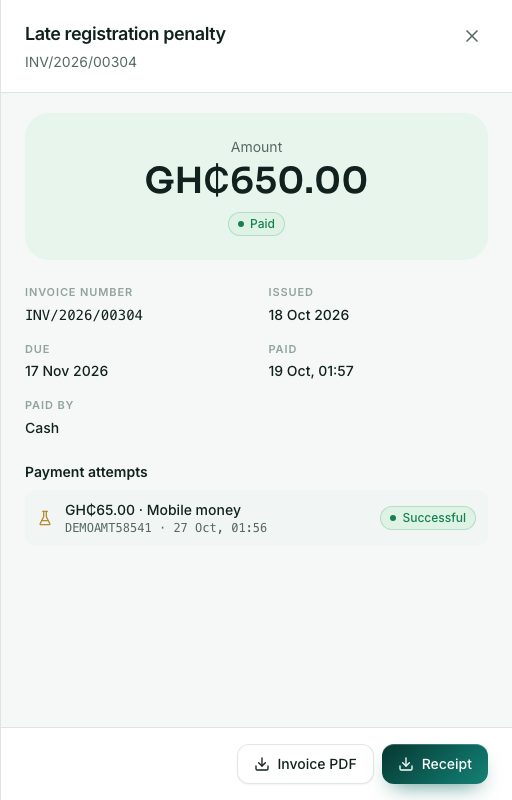
- Invoice statuses: Unpaid, Overdue (past the due date, you can still pay), Paid and Cancelled.
- Waiting for confirmation: the page updates by itself once your phone payment is approved.
- Payment not completed: nothing was charged. Try again from your invoices.
- In an open invoice: Invoice PDF, Receipt (when paid) and the list of Payment attempts.
Check yourself
Pick an answer for each question, then press Check my answers. Nothing is saved or sent.