
Register for the licensure exam and see your results
Register for an open exam session, pay the exam fee to be admitted, download your signed admission slip, check in at the venue and read your results.
What you will learn
- Know who can register for the exam
- Register for an exam session and pay to be admitted
- Download the admission slip and read your room, seat and paper version
- Check in on exam day
- Read your results and resit if needed
Step by step
- Press Licensure exam under Registration in the left menu.
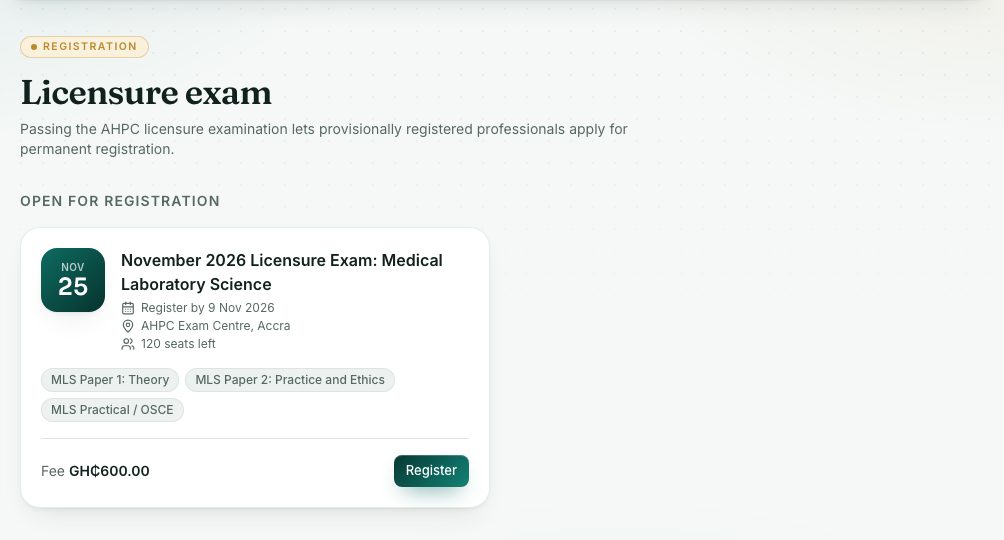
- Under Open for registration, read each session: the date, Register by deadline, venue, seats left, papers and the fee.
- Press Register, read the instructions, then press Register again to confirm. An exam fee invoice is created.
- Pay the fee on the exam card (or in Invoices & payments). You are admitted once it is paid.
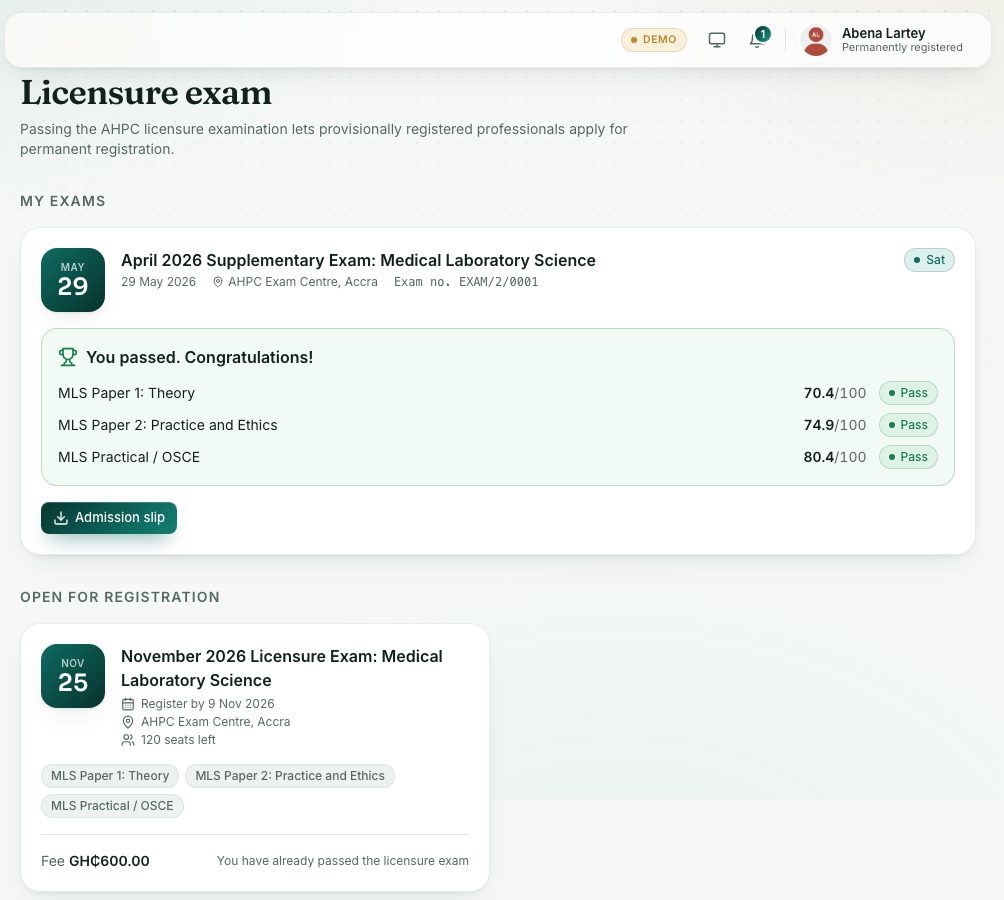
- When the status is Admitted, press Admission slip to download it. When the seat plan is ready, the card also shows your Room, Seat and Paper version.
- On exam day, bring your admission slip and your Ghana Card. At the door, staff scan the QR code on your slip to check you in.
- After the Council publishes the results, they show on the same card.
Who can register
The licensure exam is for graduates. The portal checks that a qualification in My profile → Qualifications shows the year you finished. If not, the session says The licensure exam is for graduates. Add your completed qualification, with the year you finished, under My profile → Qualifications.
Trained outside Ghana? The exam opens only once the Interview Panel approves your foreign-trained application for the exam. Until then: The licensure exam opens for foreign-trained professionals once the Interview Panel approves them for it. If the Panel approved you for provisional or temporary registration, register first, then apply for the exam.
Your admission slip and check-in
The admission slip carries a QR code signed by the Council. At the venue, staff scan it to mark you present. A copied or edited slip doesn’t pass, and each slip can be checked in only once.
- Your seat and paper version are on the slip. Neighbours sit different versions of the paper.
- If your seat changes, download the slip again.
- If the slip won’t scan, staff can type your Exam no. and check your Ghana Card.
Online exams
Some sessions are taken on a computer. You find them under Registration → Online exams, where you can check your computer and try a practice exam. See the Online exams course for how to sit one.
What you will see
- Exam statuses: Awaiting payment, Admitted, Sat, Absent and Withdrawn. Your Exam no. shows once you are admitted.
- Results: You passed. Congratulations! or Not passed this time, with your score out of the maximum for each paper, and Pass or Not passed.
- A resit (supplementary) session has a gold Resit label. From your second sitting, the card shows the Attempt number.
- If you can’t register, the session says why, for example The application deadline for this session has passed, This session is full or This session is for another profession.
- No sessions open: No exam is open right now. The Council announces the next one by SMS and email.
Check yourself
Pick an answer for each question, then press Check my answers. Nothing is saved or sent.