
How applications work
Every indexing, registration and upgrade application follows the same path: save a draft, attach documents, send it, pay the fee, then the Council reviews it.
What you will learn
- Start an application from the Applications page
- Use the application page: details, documents, history
- Understand each status
- Answer a request for more information, or cancel
demo.ahpcghana.com/portal/applications
Step by step
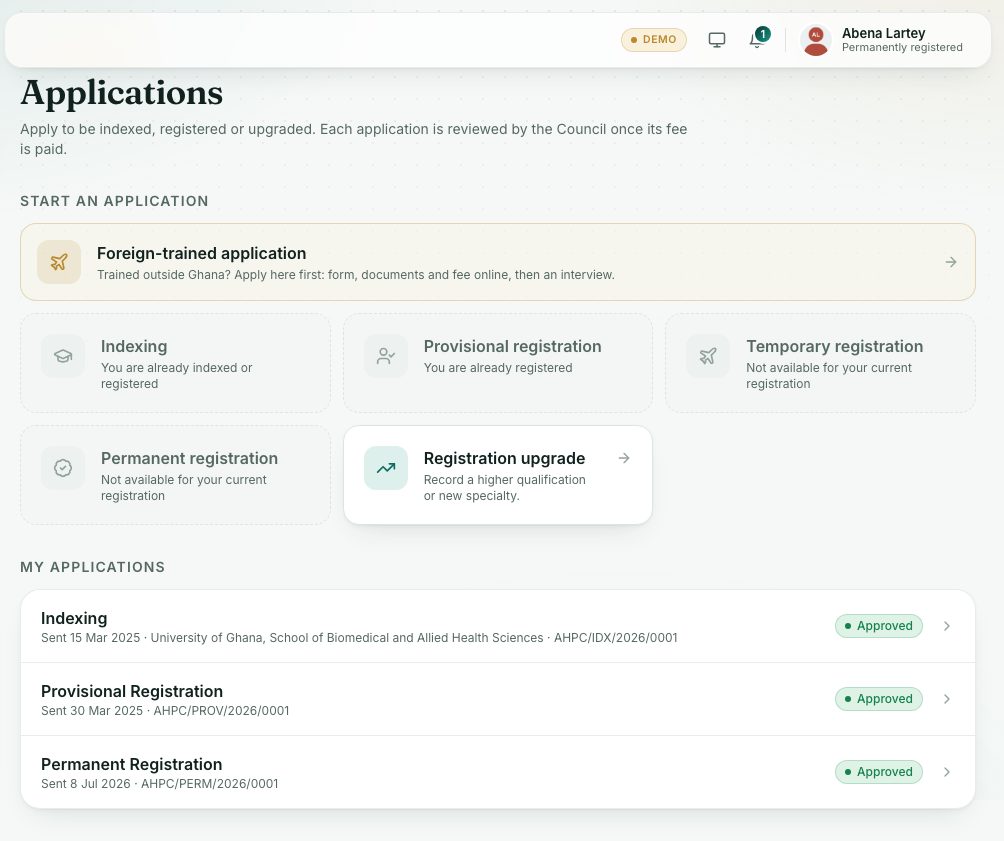
- Press Applications under Registration in the left menu.
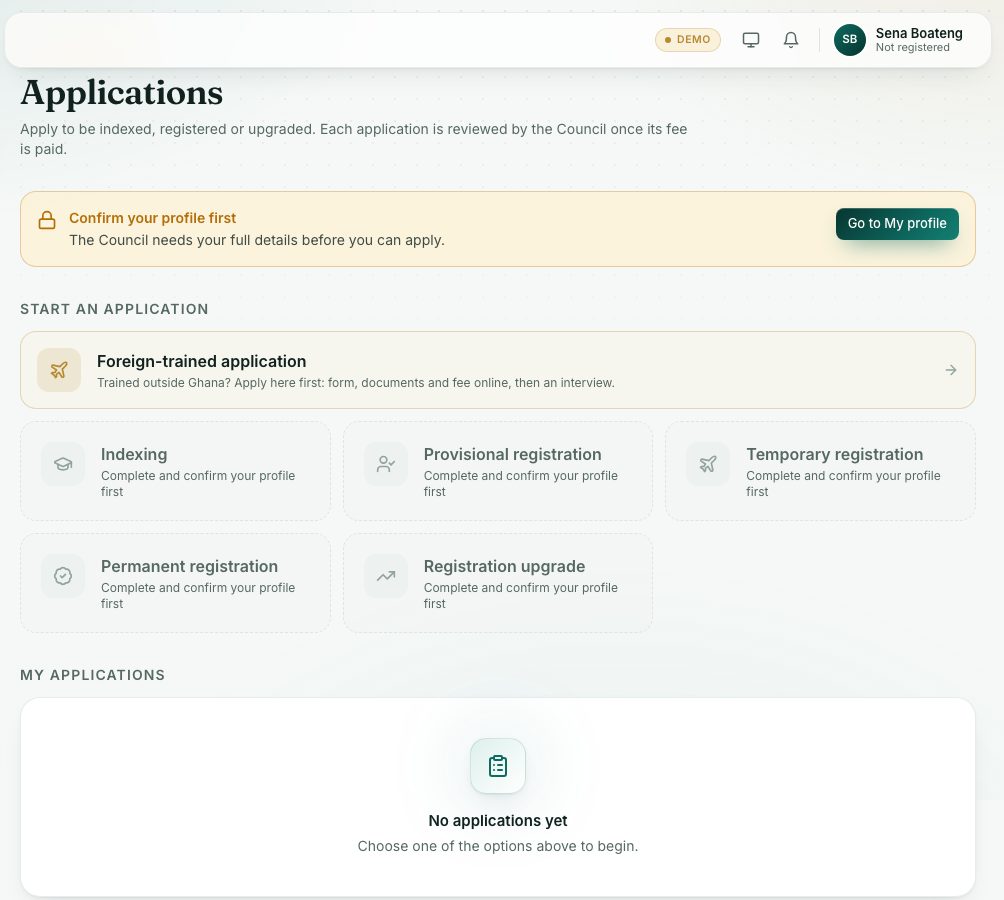
- Under Start an application, press the option you need. Options you can’t use yet are greyed out and say why.
- Fill in the window and press Save draft. The portal opens the application page.
- Under Supporting documents, press Attach. Pick a document you already uploaded, or upload a new one there.
- Check Details. If you change anything, press Save changes.
- Press Send application at the top. A fee invoice is created when you send it.
- Pay the fee on the application page, or under Records → Invoices & payments. The Council reviews applications once the fee is paid.
demo.ahpcghana.com/portal/applications
Which registration you can apply for
The options follow the Council’s rules. An option you can’t use yet is greyed out and says why:
- Indexing: for students of an accredited school. Greyed out with You are already indexed or registered once you have an index or registration number.
- Provisional registration: only after you graduate. Greyed out with Provisional registration opens after you graduate. Add your completed qualification, with the year you finished, under My profile → Qualifications.
- Temporary registration: only for foreign-trained or visiting professionals. Greyed out with Temporary registration is only for foreign-trained or visiting professionals practising in Ghana for a limited time.
- Permanent registration: for provisionally registered professionals who passed the licensure exam. Greyed out with You need provisional registration first or Pass the licensure exam first.
- Registration upgrade: for registered professionals only (Only registered professionals can upgrade).
Applied as foreign-trained? Registration opens after the Interview Panel’s decision, and only the route the Panel chose: Opens after the Interview Panel’s decision on your foreign-trained application or The Interview Panel approved you for ….
What each status means
- Draft: saved but not sent. You can still change it.
- Submitted: sent. Pay the fee if you haven’t yet.
- Under review: the Council is reviewing it. You are told by SMS and email.
- More information needed: the Council asks for something. Its message shows in The Council asks.
- Resubmitted: you sent it back with the changes.
- Approved: done. Your number and certificate appear on the page.
- Rejected: not approved. The reason shows under Not approved.
- Cancelled: you or the Council cancelled it.
When the Council asks for more
Open the application. Read The Council asks, make the changes in Details or Supporting documents, then press Send again.
What you will see
- On the right: Status, Started, Sent, and your number once approved. History lists every step with its date.
- In My applications, a gold label such as GH₵ … to pay means the fee is still unpaid.
- A Closed for now label means the Council isn’t taking that kind of application at the moment.
- Cancel application is there while the application is a Draft, Submitted or needs more information. Any unpaid fee invoice is cancelled too.
Check yourself
Pick an answer for each question, then press Check my answers. Nothing is saved or sent.