
Complete and confirm My profile
Fill in each section of your profile, add a passport photo and confirm it. You can’t apply for anything until your profile is confirmed.
What you will learn
- Fill in Personal details, including your Ghana Card number
- Upload a passport photo
- Add qualifications, documents and next of kin
- Confirm your profile
My profile is split into sections down the left side. A tick shows a finished section. Your progress saves as you go, so you can stop and come back. The bar at the top right shows how many sections are done.
demo.ahpcghana.com/portal/profile
Step by step
- Press My profile under Overview in the left menu.
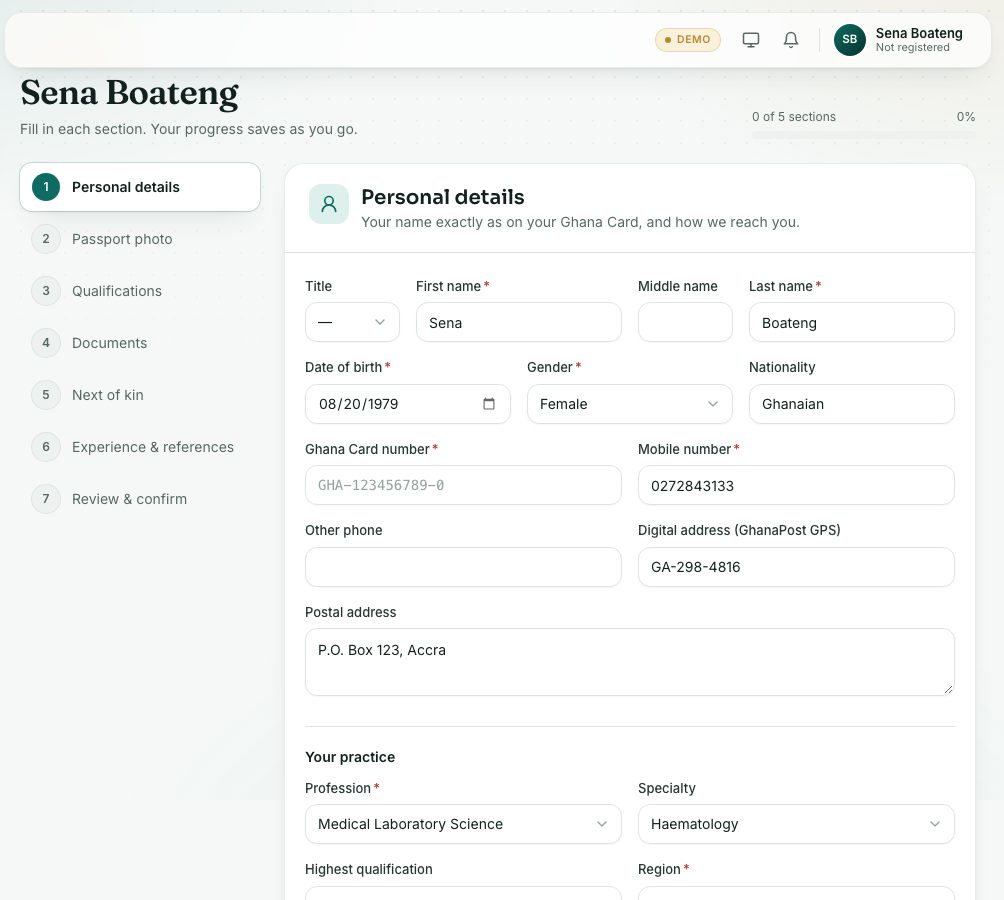
- Personal details: your name exactly as on your Ghana Card, and how the Council reaches you.
- Required: First name, Last name, Date of birth, Gender, Ghana Card number (for example GHA-123456789-0), Mobile number, Profession and Region.
- Under Your practice, also choose your Highest qualification. It sets how many CPD points you need each year.
- Press Save details.
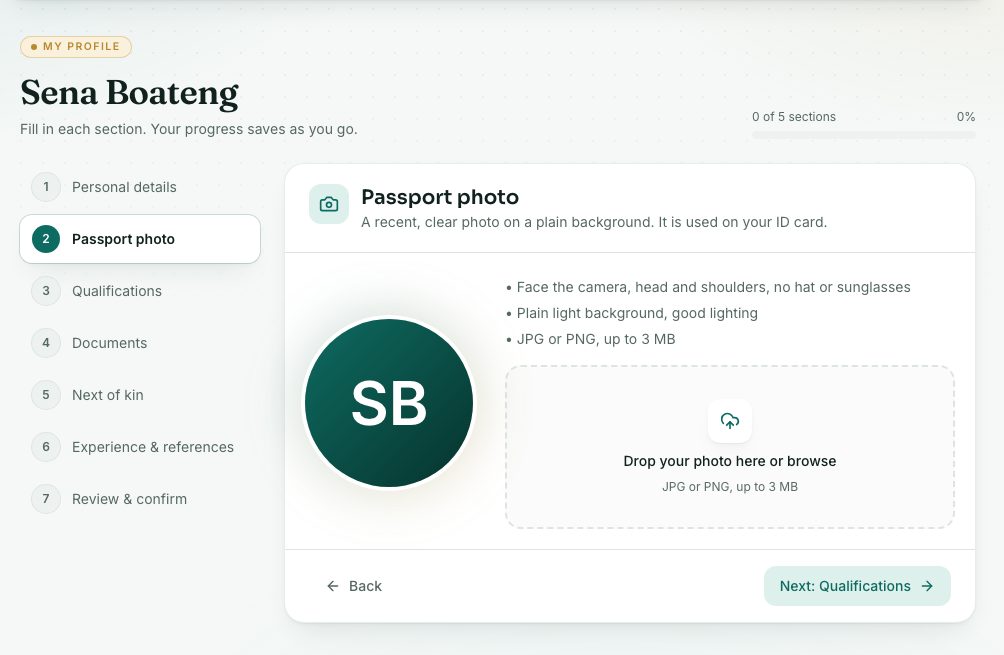
- Passport photo: drop your photo on the box or press it to browse.
- Face the camera, head and shoulders, no hat or sunglasses.
- Plain light background and good lighting.
- JPG or PNG, up to 3 MB. The photo is used on your ID card.
- Qualifications: add each certificate, diploma or degree you hold, with the programme, institution and years.
- Documents: upload the documents the Council asks for (see the next lesson).
- Next of kin: add someone the Council can contact in an emergency.
- Experience & references (optional): add work experience and referees. It helps the Council review your applications faster.
- Move between sections with Next: … and Back at the bottom, or press a section on the left.
- Review & confirm:
- Every section shows Done or To do. Press a To do one to finish it.
- When all are done, press Confirm my profile. By confirming, you declare the details are true and complete.
demo.ahpcghana.com/portal/profile?step=photo
What you will see
- After confirming: Your profile is confirmed. You can now apply under Applications.
- Once you are registered, your name, date of birth, Ghana Card and profession are locked (a padlock shows). To change them, contact the Council.
- The page title shows the date you confirmed. Keep your phone, address and workplace up to date after that.
Check yourself
Pick an answer for each question, then press Check my answers. Nothing is saved or sent.