
Apply as a foreign-trained professional
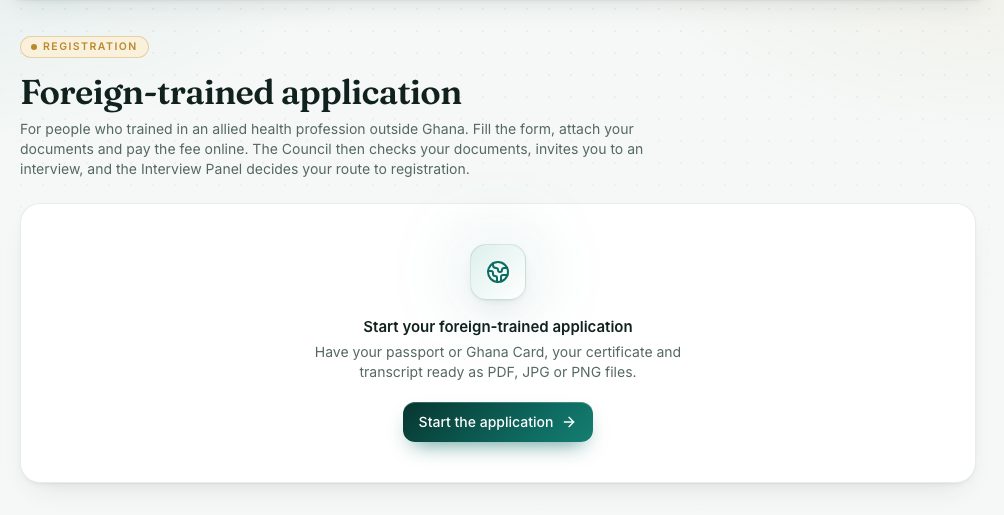
Trained abroad? Apply here first: fill the form, attach your documents and pay online. The Council checks your documents, invites you to an interview and the Interview Panel decides your route.
What you will learn
- Fill in the foreign-trained form
- Attach documents and pay the fee
- Follow the five steps to the Panel decision
demo.ahpcghana.com/portal/foreign-trained
Step by step
- Press Foreign-trained application under Registration (or the gold card at the top of Applications).
- Have your passport or Ghana Card, your certificate and your transcript ready as PDF, JPG or PNG files.
- Press Start the application.
- Under Your details and training, answer every question marked *:
- Applicant category: Ghanaian (trained outside Ghana) or Non-Ghanaian. The fee depends on this.
- Your passport number (or Ghana Card number if you are Ghanaian), the Profession you want to register in, Qualification, Institution where you trained and Year you finished.
- Choose the Country where you trained from the list.
- If you have them: years of practice, the licensing body in that country and your licence number there.
- Press Save and continue.
- Under Documents, press Attach a document for each one. Items marked * are required.
- Under Fee and sending, check the application fee, then press Send and go to payment.
- Pay the fee by mobile money or card. Your application reaches the Council only after the payment is confirmed.
The five steps
The bar at the top shows where you are: Form and documents, Pay the fee, Document check, Interview and Panel decision.
When the interview is set, the page shows its date, time and venue. Bring the originals of the documents you uploaded.
What you will see
- Statuses: Draft, Awaiting payment, Paid, awaiting verification, Document review, More information needed, Resubmitted, Interview scheduled, Approved, Not approved and Cancelled.
- Approved shows the Panel’s route: permanent registration, the licensure exam then permanent, temporary registration, or provisional registration. A button takes you to Go to Exams or Go to Applications.
- If the Council asks for more, the form opens again. Make the changes and press Send it back to the Council.
- While waiting for payment you can press Cancel this application. The unpaid invoice is cancelled too.
Check yourself
Pick an answer for each question, then press Check my answers. Nothing is saved or sent.