
Request and collect your ID card
Request your professional ID card (or, as an indexed student, your student index card), follow it from Requested to Collected, and download a digital copy.
What you will learn
- Check you can request a card
- Request your card or a replacement
- Track it and collect it
- Know the colour of each kind of card
- Preview both sides
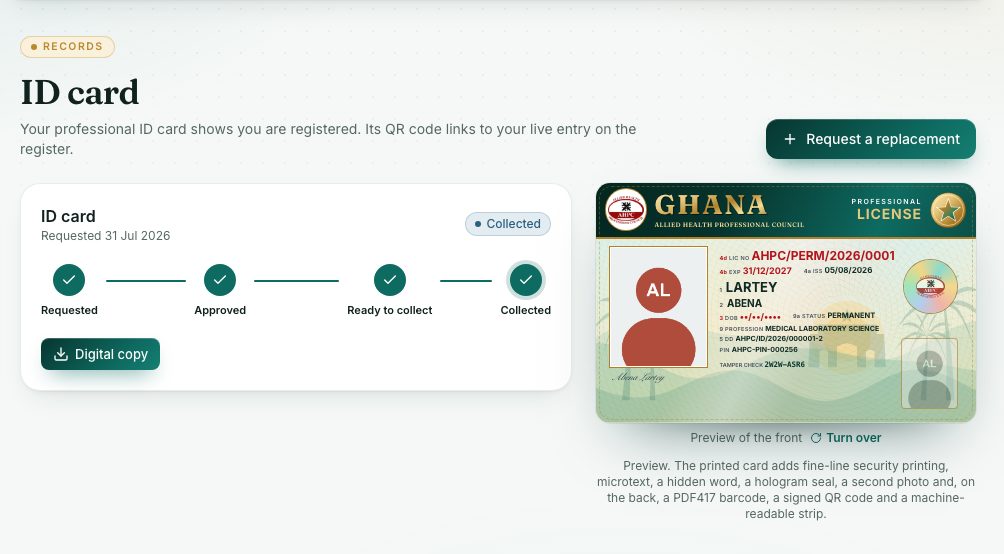
Step by step
- Press ID card under Records in the left menu.
- Press Request my card (or Request a replacement if you had a card before).
- For a replacement, say Why do you need a replacement?, for example lost, damaged or details changed.
- Press Request card to confirm. If a fee applies, an invoice appears on the card. Pay it: the Council approves the card once it is paid.
- Follow the tracker: Requested, Approved, Ready to collect, Collected.
- When it says Ready to collect, collect it at the Council office with your Ghana Card.
- Press Digital copy to download a PDF of your card (once it is ready to collect or collected).
- Under the preview, press Turn over to see the back.
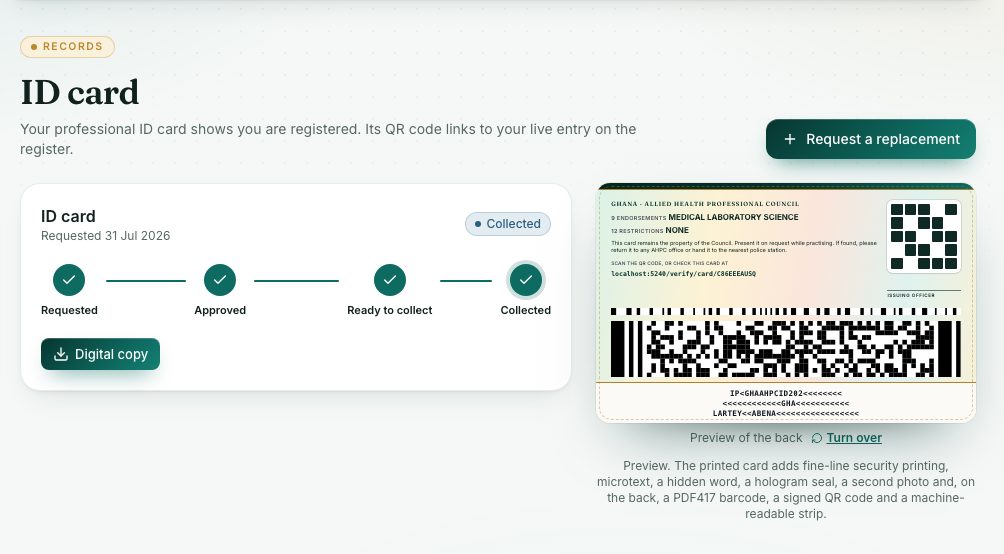
The colour of each card
Every card has the same design, with a colour for each kind of registration. The kind is written in the header and on a ribbon across the photo:
- Permanent: green.
- Provisional: blue.
- Temporary: wine red.
- Indexed (students): purple, with STUDENT INDEX CARD in the header.
- Suspended: grey.
The printed card and the digital copy use these colours, so anyone can tell the kind of registration at a glance. When your registration changes, for example from provisional to permanent, request a new card.
Students: the student index card
Once you are indexed (you have an index number) and have a passport photo on your profile, you can press Request my card for a purple student index card. It shows your index number instead of a registration number. You don’t need a PIN for it.
What you will see
- The preview shows your photo, name, licence number, PIN, profession and status. The printed card adds more security features, such as a signed QR code and a tamper-check code.
- If you can’t request a card yet, the page says why: ID cards are for indexed students and registered professionals, Upload your passport photo first (My profile) or Renew your PIN first.
- While the request is still Requested, you can press Cancel request.
- Older cards are listed under your current one, with statuses such as Expired, Replaced or Revoked.
Check yourself
Pick an answer for each question, then press Check my answers. Nothing is saved or sent.