
Keep the list of programmes
The Programmes list feeds the Programme of study drop-down that students and professionals pick from when they apply for indexing or add a qualification.
What you will learn
- Add a programme for one school or for every school
- Tie a programme to a profession and qualification type
- Turn off a programme that is no longer offered
When a student applies for indexing or a professional adds a qualification, they choose their programme from a drop-down instead of typing it. That keeps names the same everywhere, so reports count each programme once. A programme tied to a school is offered only for that school; one with no school is offered for every school.
demo.ahpcghana.com/staff/setup/programmes
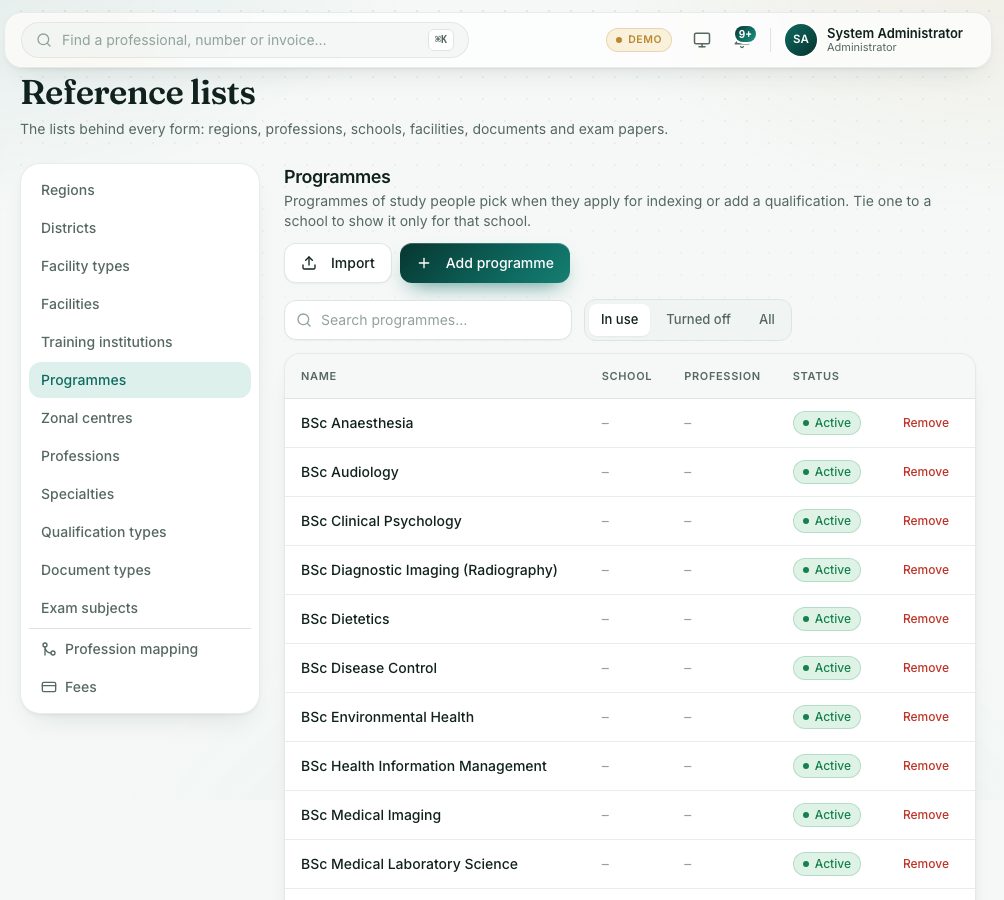
demo.ahpcghana.com/staff/setup/programmes
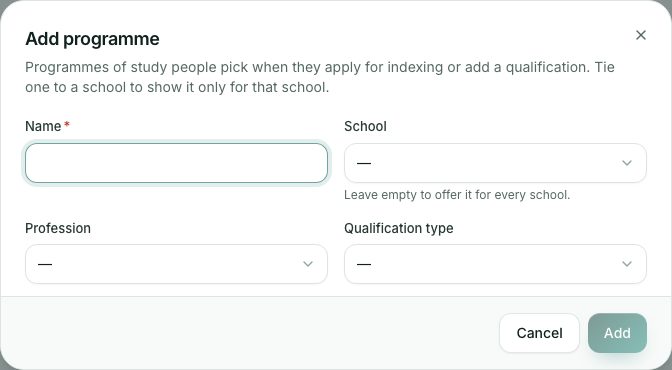
Step by step
- Open System administration → Reference lists and press Programmes in the list on the left.
- Search the list, and use the tabs In use, Turned off and All.
- Press Add programme.
- Type the Name, for example BSc Medical Laboratory Science.
- School: choose the training institution that runs it. Leave it empty to offer it for every school.
- Choose the Profession it leads to, and the Qualification type (for example Degree or Diploma).
- Press Add. The programme appears in the drop-down straight away.
- Click a row to change it, then press Save changes. To add many at once, use Import with the blank template.
What you will see
- On the forms, people see the programmes for the school they chose, plus the programmes for every school.
- If theirs isn’t listed, they choose Not in the list – type it and type the name. Add common ones here so fewer people need to type.
- A programme already used on records is turned off, not deleted, when you press Remove. Past records keep it.
Check yourself
Pick an answer for each question, then press Check my answers. Nothing is saved or sent.