
Your online exams
Find the online exams the Council has booked you for, see when they open, and start or continue them.
What you will learn
- Open Online exams in the portal
- Read an exam card
- Find past exams and results
When the Council adds you to an online exam, you get an SMS and an email, and the exam shows on this page with its dates and rules.
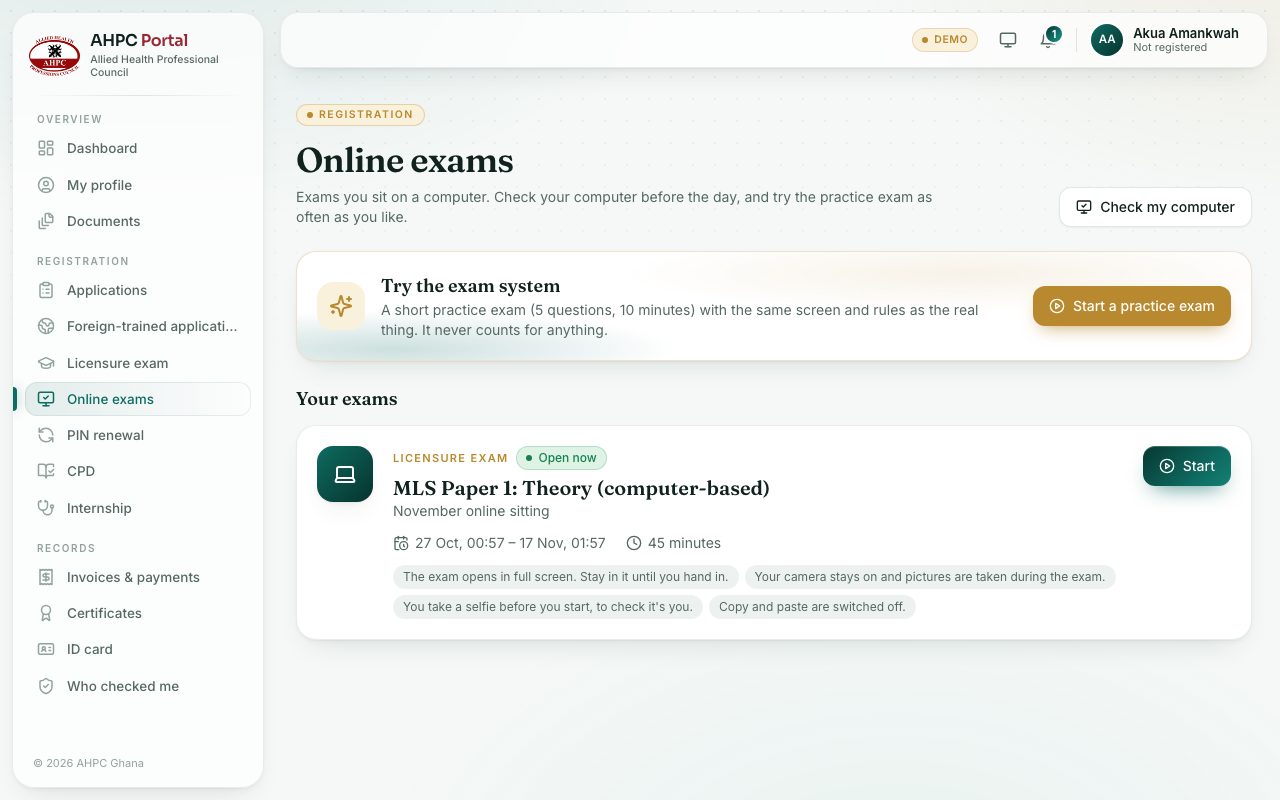
demo.ahpcghana.com/portal/exams/online
Step by step
- Sign in to the portal. In the left menu, under Registration, choose Online exams.
- Under Your exams, each card shows the exam, when it opens and closes, the time allowed and whether it is from home or at an exam centre.
- Before the exam opens, press Read the rules to see its page. Once it is open, press Start, or Continue my exam if you have already started.
- Finished exams move to Past exams. Press See my result once results are out.
What you will see
- Labels on the cards: Opens soon, Open now, In progress, Handed in, Missed and Results out.
- The Check my computer button at the top right, and the Try the exam system box with Start a practice exam.
Check yourself
Pick an answer for each question, then press Check my answers. Nothing is saved or sent.