
Read and send memos
Read the memos sent to you or your unit, acknowledge them, and write your own memo to people or whole units.
What you will learn
- Read a memo and acknowledge it
- Write a memo to people or whole units
- Save a draft and send it later
- See who has read your memo
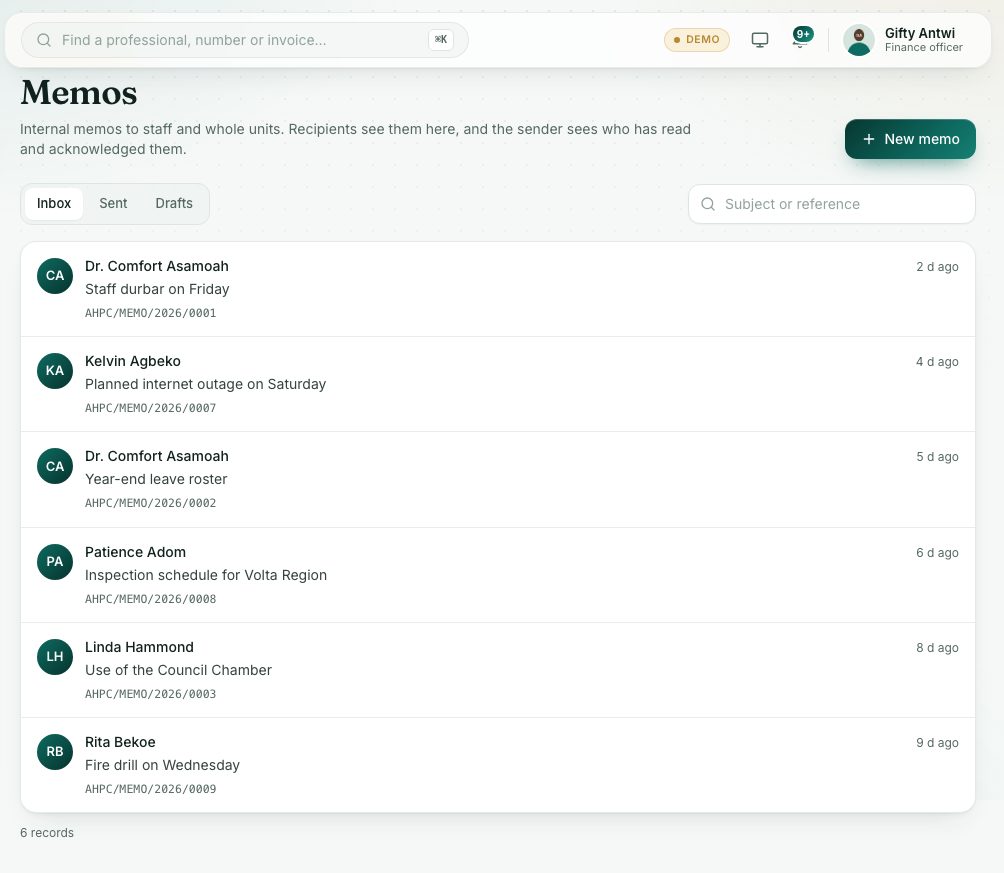
Memos are the Council's internal letters. A memo can go to named people, to whole units, or to All staff. It gets a reference number when it is sent. The sender sees who has read and acknowledged it.
demo.ahpcghana.com/staff/secretariat/memos?my=1
demo.ahpcghana.com/staff/secretariat/memos?my=1
Step by step
- In the left menu, open My work and press Memos. The Inbox tab shows memos to you or your unit. Unread ones have a gold dot.
- Press a memo to open it. Opening it records that you have read it.
- If it says Please acknowledge, press Acknowledge at the bottom so the sender knows you have seen it.
- Press Print (PDF) for a printable copy. It carries a light watermark with your name and the date.
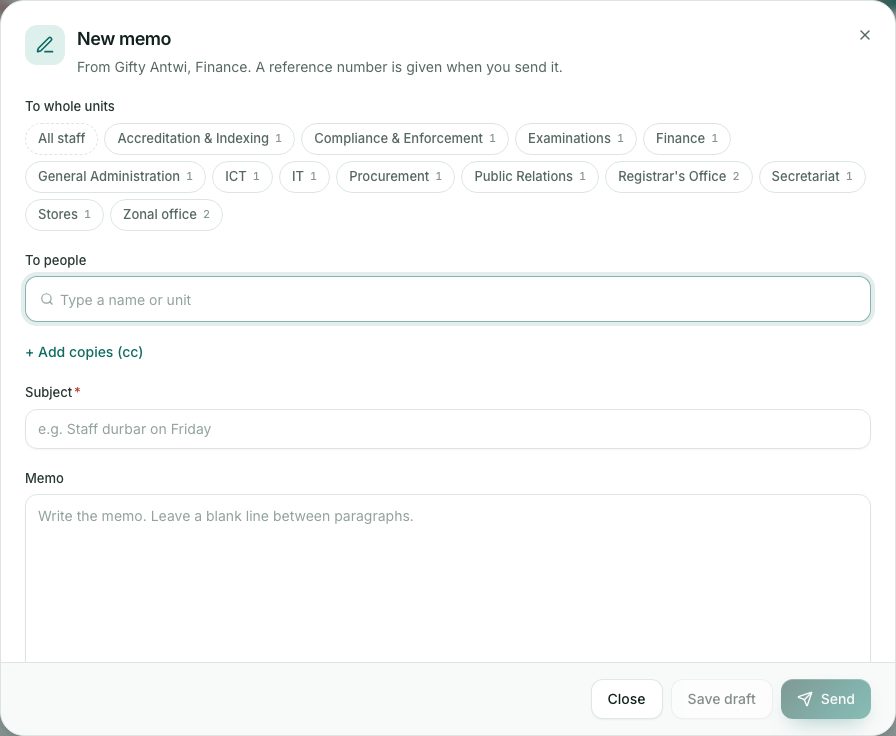
- To write a memo, press New memo.
- To whole units: press one or more units, or All staff.
- To people: type a name or unit and pick the person.
- Press + Add copies (cc) to copy units or people.
- Fill in Subject (for example Staff durbar on Friday) and the Memo text. Leave a blank line between paragraphs.
- Choose Confidentiality: Normal, Confidential or Strictly confidential.
- Tick Ask recipients to acknowledge if you need them to confirm.
- Press Save draft to keep it for later, or Send to send it now. To attach files, save a draft first, then add them.
- Find drafts under Drafts and sent memos under Sent. Press a sent memo to see the Read receipts.
What you will see
- A yellow box … memo(s) waiting for your acknowledgement: open each one and press Acknowledge.
- In Sent, a bar such as 5/12 read · 3 acknowledged.
- Copied on a memo in your inbox: you were sent a copy (cc).
Check yourself
Pick an answer for each question, then press Check my answers. Nothing is saved or sent.