
Downloads: your name on every copy
Every report you download carries your name and the date as a light watermark, and Excel files open read-only. Report downloads that used to be CSV now come as Excel.
What you will learn
- Download a report as PDF or Excel
- Know what the watermark and the "Downloaded by" line say
- Understand why an Excel download can't be changed
- Know which other papers carry the watermark
A copy of a Council report can be passed on, printed or left on a desk. The watermark shows where every copy came from. Each download is also recorded in the activity log with your name, the time, the IP address and the place.
demo.ahpcghana.com/staff/reports?only=collections,outstanding,payments&for=Accounts
Step by step
- Open a report: for example System administration → All reports, or the Reports item in your unit's menu. Press a report and set its filters.
- Press PDF or Excel at the top right of the report.
- There is no CSV button any more. Report downloads that used to be CSV now come as Excel.
- Blank import templates, such as Download a blank template on Reference lists, are still CSV so you can fill them in.
- Open the PDF. Light diagonal words cover every page: Allied Health Professional Council · Official copy · your name · the date.
- The foot of each page says Downloaded by your name and email on the date and time · Read-only copy.
- The words are light, so the report is still easy to read and print. Cutting off a corner doesn't remove them.
- Open the Excel file. It opens read-only: you can read, scroll and filter, but not change the cells.
- The same watermark sits behind the cells, and the page header and footer say who downloaded it and when.
- If you try to type, Excel says the sheet is protected. That is expected: nobody can unlock it, not even IT.
Other papers with a watermark
The same light watermark, with your name and the date, is on:
- memos (Print (PDF) on a memo)
- the Registrar's day and week agendas
- Document Tracker tracking slips
- procurement tender notices
- list downloads such as the audit log and the activity log
What you will see
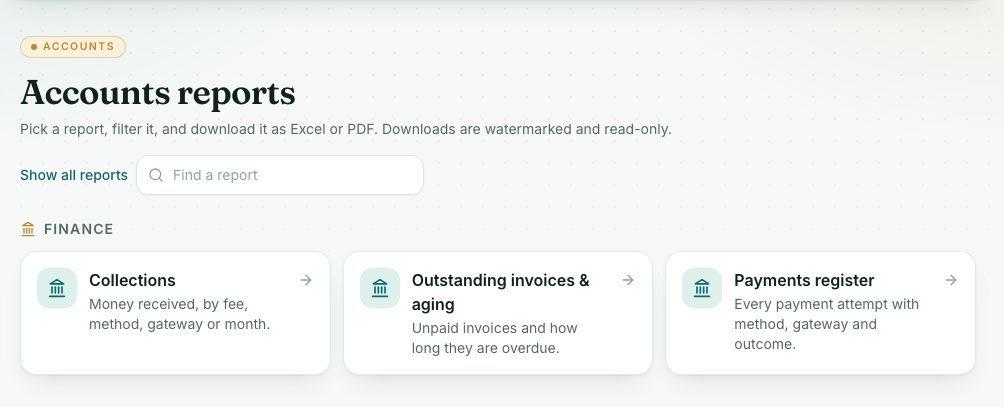
- Downloads are watermarked and read-only. in the line under the Reports title.
- Your own name on the copy. If a colleague downloads it, their name is on theirs.
Check yourself
Pick an answer for each question, then press Check my answers. Nothing is saved or sent.