
Look up a professional
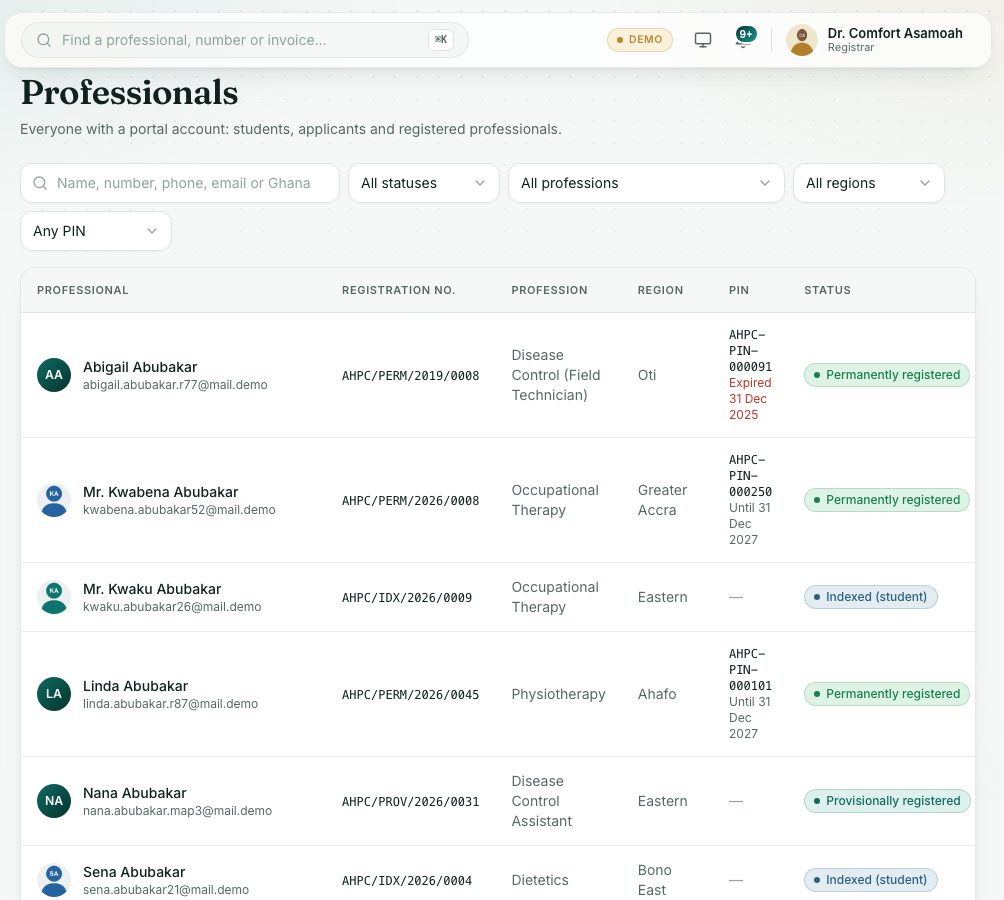
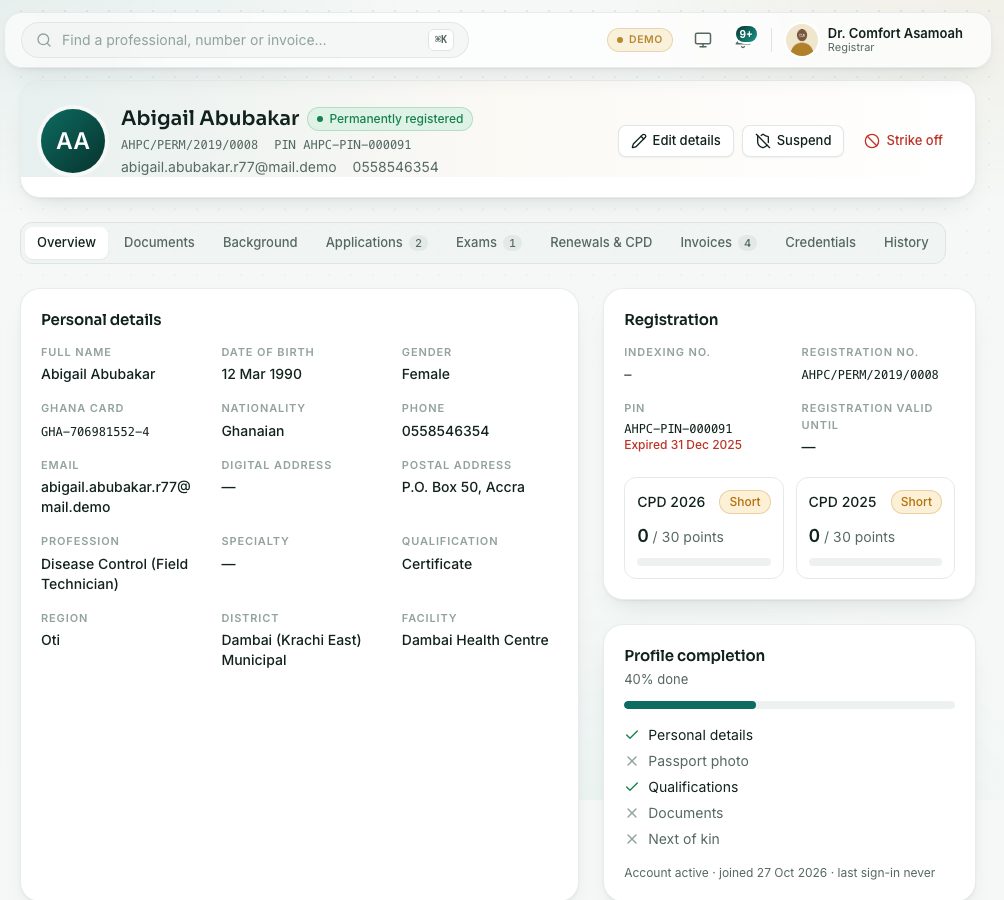
Find a professional on the register and open their record: status, PIN, documents, applications, invoices and history.
What you will learn
- Search the list of professionals and filter it
- Open a professional's record and read its tabs
- Use the quick search at the top
demo.ahpcghana.com/staff/professionals
demo.ahpcghana.com/staff/professionals
Step by step
- In the left menu, open Compliance and Enforcement and press List of professionals. The page is called Professionals.
- Type in the search box: a name, number, phone, email or Ghana Card number.
- Narrow the list with All statuses, All professions, All regions and Any PIN.
- Press a row to open the record.
- Read the tabs: Overview, Documents, Background, Applications, Exams, Renewals & CPD, Invoices, Credentials and History.
- The Overview shows Personal details, Registration (indexing and registration numbers, valid until) and Profile completion.
- For a quick look-up from any page, press the search bar at the top (or Ctrl + K), type two characters and pick the person.
What you will see
- Statuses: Permanent, Provisional, Temporary, Indexed, Not registered, Suspended, Struck off.
- In the PIN column: Until … (valid) or Expired … in red.
- Profile incomplete: the professional hasn't finished their profile.
Check yourself
Pick an answer for each question, then press Check my answers. Nothing is saved or sent.