
Documents with you (document tracker)
Follow paper files, letters and applications as they move from desk to desk. Acknowledge what reaches you, write minutes and send it on.
What you will learn
- See the documents on your desk
- Acknowledge a document when it reaches you
- Forward, return, mark actioned or close a document
- Register a new document and print its tracking slip
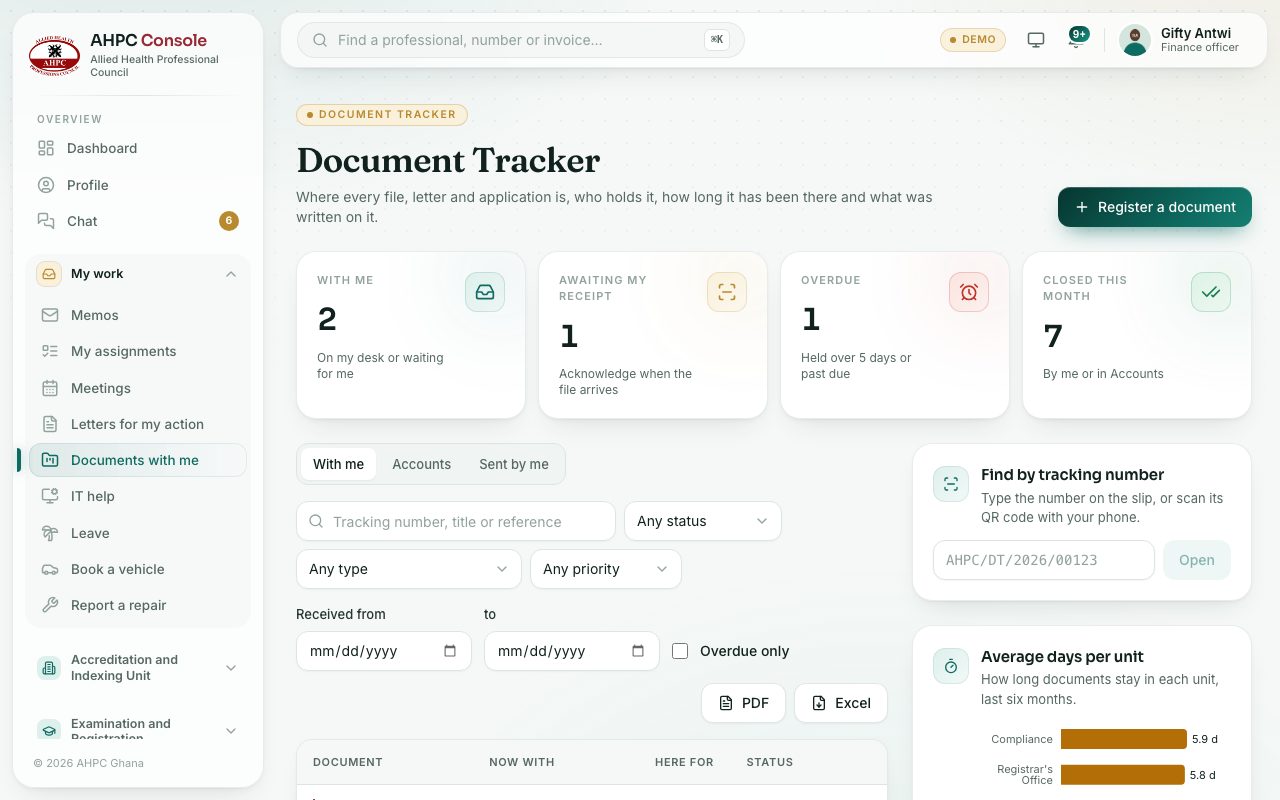
Each tracked document has a tracking number, for example AHPC/DT/2026/00123, and a printed tracking slip with a QR code. The trail shows every desk it has been to, how long it stayed and what was written on it.
demo.ahpcghana.com/staff/document-tracker?my=1
Step by step
- In the left menu, open My work and press Documents with me. The With me tab lists documents on your desk or sent to you.
- The cards at the top show With me, Awaiting my receipt, Overdue and Closed this month. Press one to filter the list.
- Press a document to open it.
- When the physical file reaches you, press Acknowledge receipt, then I have received it.
- Press Add minute to write on it without moving it. Use the quick minutes such as Please treat. or For your information.
- Press Forward to send it on: choose To unit, and a person in To a person (optional), the Action requested and your Minute. Hand over the physical file too.
- Press Return to sender to send it back, saying why.
- Press Mark actioned when you have done what was asked. You still hold it.
- Press Close and file when the matter is finished, and say Where the file is kept.
- To start tracking a new document, press Register a document.
- Fill in the Title or subject, Type, where it came from, the Date received and the Priority.
- Tick Send it on straight away to forward it at once.
- Open it and press Tracking slip to print the slip. Keep it on the file. The slip carries a light watermark with your name and the date.
- To open a document from its number, type it in Find by tracking number and press Open, or scan the slip's QR code with your phone.
What you will see
- Statuses: Awaiting receipt, On a desk, Actioned, Closed and filed.
- Overdue in red: held at one desk longer than the overdue limit (5 days unless changed) or past its due date.
- Average days per unit: how long documents stay in each unit over the last six months.
Check yourself
Pick an answer for each question, then press Check my answers. Nothing is saved or sent.