
Results Checker
Look up any candidate’s licensure exam result in every sitting, by name or number.
What you will learn
- Find a candidate by name, exam, index or registration number
- List everyone who passed or failed a sitting
- Open a candidate’s details
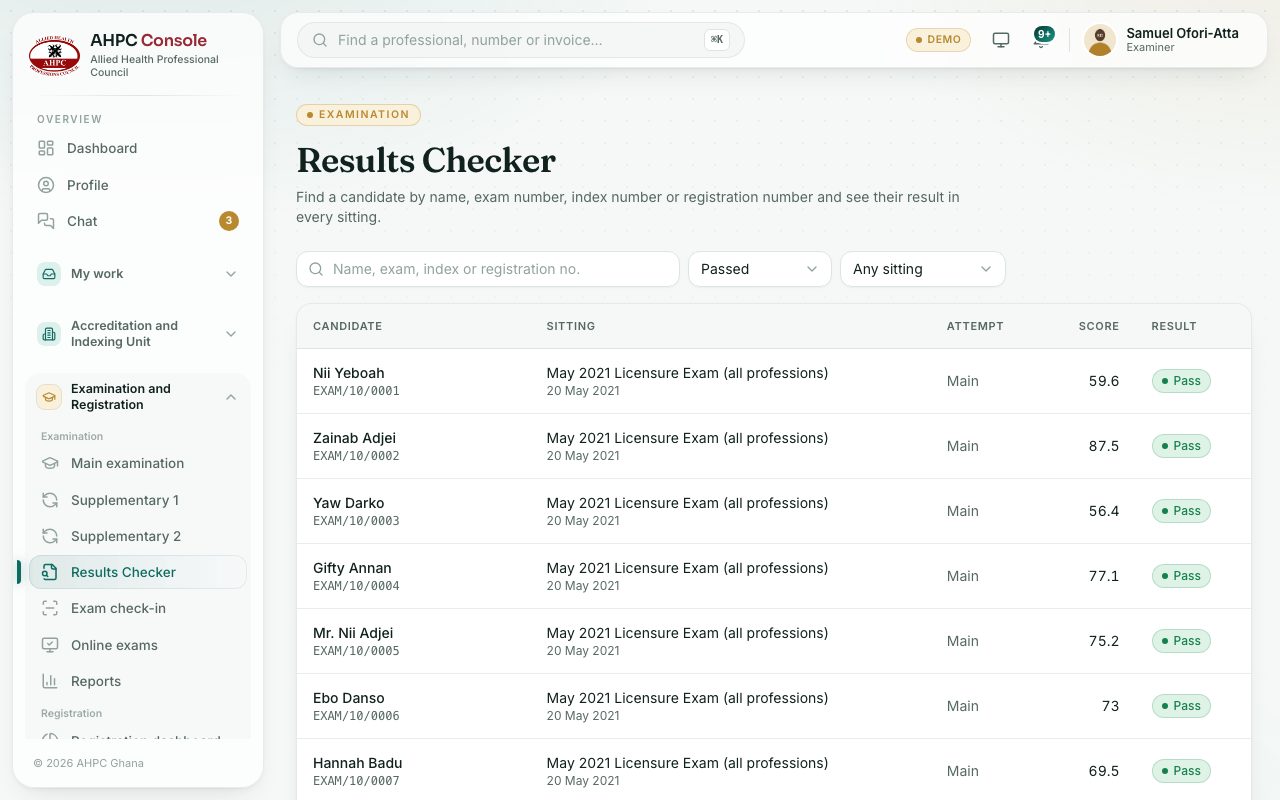
demo.ahpcghana.com/staff/exams/results?result=pass
Step by step
- In the left menu, under Examination, choose Results Checker.
- Type a name, exam number, index number or registration number.
- Or pick Passed or Failed in Any result, and a sitting in Any sitting (Main examination, Supplementary 1 or Supplementary 2).
- Click a row to see the candidate’s scores and history.
What you will see
- Columns Candidate, Sitting, Attempt, Score and Result.
- Pending when a candidate has no complete result yet. Results show here before they are published, so don’t share them early.
Check yourself
Pick an answer for each question, then press Check my answers. Nothing is saved or sent.