
Check candidates in at the venue
On exam day, scan the QR code on each admission slip with a phone or laptop camera, compare the photo with the person and mark them present.
What you will learn
- Open Exam check-in and choose the session and room
- Scan a slip or type the exam number
- Read what the portal tells you
- Mark candidates present, and the rest absent at the end
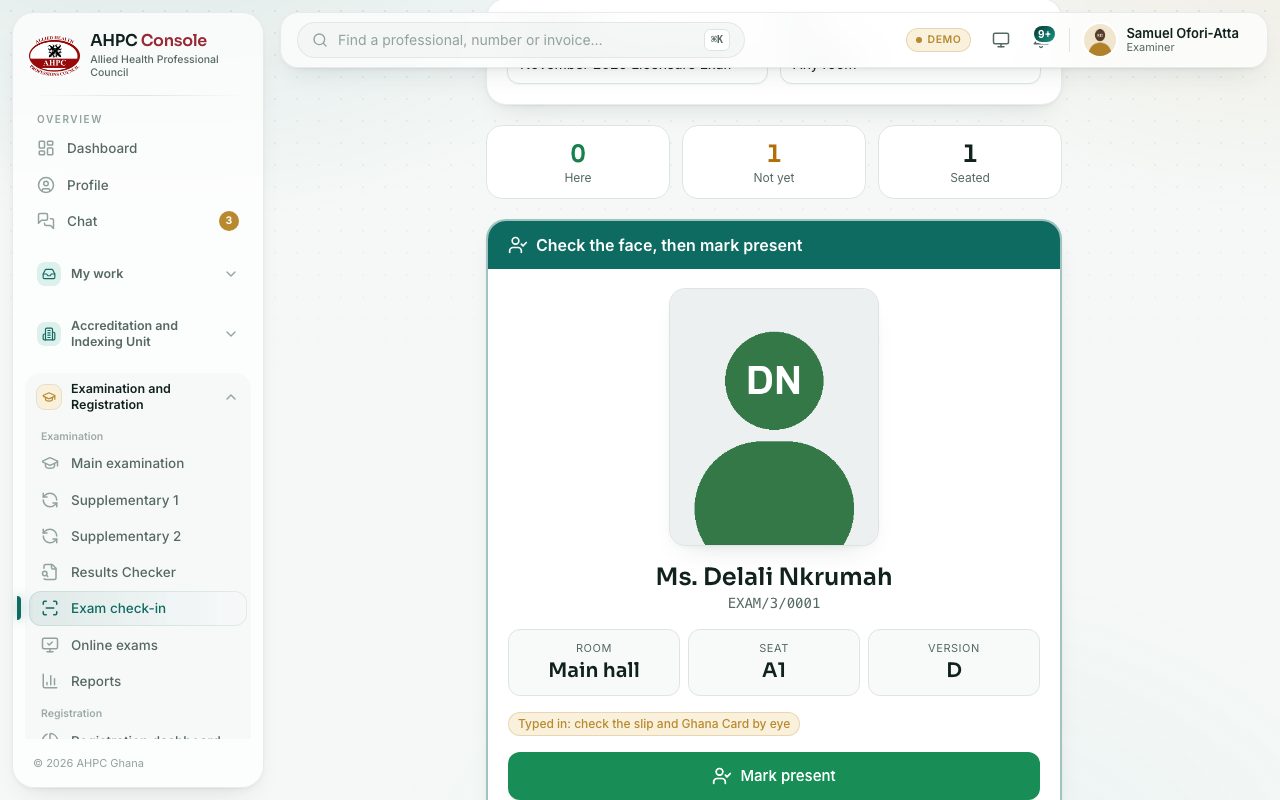
The QR code on the admission slip is signed by the Council. When you scan it, the portal checks that the slip is genuine, that the candidate is admitted to this session and in the right room, and shows their passport photo so you can compare it with the person in front of you.
demo.ahpcghana.com/staff/exams/check-in
Step by step
- Open the page on a phone or laptop with a camera. You can also reach it from the session with the Exam check-in button on the Seat plan & check-in tab.
- Choose the Exam session. If you are at one door, choose your Room too; otherwise leave Any room.
- Press Start scanning and allow the camera when the browser asks. Hold the slip’s QR code inside the frame.
- No camera, or a torn slip? Type the number in Or type the exam number (for example EXAM/12/0034) and press Find. Then check the slip and Ghana Card by eye.
- Look at the photo, the name, the room, the seat and the version. If it is the right person, press Mark present.
- Press Next candidate for the next one.
At the end of check-in
Once the exam has started, go back to the session’s Seat plan & check-in tab. Press Mark the … not checked in as absent and confirm. They are recorded as absent and get no result. This needs the permission to record results.
What you will see
- At the top: how many are Here, Not yet and Seated (for the whole session or your room).
- A blue bar Check the face, then mark present when all is well, and a green Checked in once you mark them.
- A red bar when something is wrong, for example Slip not genuine, Wrong exam session, Not admitted, Already checked in or Wrong room (the room box turns red).
- No passport photo on file: check the Ghana Card when the candidate has no photo.
Check yourself
Pick an answer for each question, then press Check my answers. Nothing is saved or sent.