
Examination reports
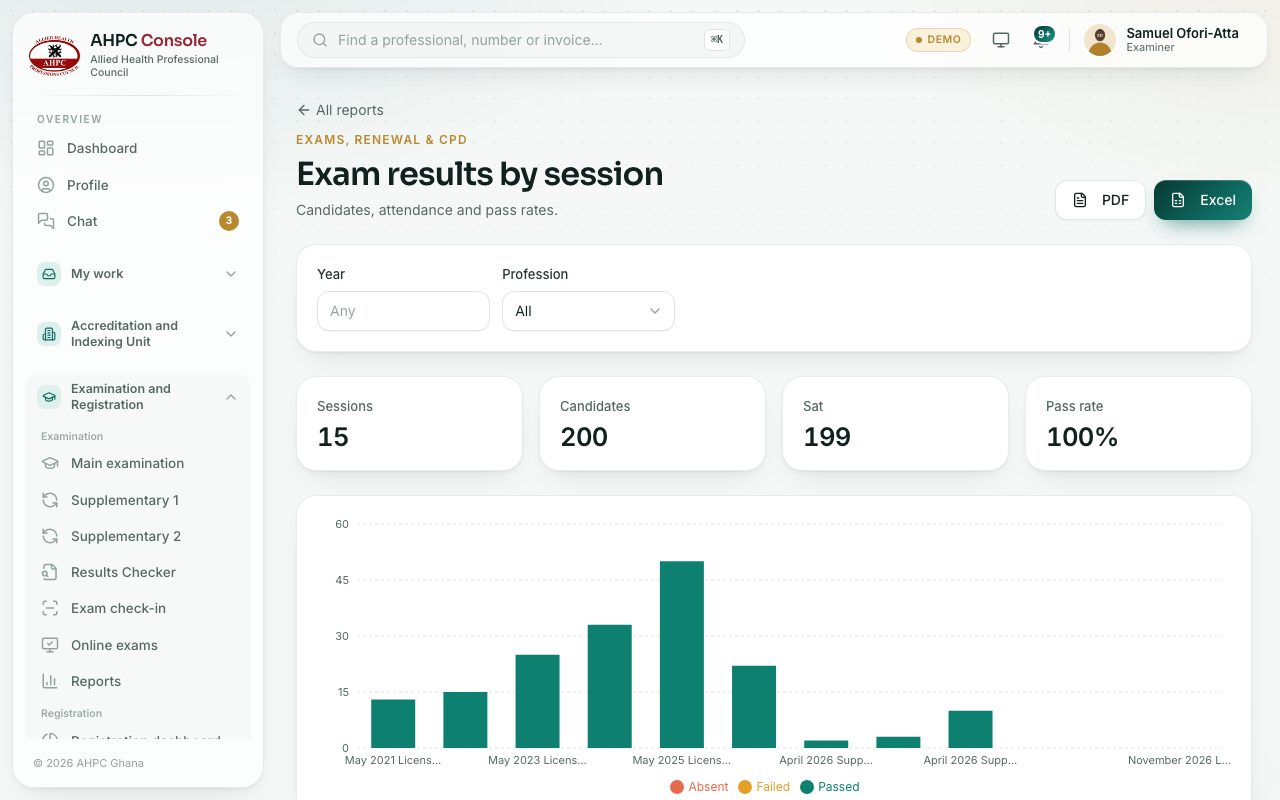
Download pass rates by session and the full list of candidates with their attempts and results, as Excel or PDF.
What you will learn
- Open the Examination reports
- Filter by year, profession, session, result or attempt
- Download the report
demo.ahpcghana.com/staff/reports/exam_results
Step by step
- In the left menu, under Examination, choose Reports.
- Pick a report:
- Exam results by session: each session with candidates, sat, passed, failed, absent and pass rate. Filter by year and profession.
- Exam candidates: every candidate with their session, attempt, status, result and score. Filter by session, result and attempt.
- Press Excel or PDF to download.
What you will see
- Every download shows who downloaded it, as a light watermark across the page.
- Excel downloads open read-only, so the figures can’t be changed by mistake.
Check yourself
Pick an answer for each question, then press Check my answers. Nothing is saved or sent.