
The correspondence register
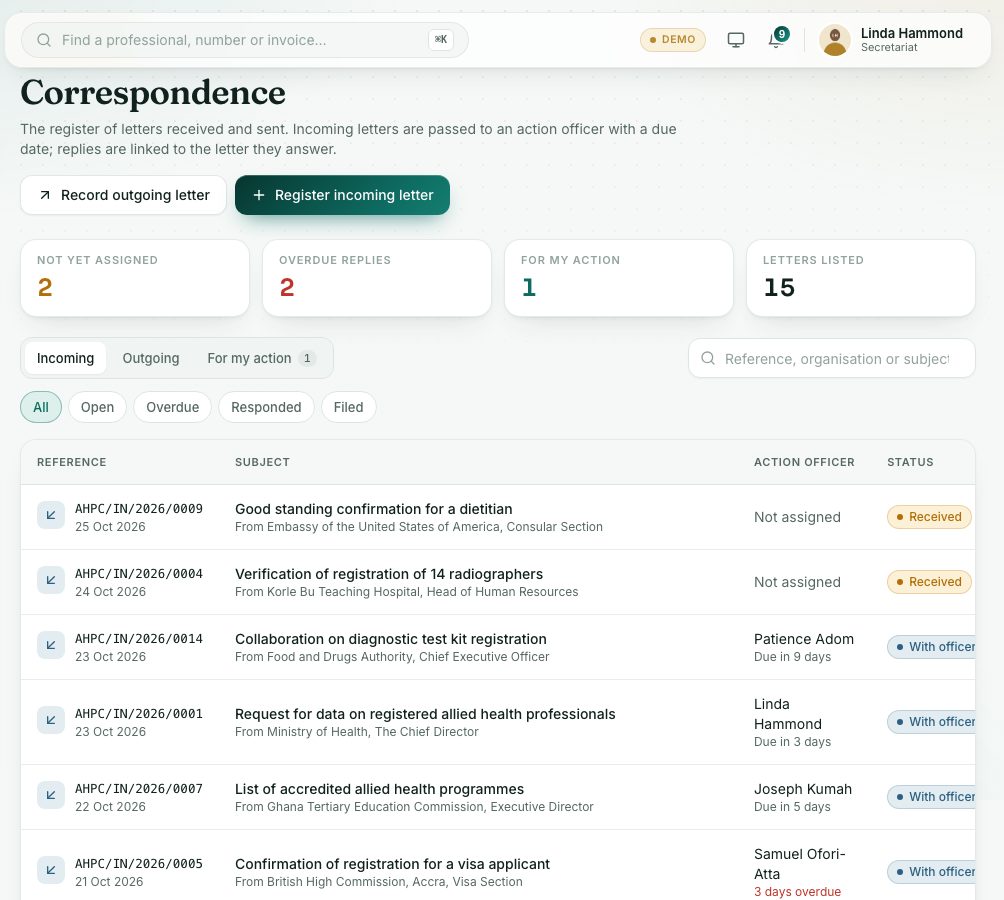
Register every letter received and sent, pass incoming letters to an action officer with a reply date, link replies and file them.
What you will learn
- Register an incoming letter and attach the scanned copy
- Assign an action officer and a reply date
- Record an outgoing letter or a reply
- File a letter
Incoming letters get an AHPC/IN reference and outgoing letters an AHPC/OUT reference. A reply is linked to the letter it answers.
demo.ahpcghana.com/staff/secretariat/correspondence
demo.ahpcghana.com/staff/secretariat/correspondence
Step by step
- In the left menu, open Secretariat and press Correspondence.
- The cards show Not yet assigned, Overdue replies, For my action and Letters listed. Press one to filter.
- Press Register incoming letter.
- Fill in From (organisation), Signed by, Subject, Date received, Letter dated, How it came (Post, Hand delivery, Email or Courier), Their reference and a Summary.
- Choose an Action officer (optional) and Reply due by date now, or later.
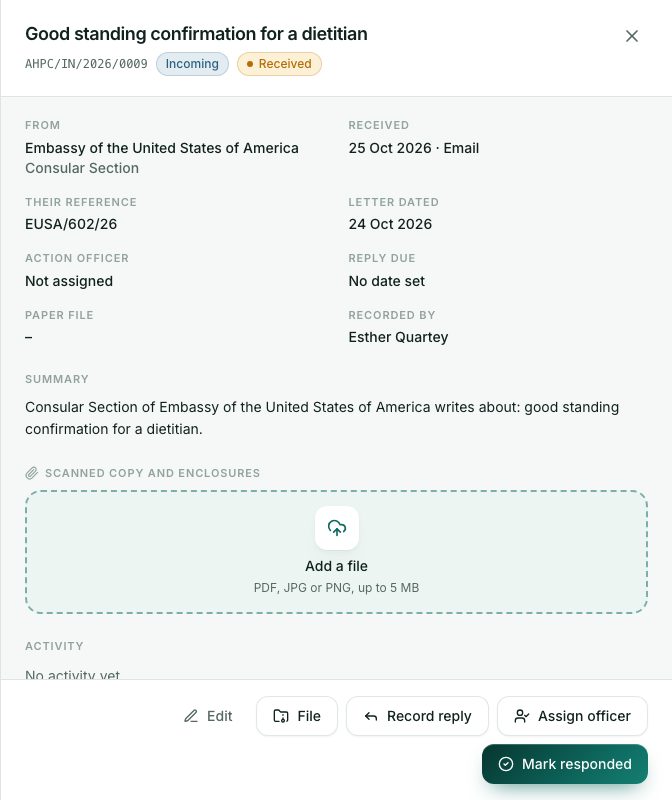
- Press Register. Then open it and add the scanned copy under Scanned copy and enclosures.
- To pass a letter on later, open it and press Assign officer (or Reassign). Choose the Action officer and Reply due by, and press Send. They see it under My work → Letters for my action.
- When a reply is sent, open the incoming letter and press Record reply.
- This records an outgoing letter linked to it, and marks the incoming letter Responded.
- If no letter was sent, press Mark responded instead.
- For a letter you send that isn't a reply, press Record outgoing letter.
- When the matter is finished, press File and add the Paper file reference (optional).
What you will see
- Statuses: Received, With officer, Responded, Filed, and Sent for outgoing letters.
- Reply to AHPC/IN/… under an outgoing letter: it is linked to the letter it answers.
- The reply is overdue: the reply date has passed.
Check yourself
Pick an answer for each question, then press Check my answers. Nothing is saved or sent.