
The Secretariat's Document Tracker
Register documents that reach the Secretariat, send them to the right desk, and keep watch over every unit's documents.
What you will learn
- Register a document and print its tracking slip
- Forward it to a unit or a person with a minute
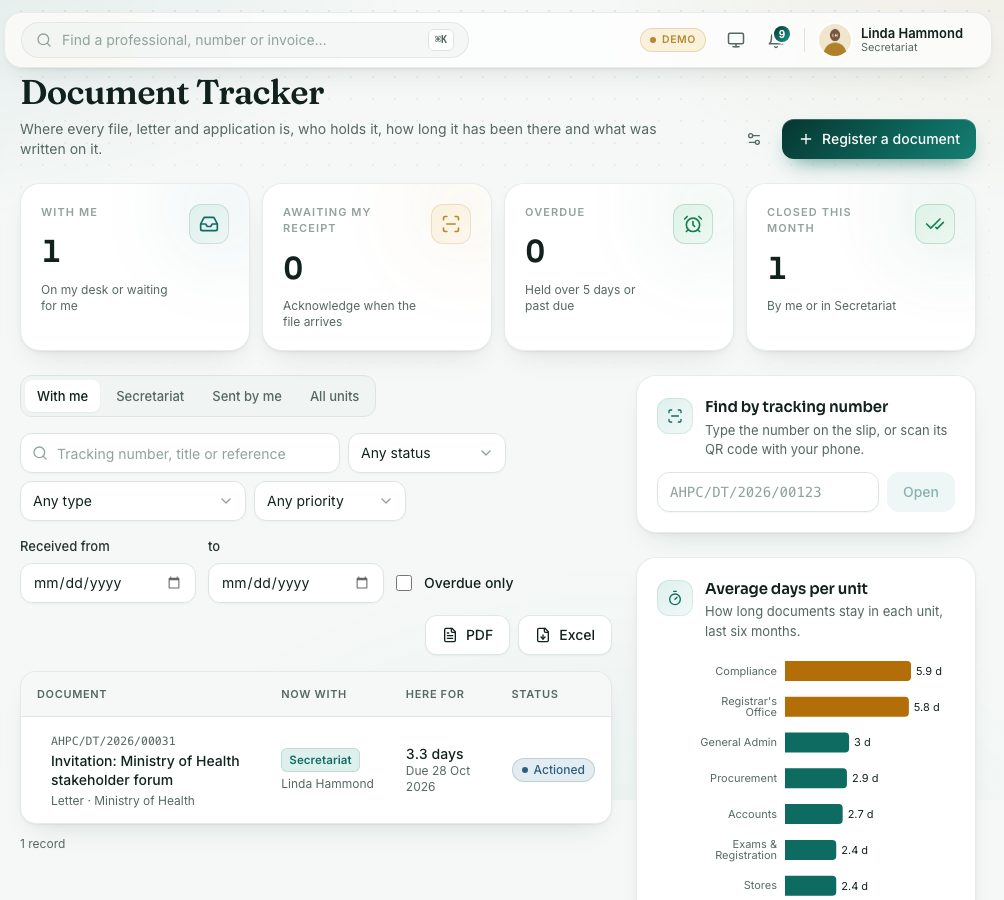
- Watch every unit's documents and the overdue list
- Reassign, reopen and set the overdue limit
Every member of staff can track documents (see the All staff course, Documents with you). The Secretariat also sees All units, can move a document when its holder is away, and sets the overdue limit.
demo.ahpcghana.com/staff/document-tracker?unit=secretariat
demo.ahpcghana.com/staff/document-tracker?unit=secretariat
Step by step
- In the left menu, open Secretariat and press Document Tracker.
- The tabs are With me, Secretariat (the unit's desk), Sent by me and All units.
- Press Register a document.
- Fill in Title or subject (for example Request for refund of exam fees), Type, where it came from (Organisation or Unit it came from), Their reference, Date received and Reply or action due (optional).
- Set the Priority and Confidentiality (Normal, Confidential or Secret). Link a professional in About a professional (optional) if it is about one.
- Add a Scanned copy (optional) (PDF, JPG or PNG, up to 10 MB).
- Tick Send it on straight away, choose the unit, person, Action requested and Minute, and save.
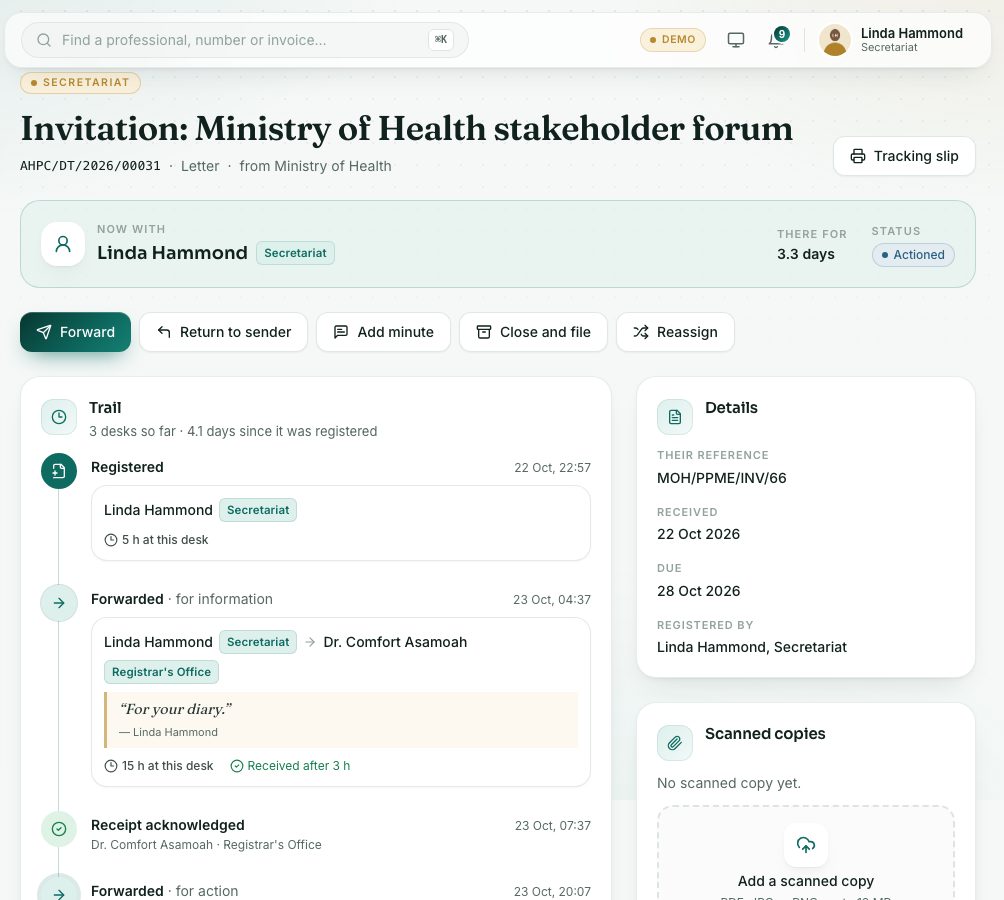
- Open the document and press Tracking slip. Print it and keep it on the paper file. The slip carries a light watermark with the name of whoever printed it and the date.
- On All units, filter by Every unit, status, type or priority, or tick Overdue only.
- Open an overdue document and press Reassign to move it to someone else, for example when the holder is away. Give the reason.
- Press Reopen on a closed document to bring it back into circulation.
- To change the overdue limit, press the settings button next to Register a document and set Days at one desk (1 to 90). It applies to every unit.
What you will see
- Actions requested: For action, For information, For approval, For signature, For filing.
- Statuses: Awaiting receipt, On a desk, Actioned, Closed and filed.
- Average days per unit: amber bars are above the overdue limit.
Check yourself
Pick an answer for each question, then press Check my answers. Nothing is saved or sent.