
Keep the professions and their specialties up to date
Maintain the list of allied health professions the Council regulates, and the specialties (categorisations) within each.
What you will learn
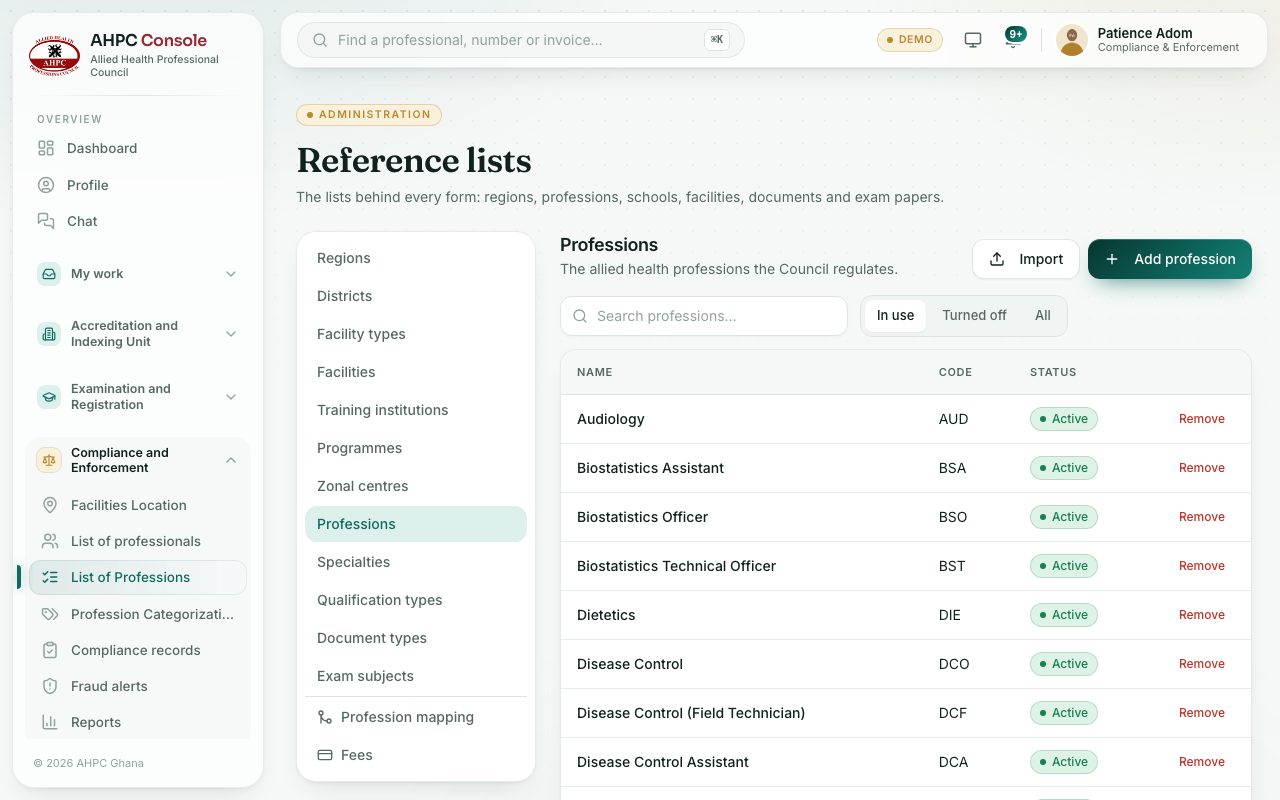
- Open the list of professions
- Add or edit a profession
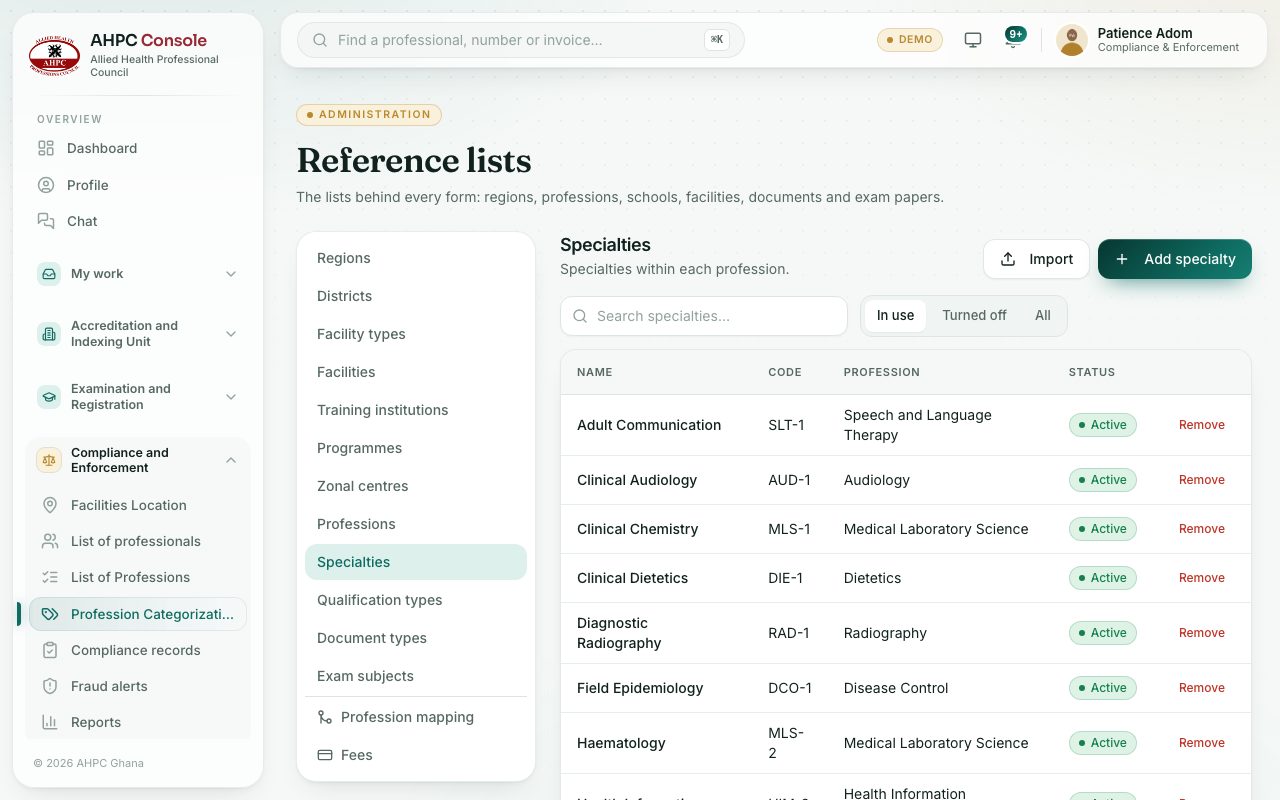
- Add a specialty under a profession
demo.ahpcghana.com/staff/setup/professions
demo.ahpcghana.com/staff/setup/specialties
Step by step
- Open Compliance and Enforcement → List of Professions. The page shows Professions.
- To add one, press Add profession, fill in Name, Code and Description, and press Add.
- To change one, press its row, edit it and press Save changes.
- Open Compliance and Enforcement → Profession Categorizations. The page shows Specialties.
- Press Add specialty, fill in Name and Code, choose the Profession it belongs to, and press Add.
What you will see
- Each list has In use, Turned off and All tabs, and Import for a spreadsheet.
- Remove deletes an item nothing uses, or turns it off if records use it.
Check yourself
Pick an answer for each question, then press Check my answers. Nothing is saved or sent.