
Reverse a payment
When money was refunded, a cheque bounced or a payment was recorded by mistake, reverse it. The invoice becomes unpaid again.
What you will learn
- Know when to reverse a payment
- Reverse a payment from Live Payments or from the invoice
- Know what happens to the invoice
demo.ahpcghana.com/staff/payments
Step by step
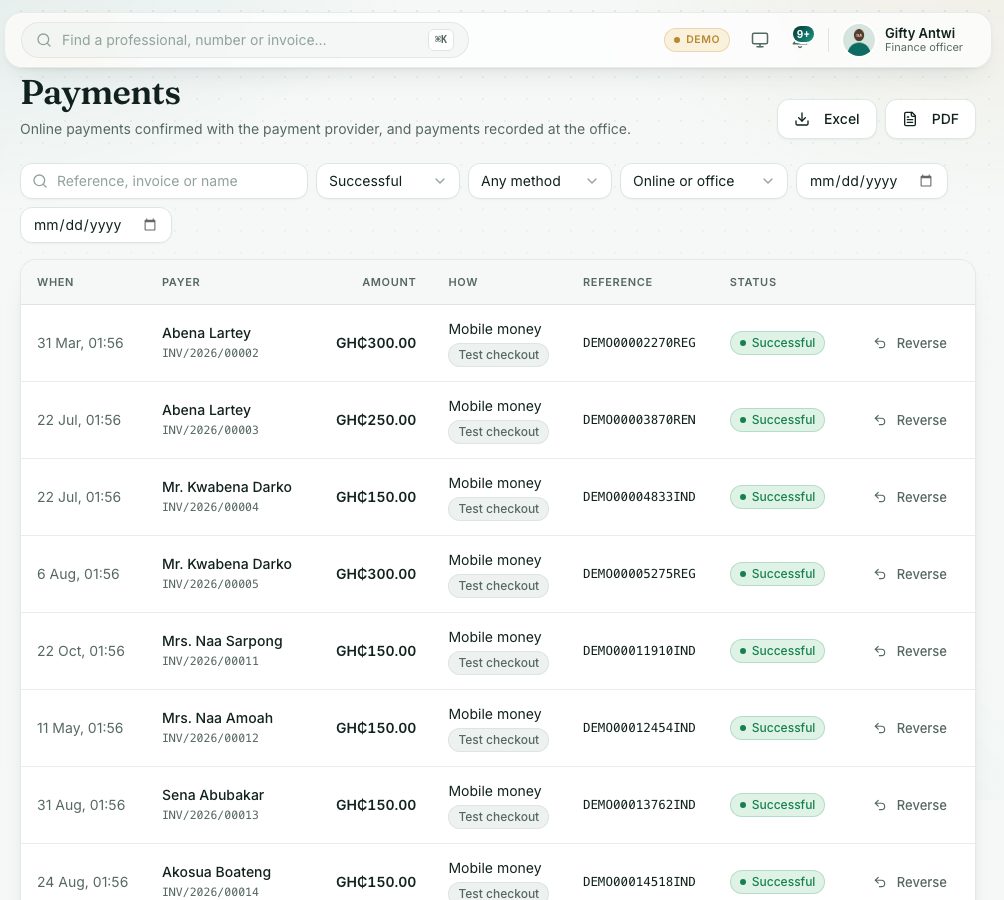
- Open Accounts → Live Payments and find the payment. Setting Any status to Successful helps.
- Press Reverse at the end of its row. You can also open the invoice and press Reverse next to the payment under Payments.
- Type the reason, for example Cheque returned unpaid by the bank. A reason is required.
- Press Reverse payment.
What you will see
- The payment shows Reversed, with your reason under it.
- The invoice goes back to Unpaid, or Overdue if its due date has passed. The professional can pay it again.
Check yourself
Pick an answer for each question, then press Check my answers. Nothing is saved or sent.