
Receive goods (GRN) and reverse a receipt
Record every delivery as a goods received note (GRN). Stock goes up straight away. If a receipt was wrong, reverse it.
What you will learn
- Record a delivery with its supplier and lines
- Enter batch numbers and expiry dates when asked
- Reverse a receipt, and know when you can't
demo.ahpcghana.com/staff/stores/receipts
Step by step
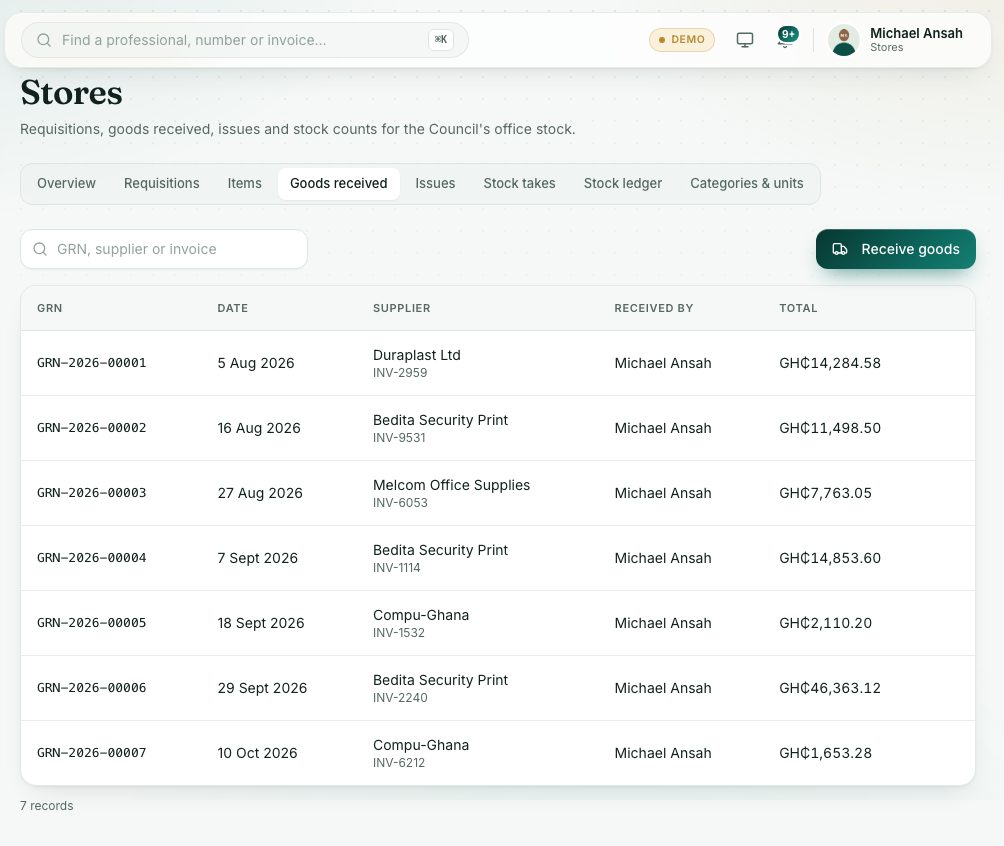
- In the left menu, open Stores → Stocks Receipts. The tab is called Goods received.
- Press Receive goods.
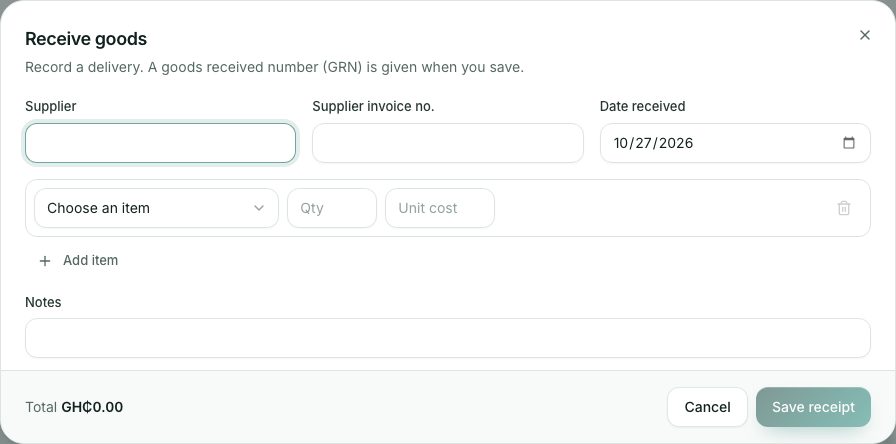
- Fill in Supplier, Supplier invoice no. and Date received.
- For each item delivered:
- Choose the item in Choose an item.
- Type the quantity in Qty. The Unit cost fills in from the last delivery; change it to the price on the invoice.
- For batch-tracked items, type the batch number (required). For expiry-tracked items, pick the expiry date.
- Press Add item for another line, or the bin to remove one.
- Check the Total at the bottom, add any Notes, and press Save receipt.
demo.ahpcghana.com/staff/stores/receipts
Reverse a receipt
Open the receipt in the list and press Reverse receipt. Type the reason and press Reverse. The quantities come back out of stock and the receipt shows Reversed, with the reversal number, your reason, your name and the time.
You can't reverse a receipt if some of that delivery has already been issued. A posted receipt can't be deleted either: reversing is the only way to undo it.
What you will see
- Goods received and stock updated, and the new GRN opens.
- Search the list by GRN, supplier or invoice number.
Check yourself
Pick an answer for each question, then press Check my answers. Nothing is saved or sent.