
Procurement reports and the Document Tracker
See how spending compares with the plan, how tenders are run and what is still owed on contracts. Track procurement files desk to desk with the Document Tracker.
What you will learn
- Read the procurement reports for a year and download them
- Find what is still owed on contracts
- Use the Procurement Document Tracker
Step by step
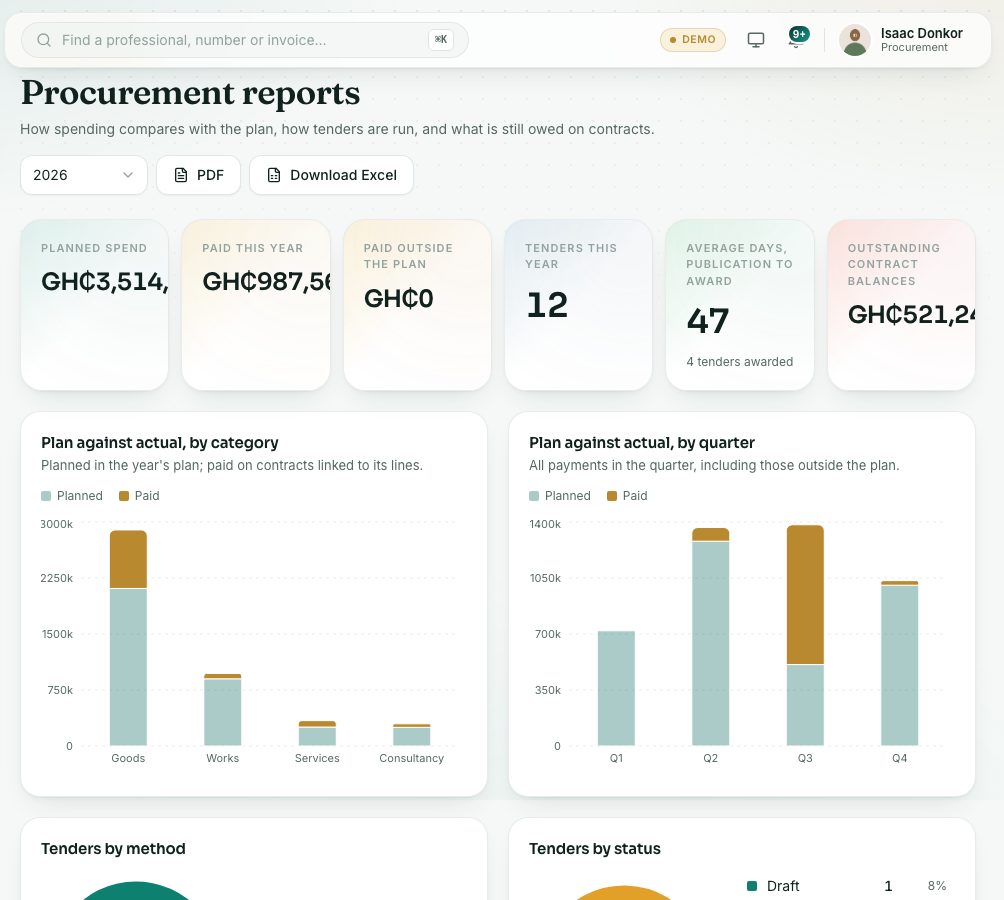
- In the left menu, open Procurement → Reports. The page is titled Procurement reports. Choose the year at the top right.
- Read the cards:
- Plan against actual, by category and Plan against actual, by quarter.
- Tenders by method and Tenders by status.
- Contract values by supplier and Days from publication to award.
- Outstanding contract balances: active contracts with money still to pay.
- Supplier certificates expiring: expired, or expiring in the next 30 days.
- Press PDF or Download Excel to download the whole report for the year. Both carry your name and the date as a light watermark, and the Excel file opens read-only.
The Document Tracker
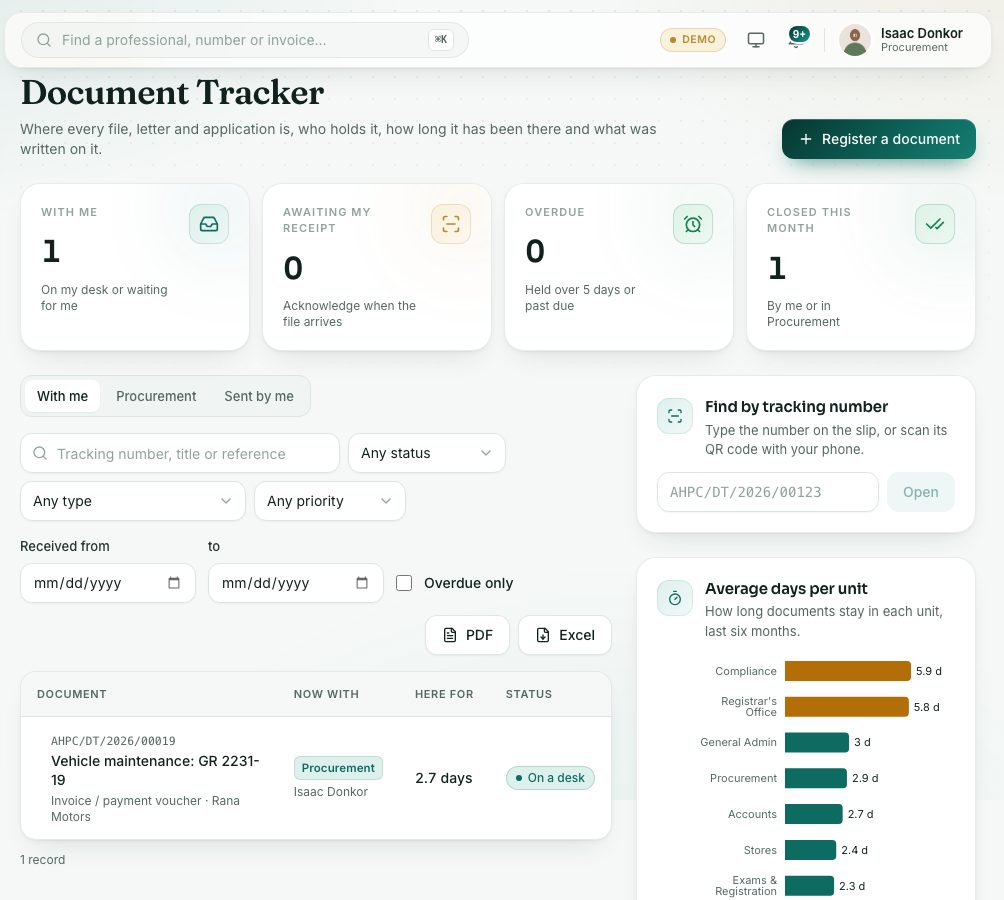
Open Procurement → Document Tracker to track paper files, letters, contracts and other documents for the unit. Press Register a document for a document that has arrived, print its Tracking slip (it carries a light watermark with your name and the date) and keep it on the file. When one is sent to you, open it and press Acknowledge receipt once the file reaches you. Then Add minute, Forward, Mark actioned or Close and file. The figures at the top show what is With me, Awaiting my receipt and Overdue. The lesson Documents with you in the Every staff member course covers it step by step.
Check yourself
Pick an answer for each question, then press Check my answers. Nothing is saved or sent.