
Visit mode: on site
Record your arrival, score each line, take stamped photos, collect signatures and record when you leave, all with no network.
What you will learn
- Record arrival and departure
- Score lines and take photos
- Collect your signature and the place’s representative’s
demo.ahpcghana.com/partner/reviews
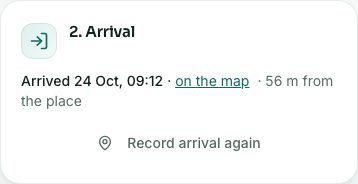
demo.ahpcghana.com/partner/reviews
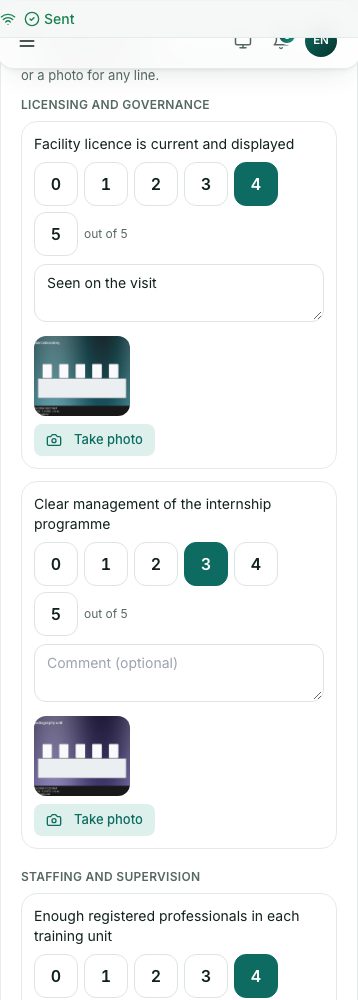
demo.ahpcghana.com/partner/reviews
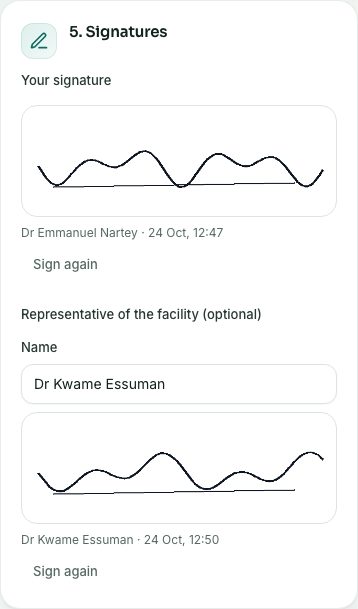
Step by step
- When you arrive, open Visit mode and tap I’ve arrived in 2. Arrival. The time and where you are are recorded.
- In 3. Visitation form, tap a score for each line. Add a comment if you like.
- Tap Take photo on a line to photograph what you saw. Type what it is if you like. The photo is stamped with the time, the place and the line of the form.
- Use 4. Other photos for photos that aren’t for one line.
- In 5. Signatures, sign with your finger in Your signature and tap Save my signature.
- Ask the representative of the place to sign too (optional): type their Name, let them sign and tap Save their signature.
- When you leave, tap I’m leaving in 6. Departure.
What you will see
- Things saved but not yet sent show On this phone. They send by themselves when the phone is back online.
- If the phone’s location isn’t available, the time is still recorded and the page tells you.
- Head office sees your arrival, departure, photos and signatures as Visit evidence, with a warning for anything far from the place or outside the visit time.
Check yourself
Pick an answer for each question, then press Check my answers. Nothing is saved or sent.