
Reviewers: score the visitation form and send your report
Open an application you were chosen for, score every line of the visitation form, write your report and send it.
What you will learn
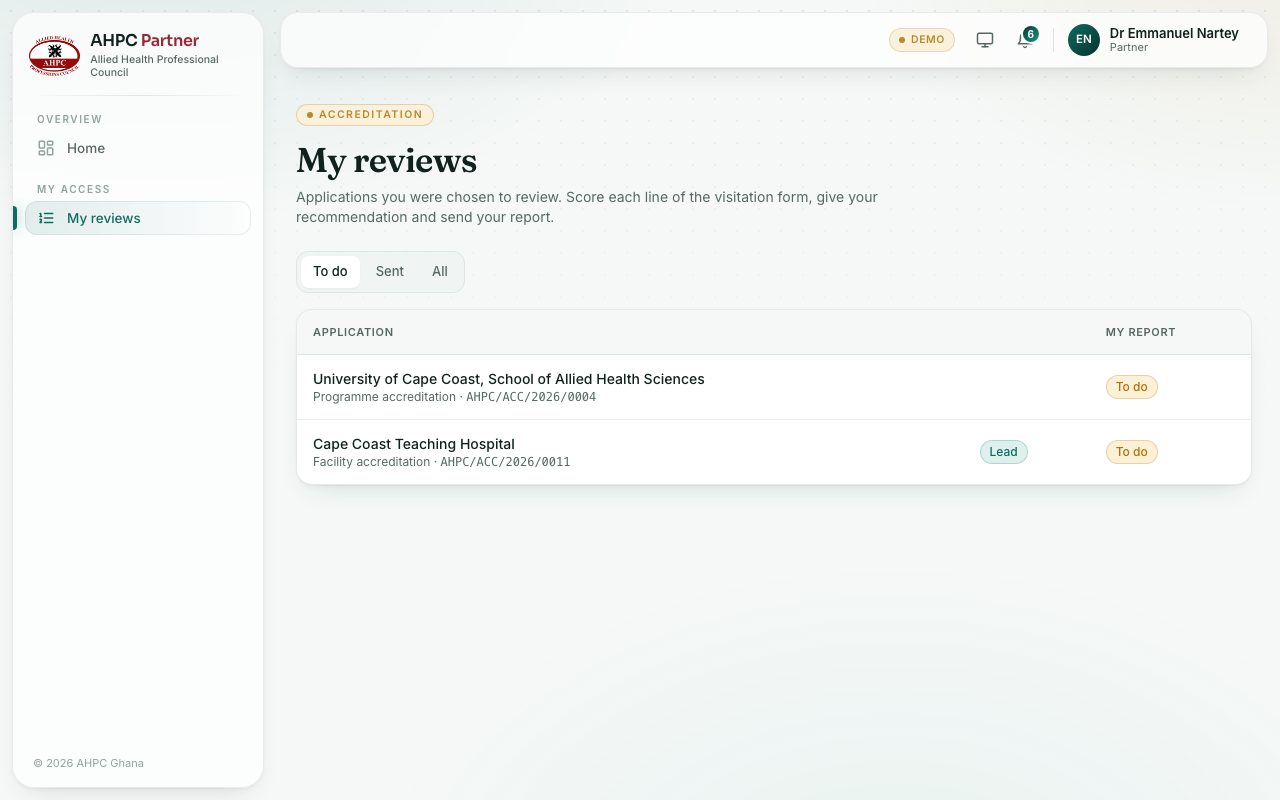
- Find your reviews
- Score each line and save as you go
- Write the report and give your recommendation
- Send the report
Head office chooses the reviewers for each application and one of them as lead reviewer. You get an email when you are chosen.
demo.ahpcghana.com/partner/reviews
demo.ahpcghana.com/partner/reviews
demo.ahpcghana.com/partner/reviews
Step by step
- Open My access → My reviews. The To do tab lists your open reviews. Lead marks the ones you lead.
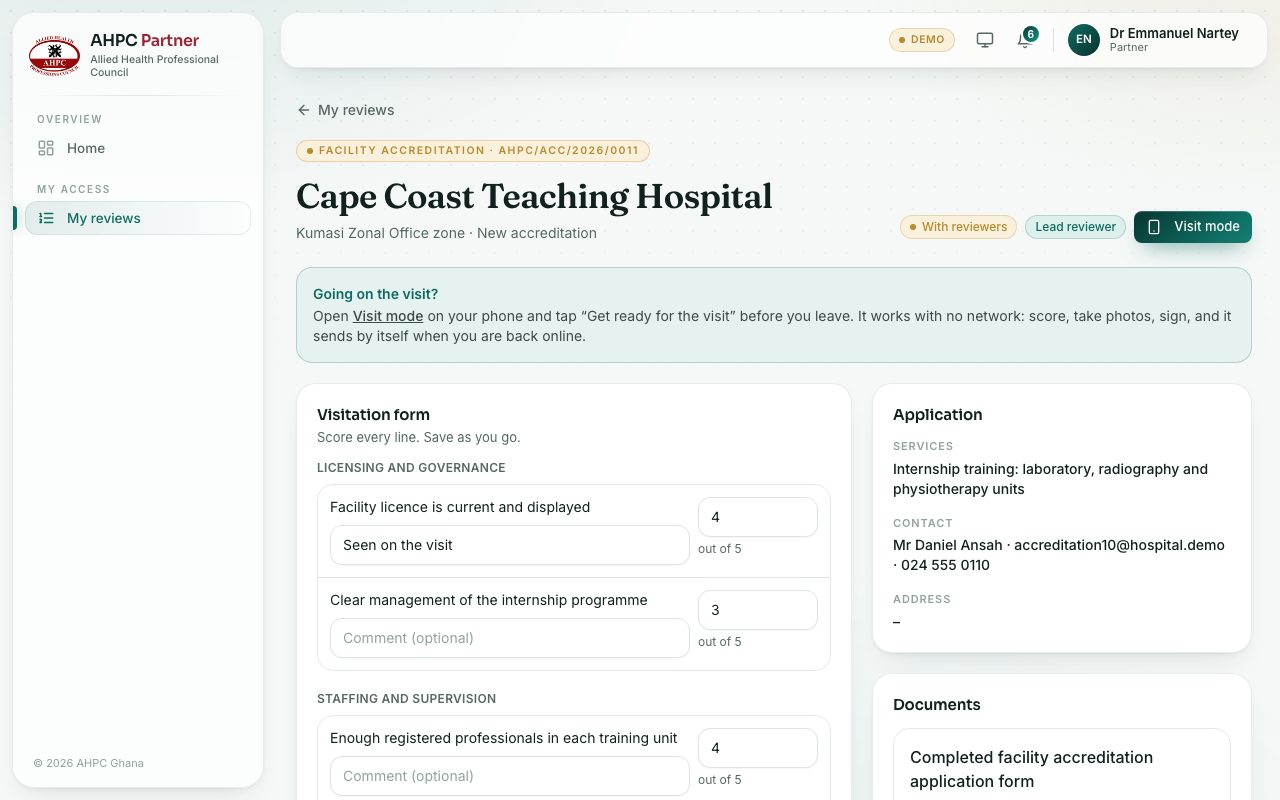
- Press an application. Read the Application and open the Documents on the right.
- In the Visitation form, type a score for each line (up to the number shown, out of 5 for example) and a comment if you like.
- Press Save as you go. You can carry on later.
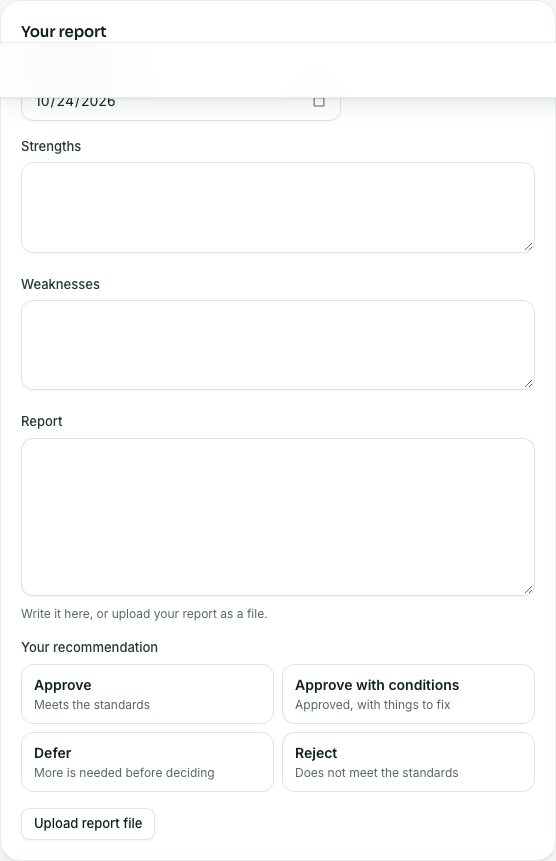
- Fill in Your report: Date of the visit, Strengths, Weaknesses and Report. Or press Upload report file to upload your report as a PDF or Word file.
- Choose Your recommendation: Approve, Approve with conditions, Defer or Reject.
- Press Send report and confirm. It goes to head office.
What you will see
- Under the form: 10 of 10 lines scored and the total, for example Total 37 / 50 · 74%.
- If something is missing, the page says what, for example To send: give your recommendation, write or upload your report.
- After sending, Sent lists your report with the date, and the page says Your report is sent.
Check yourself
Pick an answer for each question, then press Check my answers. Nothing is saved or sent.