
Visit mode: get ready before the visit
Open visit mode on your phone and save the visit on it while you have internet, so it works on site with no network.
What you will learn
- Open visit mode on your phone
- Get the visit ready on the phone
- Know what is kept on the phone
Visit mode is the review page made for your phone on the visit. It works without internet: you can score, take photos, collect signatures and record your arrival and departure, and it sends everything by itself when the phone is back online.
demo.ahpcghana.com/partner/reviews
Step by step
- Before you leave, with internet, open the review on your phone: My access → My reviews, then the application.
- Press Visit mode at the top.
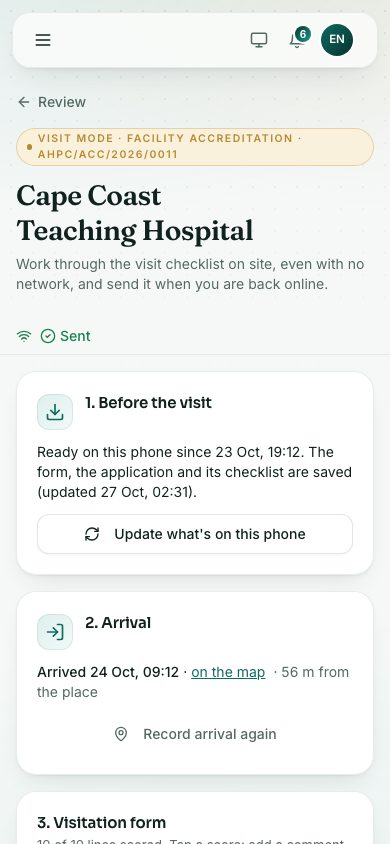
- In 1. Before the visit, tap Get ready for the visit. The form, the application and its checklist are saved on the phone.
- Wait for the message that starts Ready. The box then says when the phone was made ready.
- If anything changes before the visit, tap Update what’s on this phone.
What you will see
- The bar at the top says Sent when everything is on the Council’s side, or Saved on this phone — will send when online when something is waiting.
- 1. Before the visit says when the phone was made ready.
Check yourself
Pick an answer for each question, then press Check my answers. Nothing is saved or sent.