
Reports and the other registers
Download General Administration reports as Excel or PDF, and open the Compliance, Registration and Accreditation registers from your menu.
What you will learn
- Open a report and filter it
- Download it as Excel or PDF
- Know what the three register links open
demo.ahpcghana.com/staff/general-admin/reports
Step by step
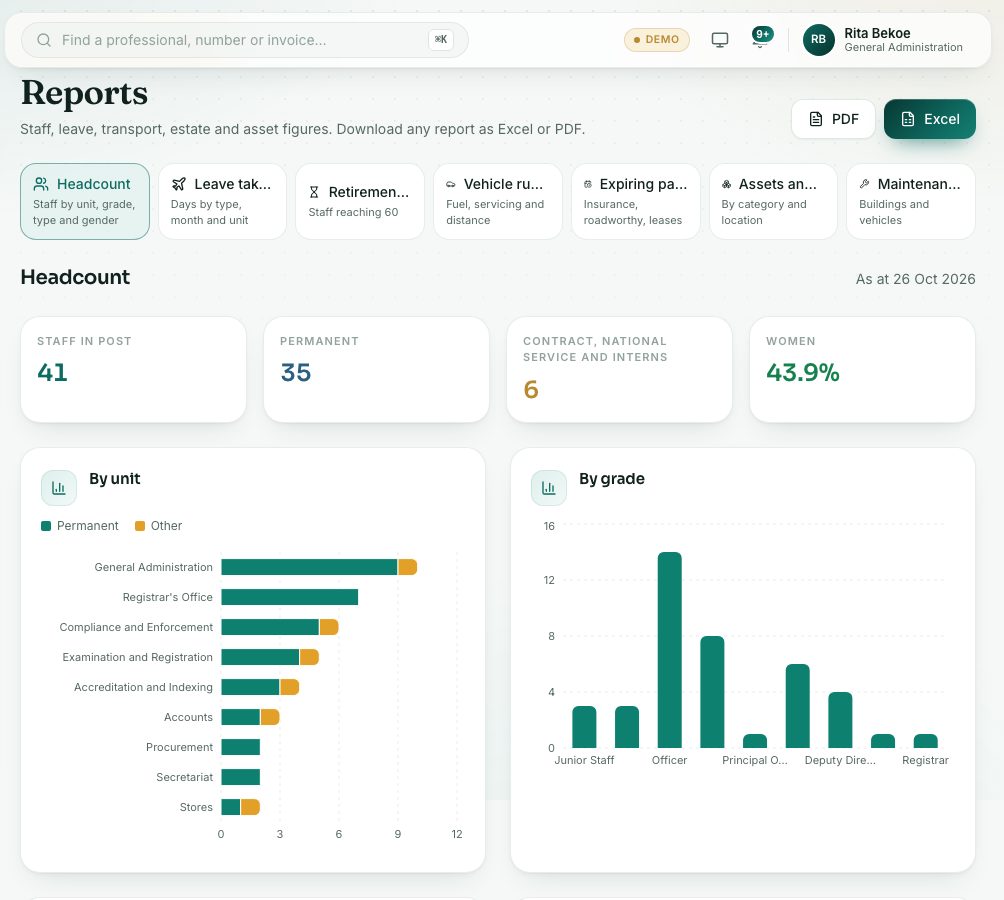
- Open General Administration → Reports.
- Pick a card: Headcount, Leave taken, Retirements due, Vehicle running costs, Expiring papers and leases, Assets and book value or Maintenance spend.
- Set the filter if the report has one: a year, the next 12 or 24 months, a date range, or “within” a number of days.
- Press Excel or PDF at the top to download it. The download carries your name and the date as a light watermark, and the Excel file opens read-only.
The register links in your menu
Three links in the General Administration menu open registers that other units keep. You can read them:
- Compliance Issues opens the Inspections list of Compliance and Enforcement.
- Registration opens the Registrations list of applications.
- Accreditations and indexing opens Institutions & facilities, the accreditation register.
These are the same pages the other units use. What you can do there depends on your role.
What you will see
- Each report shows its key figures at the top, then charts and tables.
- “Nothing to show for this period.” means no records match the filter.
Check yourself
Pick an answer for each question, then press Check my answers. Nothing is saved or sent.